4-39
4. Troubleshooting
4-5. Stand Alone Hotel Mode
4-5-1. Entering Stand Alone Hotel Mode
Under power on condition, MUTE + 1 + 1 + 9 + ENTER
4-5-2. Stand Alone Hotel Mode Data
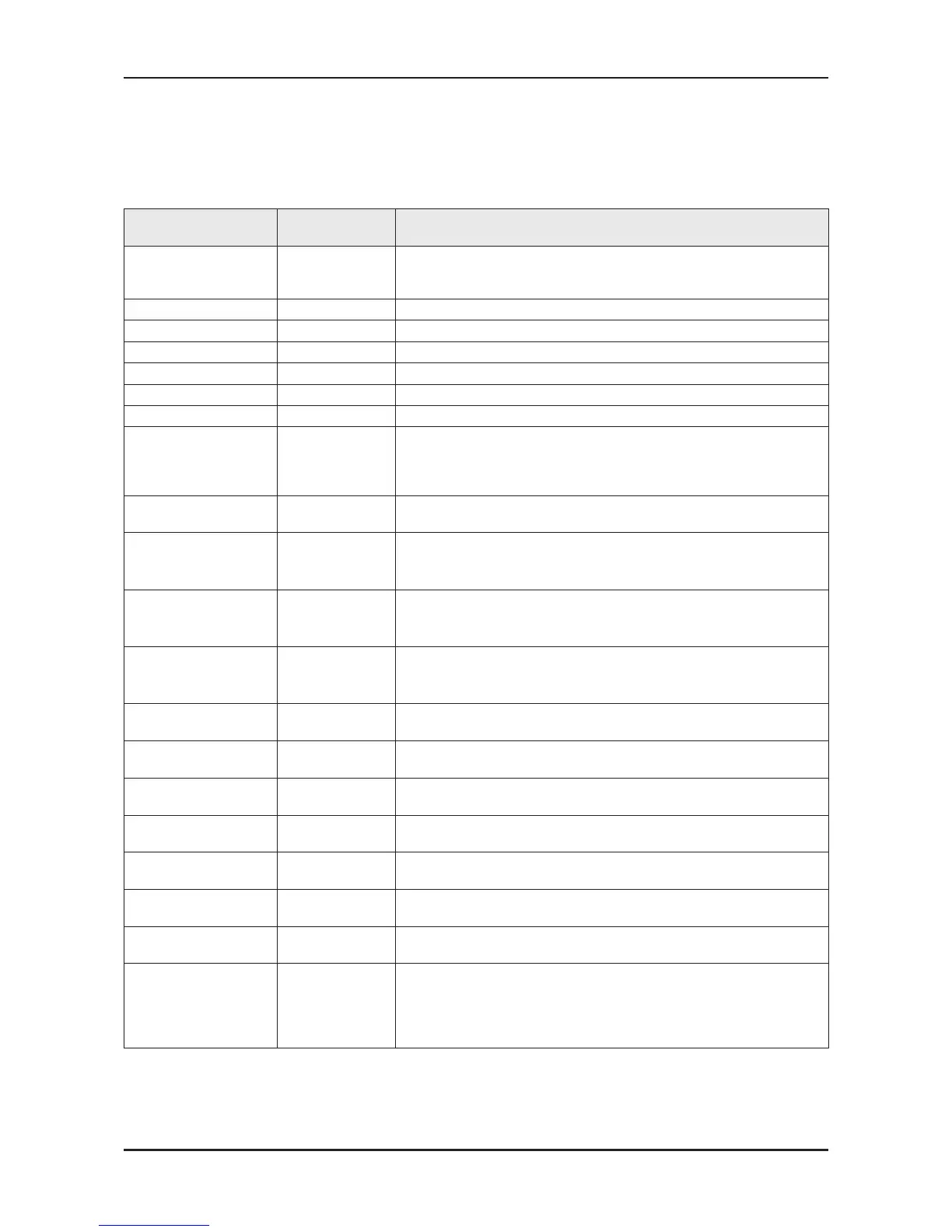
ITEM
interactive hotel
initial Value
Description
Hotel Mode On
Hotel mode on/off
- On : Hotel TV Stand-alone or Interactive
- Off : Retail TV
Power On Chanel 3 TV will switch on to this particular Channel in Stand alone Hotel Mode
Power on Band STD Channel search STD and AIR (for NTSC model)
Power on source TV Select the Input source when TV is turned on initially.
Power On Volume 10 TV will switch on with this Volume Level.
Min Volume 0 Minimum Volume Level setting user can set in Stand alone Hotel Mode
Max Volume 100 Maximum Volume Level setting user can set in Stand alone Hotel Mode
Panel Button Lock Off
Front panel(Local key) operation on/off
- Off : Unlock All panel key
- On : Lock All panel key
- Power : Lock All panel key except Power panel key
Pic Menu Lock Off Enable or disable Picture Menu
Music Mode(AV) Off
To get music output from mp3/audio player in AV Input Source.
TV sound is generated in only black picture whether being Video Singal
or not.
Music Mode(PC) Off
To get music output from mp3/audio player in PC Input Source.
TV sound is generated in only black picture whether being Video Singal
or not.
Music Mode(Comp) Off
To get music output from mp3/audio player in Component Input Source.
TV sound is generated in only black picture whether being Video Singal
or not.
Music Mode Backlight On Backlight On/Off option in Music mode to save energy
RJP Priority(AV) 1
If the jack priority is set, the corresponding source is automatically set
when a jack is inserted according to the jack priority.
RJP Priority(PC) 2
If the jack priority is set, the corresponding source is automatically set
when a jack is inserted according to the jack priority.
RJP Priority(HDMI) 3
If the jack priority is set, the corresponding source is automatically set
when a jack is inserted according to the jack priority.
RJP AV Option AV2 Select RJP AV Source(AV1/AV2)
RJP HDMI Option HDMI1 Select RJP HDMI Source (HDMI1/HDMI2/HDMI3)
Sub AMP volume 13 Sub AMP Volume level at power on initial condition.
Sub AMP mode 2
Determines the Sub AMP operation mode.
- 0: Turns the Sub AMP function off (PWM off).
- 1: Determines the Sub volume according to the main volume control.
That is, the sub volume is determined according to the Power On
Volume, the Min Volume, and the Max








 To Next Page