4-22
4. Troubleshooting
4-1-8. No Sound
Symptom No audio.-
Major
checkpoints
Check your audio level setting.
Check your internal mute setting.
Check your source content.
Check all connections.
-
-
-
-
Diagnostics
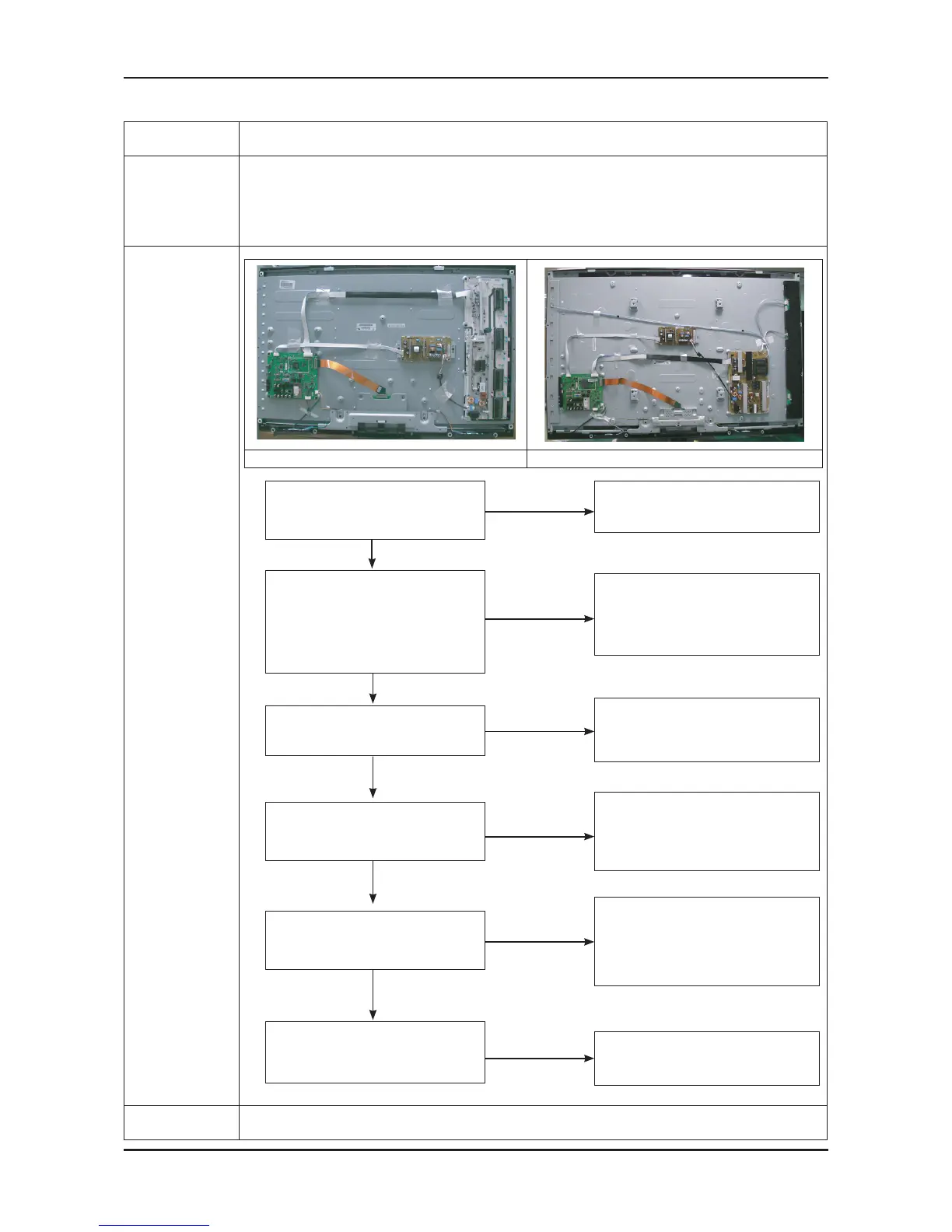
40” 52”
No
Check CN707,CN805,CN704,CN904
Change the Main PCB
40” : BN94-02945D
52” : BN94-02945E
No
Does the DC B3.3V, B12V
appear at TP - B3.3V, B12V?
Check the source and
check the connection of sound cable
(Comp/PC/DVI to HDMI)?
Change the Main PCB
40” : BN94-02945D
52” : BN94-02945E
No
Check IC903 (Audio CODEC)
Change the Main PCB
40” : BN94-02945D
52” : BN94-02945E
No
Does the I2C data appear at R433?
Check IC201 (Saturn4)
Check IC903 (Sound AMP)
Change the Main PCB
40” : BN94-02945D
52” : BN94-02945E
No
Does the sound data appear at
TP - L-, L+, R-, R+?
No
Please, Contact Tech support
Replace speaker
40” : BN96-09463C
52” : BN96-09463D
Does the sound data appear at
TP-COMSR,COMSL,V2SL,V2SR
(AV1 R/L, AV2 R/L)
TP-COMSR,COMSL(Comp R/L)
TP-DSR,DSL(DVI R/L)
TP-915, 916(PC R/L)?
Yes
Yes
Yes
Yes
Input the sound source properly.
Yes
6
7
Caution Make sure to disconnect the power before working on the IP board.






 To Next Page