Extending the Battery Usage Time
146
Decreasing the LCD Brightness
PresstheFn+( )keysonthekeyboardtodecreasetheLCDbrightnesstoextendthebatteryusagetime.
Using Easy Battery Manager (Optional)
EasyBatteryManagerisapowermanagementprogramthatenablesusingthebatterypowerefciently.Youcanselect
anoptimizedpowermodeaccordingtoyourrequirements.
Note
EasyBatteryManagerisoptionalandmaynotbesurpporteddependingonyourmodel.
1
ClickStart > Control Panel > Hardware and Sound > Power Options.
Alternatively,right-clickthepowermeasuringdeviceicon(
)inthenoticationareaofthetaskbarandselectPower
Options.
2
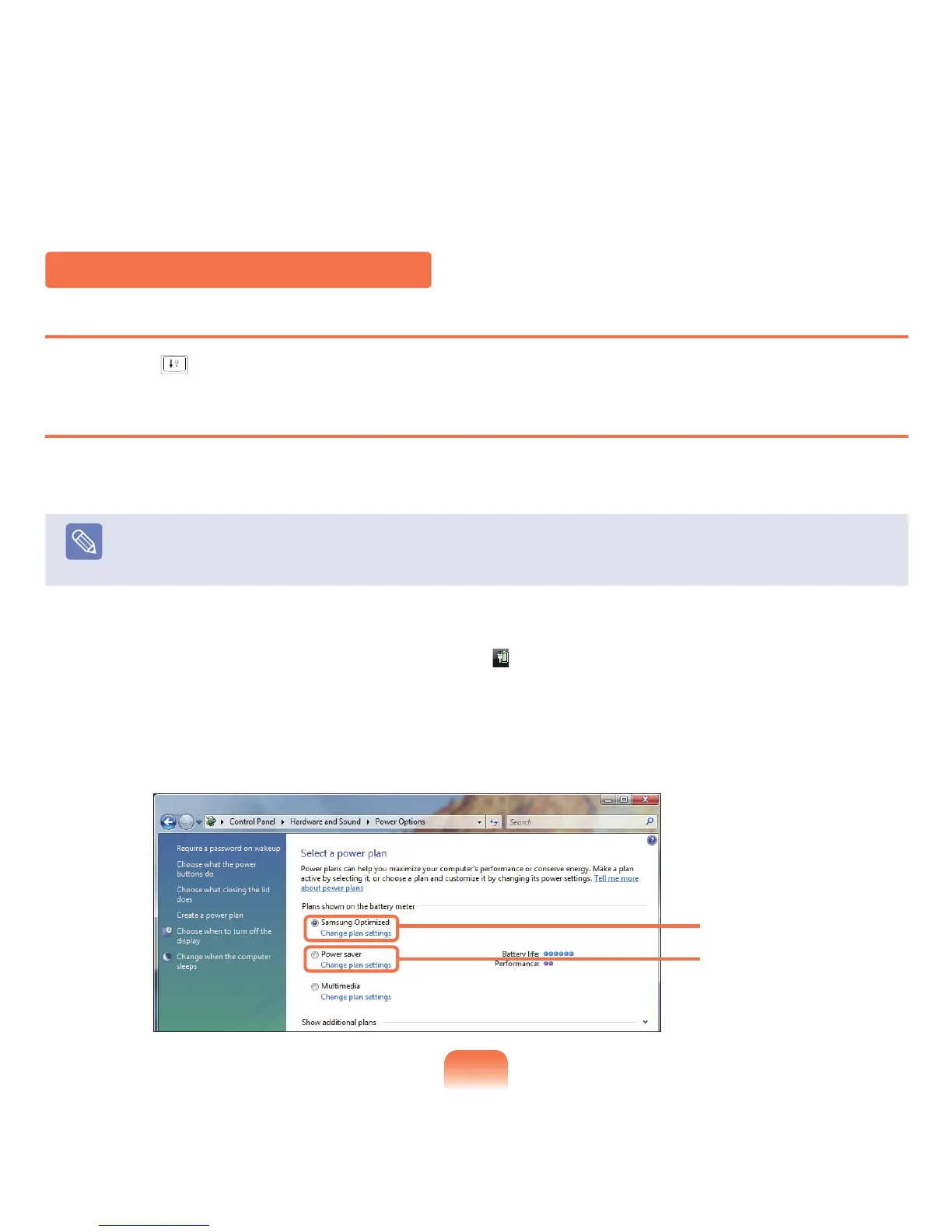
Ifthefollowingscreenappears,selectoneofthemodes.
Multimedia
Samsung Optimized



 To Next Page