User Accounts
UsingWindowsVistaUserAccounts,morethanoneusercaneasilysharethesamePC.
Theprocedurestoaddanddeleteauseraccountandtoswitchusersaredescribedbelow.
Adding User Accounts
1
ClickStart > Control Panel> User Accounts and
Family Safety.
2
ClickUser Accounts > Manage another account.
3
ClickCreate a new account.
4
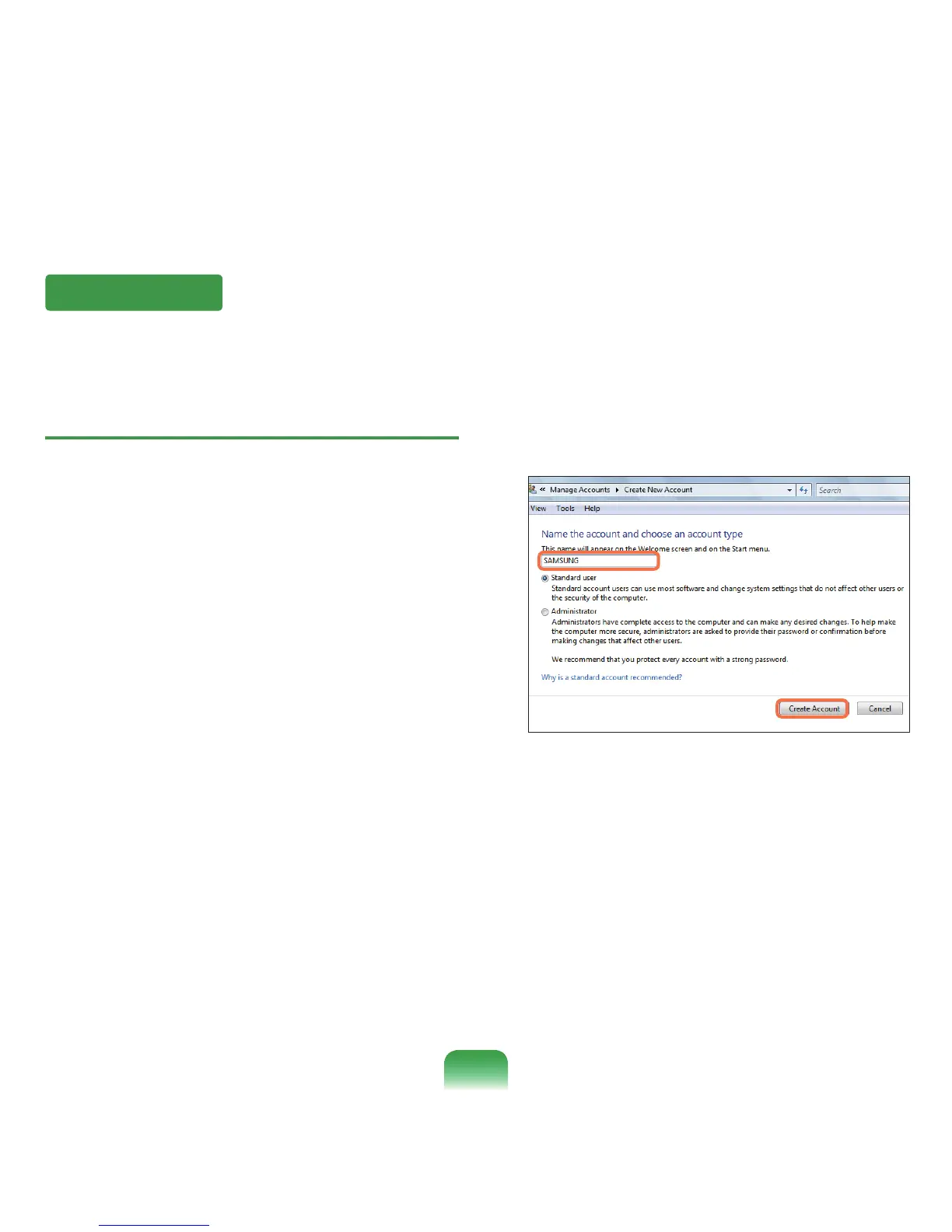
Enter a new usernameandselecteitherStandard
UserorAdministrator.
5
ClickCreate a new account to add a new account.
84



 To Next Page