76
Sidebar / Gadget
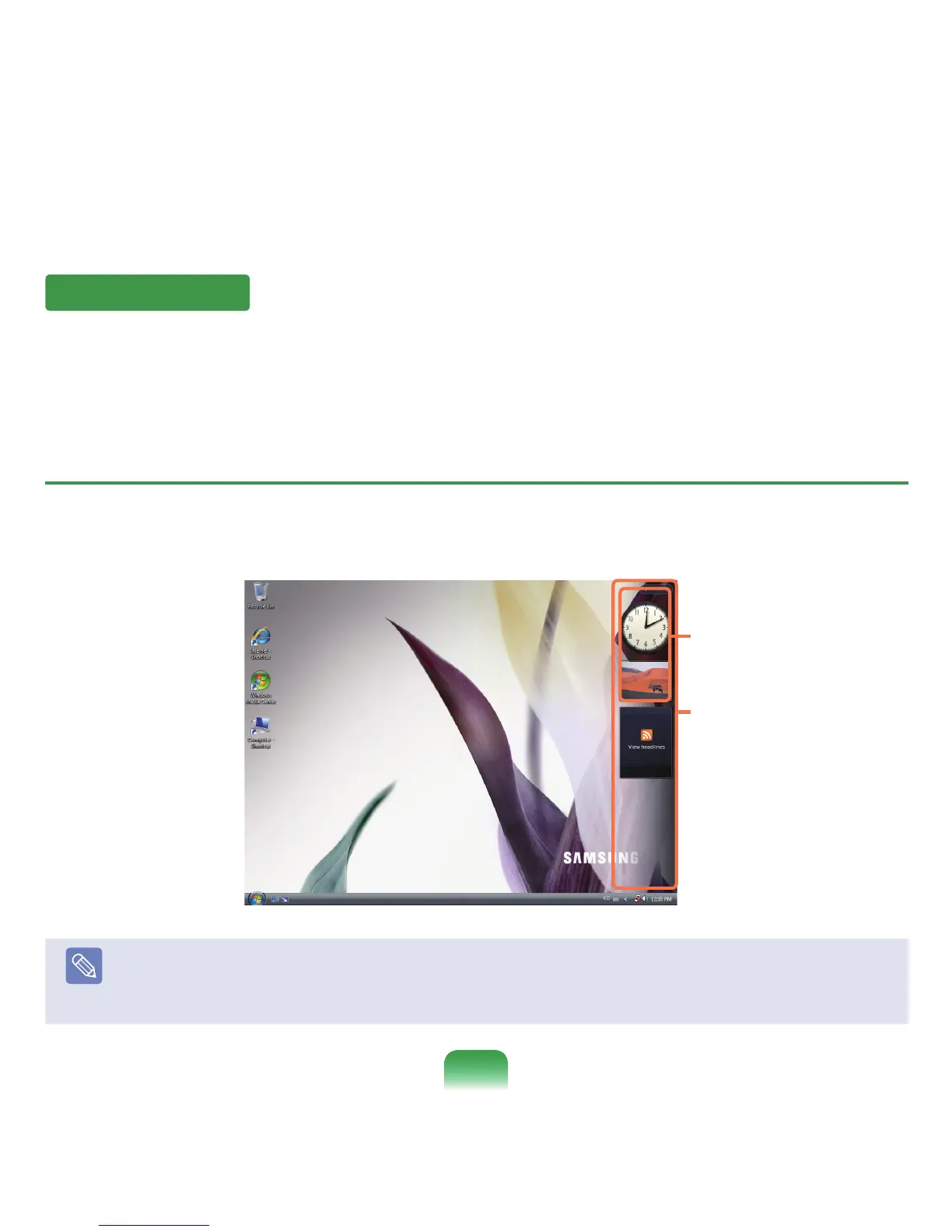
SidebarisaverticalbarthatappearsatthesideoftheDesktop.
AminiprogramcalledGadgetrunsovertheSidebarwhichshowsinformationsuchasstocks,schedule,weather,etc.and
providesfrequentlyusedtools.
YoucandownloadvariousGadgetsfromtheInternetotherthanthedefaultGadget.
Sidebar / Gadget Structure
IfyoulaunchWindows,theSidebarisautomaticallylaunchedandtheSidebarandGadgetappearatthesideofthe
Desktop.
Note
■
IftheSidebarisnotlaunchedautomaticallywhenWindowsstarts,clickStart > All Programs > Accessories > Windows
Sidebartolaunchitmanually.
■
ToalwaysdisplaytheSidebar,right-clickovertheSidebarandselectPropertiesandthenselecttheSidebar is always on
top of Screen option in the Arrangementeld.
Sidebar
Gadget



 To Next Page