7
Installation Related
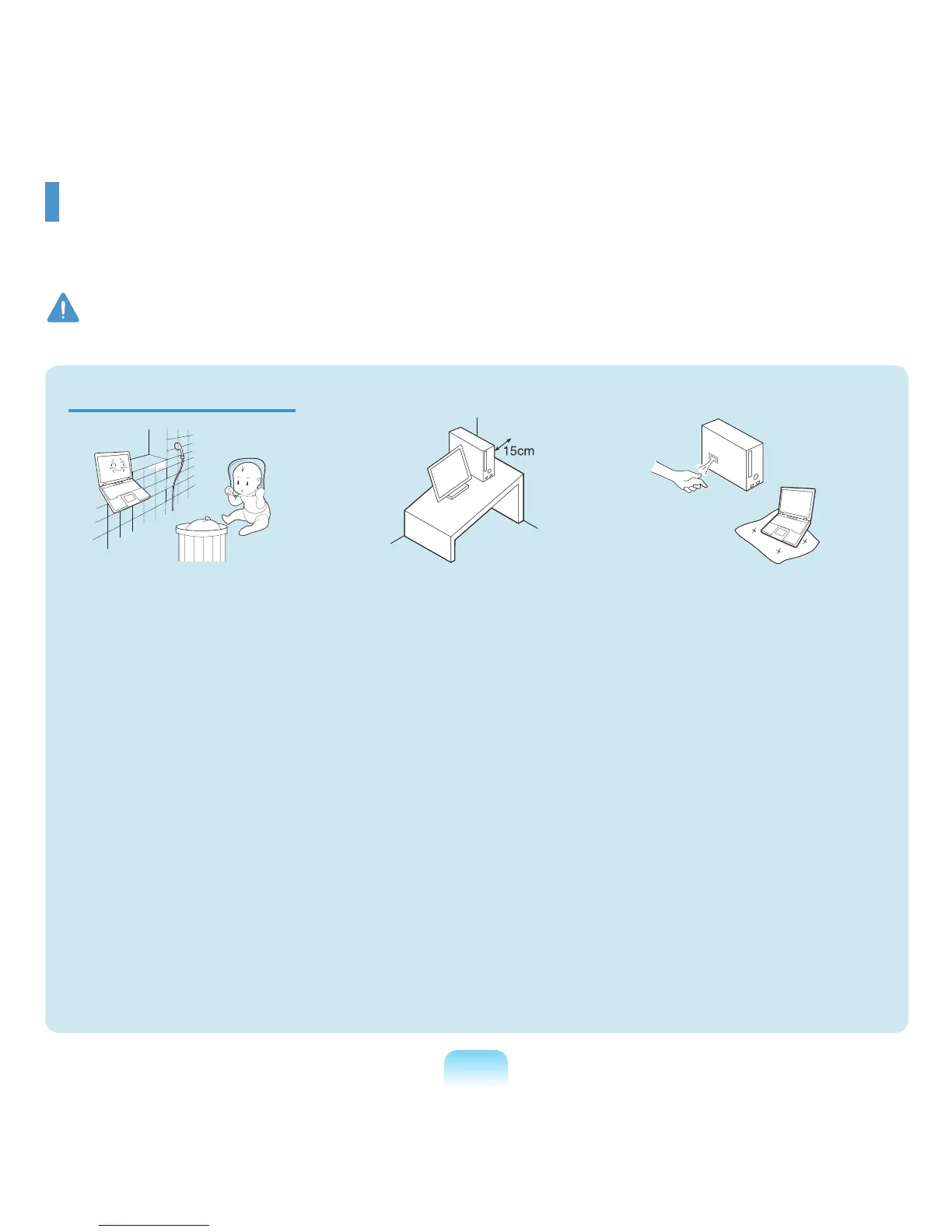
Do not install the product in
places exposed to humidity such
as a bathrooms.
Thereisadangerofelectric
shock. Use the product within the
operatingconditionsspeciedinthe
ManufacturersUserGuide.
Keep the plastic bags out of the
reach of children.
There is a danger of suffocation.
Keep a distance of 15cm or more
between the computer and the
wall and do not place any objects
between them.
Thismayincreasetheinternal
temperature of the computer and
maycauseaninjury.
Do not install the computer
on a slant or a place prone to
vibrations, or avoid using the
computer in that location for a
long time.
This increases the risk that a
malfunctionordamagetothe
productwilloccur.
Avoid exposing any part of
your body to the heat from the
computer vent for a long time
when it is on.
Exposingapartofyourbodytothe
heatfromtheventforlongperiods
oftimemaycauseaburn.
Avoid blocking the vent at the
bottom or side of the computer
when using it on a bed or
cushion.
Iftheventisblocked,thereisa
danger of damaging the computer
or overheating the inside of the
computer.
Warning
Failingtofollowinstructionsmarkedwiththissymbolmaycausepersonalinjuryandevenfatality.
Safety Precautions
Foryoursecurityandtopreventdamage,pleasereadthefollowingsafetyinstructionscarefully.
SincethisiscommonlyappliedtoSamsungComputers,someguresmaydifferfromactualones.
Ver 1.2



 To Next Page