46
Shortcut Keys
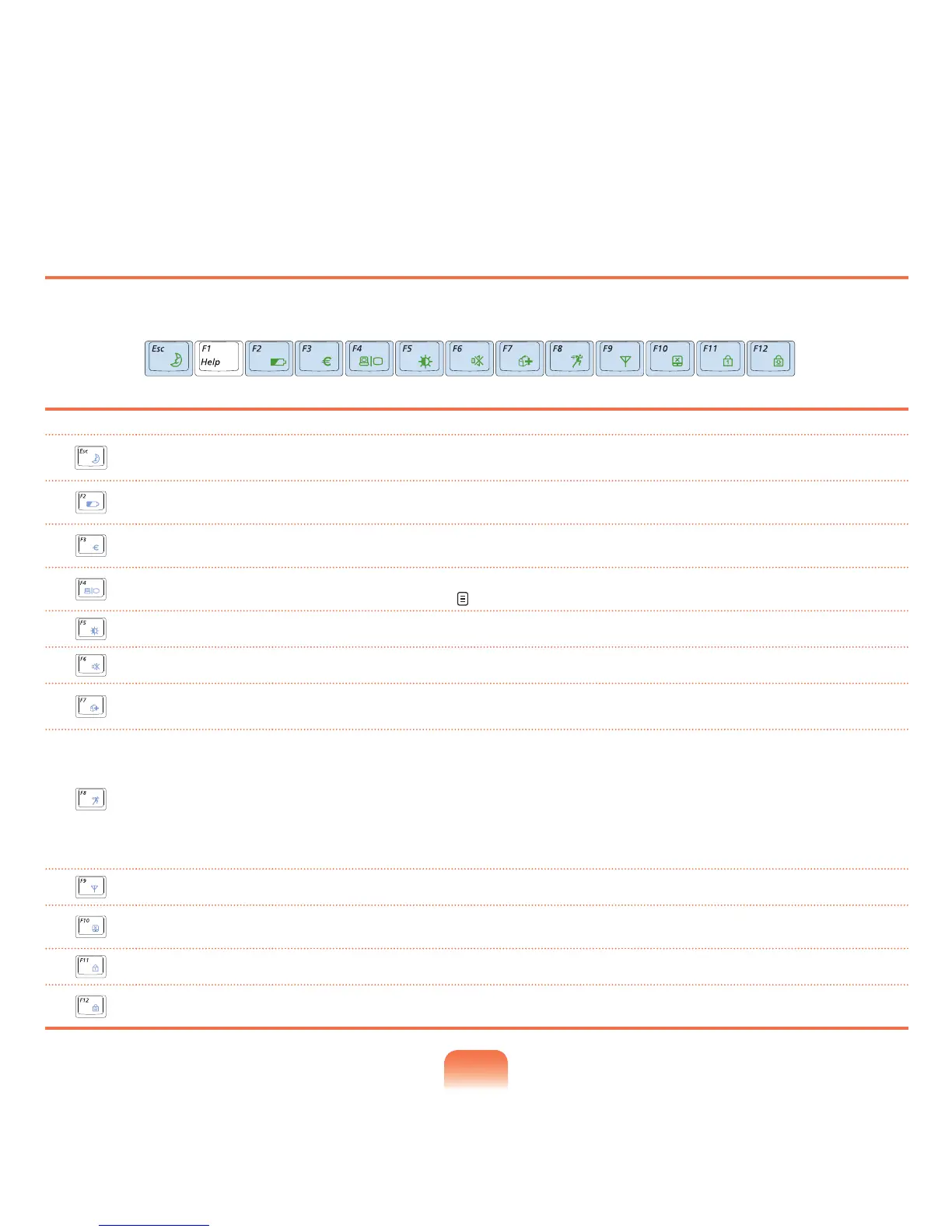
YoucanusethefollowingfunctionsbypressingthekeysbelowwiththeFnkey.
Fn+ Name Function
REST
(Sleep Mode)
SwitchestoSleepmode.Towakethecomputerup,pressthePowerbutton.
Gauge
Showstheremainingbatterycharge.
YoucanonlyusethisfunctionwhentheEasyDisplayManagerprogramisinstalled.
Euro
EnterstheEuromonetaryunitsymbol.
Thiskeymaynotbeprovideddependingonthekeyboardtype.
CRT/LCD
SwitchesthescreenoutputtotheLCDorexternalmonitorwhenanexternalmonitor(orTV)is
connected to the computer. p. 61
Backlit
TurnstheLCDbacklightonoroff.
Mute
Mutesorcancelsmute.
Samsung Magic
Doctor
Systemdiagnosis,recoveryandInternetconsultationprogram,SamsungMagicDoctor,willbe
launched.
Easy SpeedUp
Manager
Youcanselectoperationmodewhenyouneedmaximumsystemperformanceorlow-noise/low
powerconsumptionwithone-click.
■ Silent:Low-noiseandlowpowerconsumptionmode
■ Normal:NormalMode
■ Speed:Maximumperformancemode.Thesystemoperatesinitsmaximumperformance,
andsystemresourcesareallocatedtothecurrentlyactiveprogramwithpriorityformaximum
performance.
Wireless LAN
TurnsthewirelessLANfunctiononoroffinmodelswithwirelessLANcapability.
Touchpad
Turns the Touchpad function on or off.
Whenusinganexternalmouseonly,youcanturntheTouchpadoff.
Num Lock
Turnsthenumerickeyboardonoroff.
Scroll Lock
IfyouturntheScrollLockon,youcanscrollthescreenupordownwithoutchangingthecursor
locationinsomeapplications.



 To Next Page