66
Using Digital Output (S/PDIF)
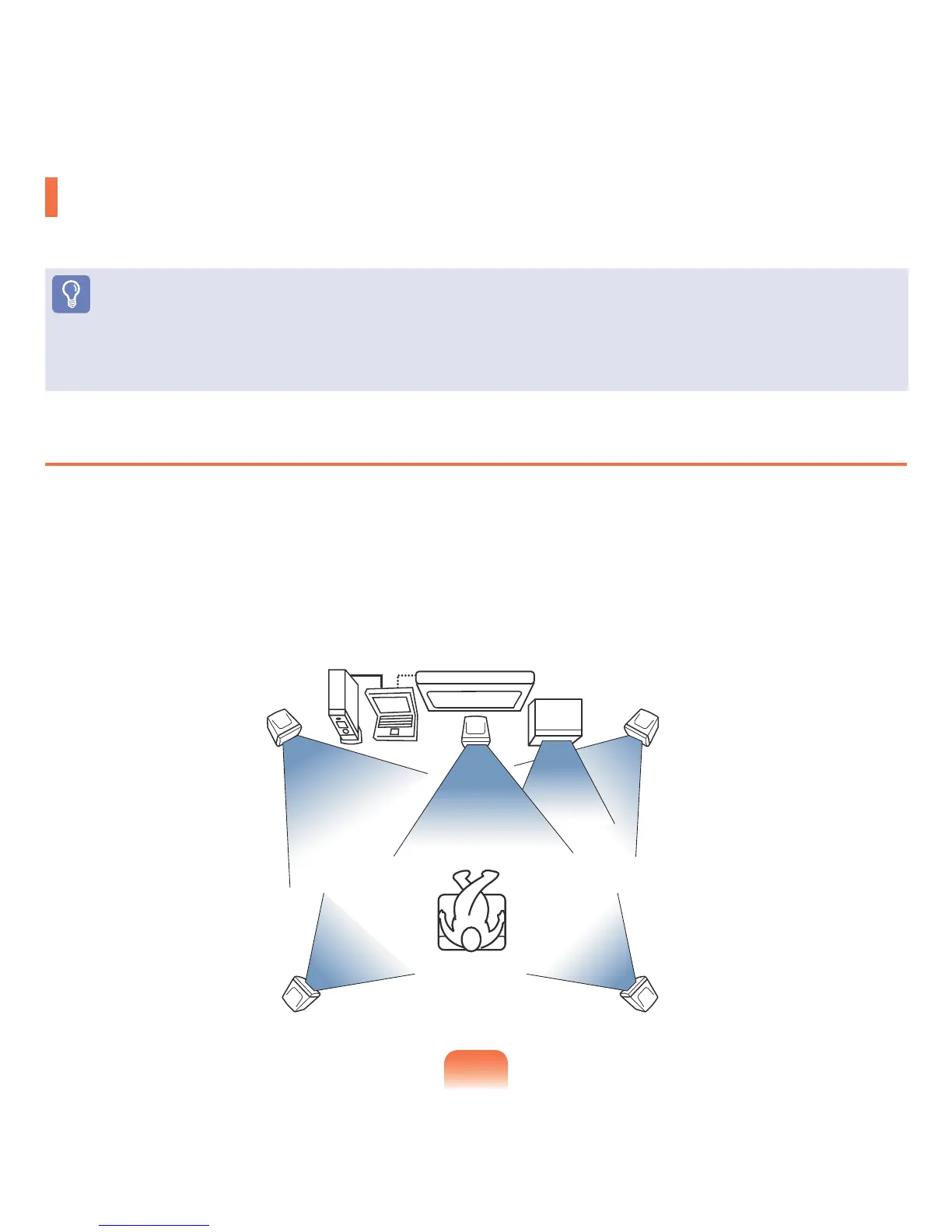
Youcanenjoy5.1channelsurroundsoundbyusingtheHeadphone/S/PDIFjack.
Before You Start!
To listen to 5.1 channel surround sound, follow the procedures below.
■
Connecttoa5.1channelspeakersystemusingtheHeadphone/S/PDIFjack.
■
SelectDigitalOutput(S/PDIF)intheDVDplayerprogramandplayaDVDtitle.
What is Digital Output (S/PDIF)?
S/PDIFisamethodtooutputdigitalsoundandisalsocalledDigitalOutput.
Ifyouconnecta5.1channelspeakersystemtotheS/PDIFjack,youcanenjoyaudiowithoutdistortionsincethesignalis
transferreddigitally.
5.1channelsurroundsoundconsistsof6speakersintotal:center,frontleft/right,rearleft/right,andwoofer.
Sinceawooferspeakerisaspecialspeakerforbassoutputonly,wecallthesystema5.1channelsystemanda6
channelsystem.
Digital
Amplier
TV
Sub
Woofer
Front Right SpeakerFront Left Speaker
Computer
Center
Speaker
Surround Right SpeakerSurround Left Speaker



 To Next Page