39
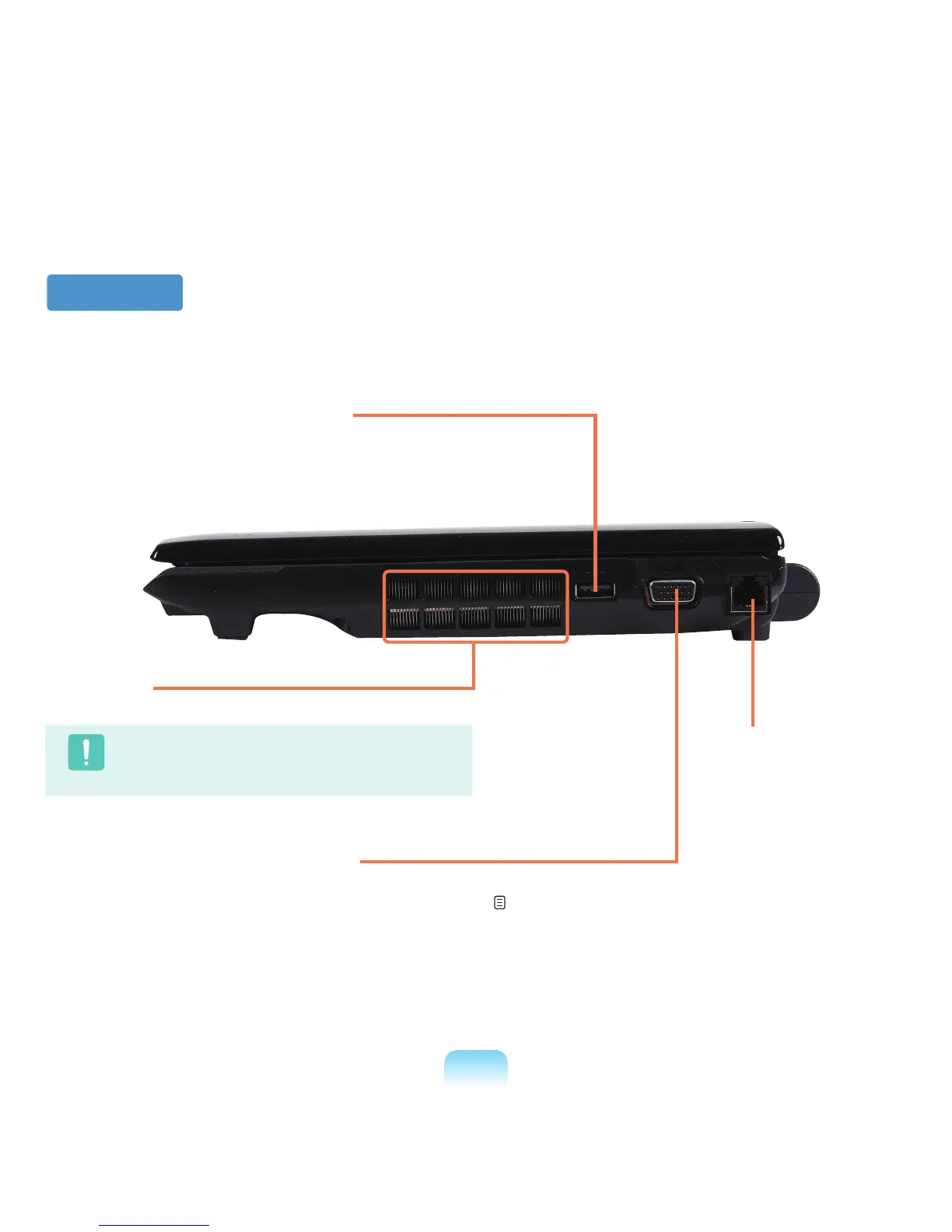
Right View
1
Fan Vents
The internal heat of the computer is emitted through these holes.
Caution
If the vents are blocked the computer may overheat.
Avoid blocking the vents as this may be dangerous.
4
Modem Port
*
A port to which a telephone
cable is connected to in order
to dial up to the Internet.
3
Monitor Port
A port used to connect a monitor, TV or projector
supporting a 15pin D-SUB interface.
p. 61
2
USB Port
You can connect USB devices to the USB port
such as a keyboard/mouse, digital camera, etc.



 To Next Page