62
Using Dual View
DualViewenablesuserstoexpandtheircomputerscreen
overtwodisplaydevices.
DualViewisconvenientwhenawideoperatingspaceis
needed.Inaddition,sinceDualViewoperatesasifthere
are2graphiccardspresentevenwhenthereisonlyone,
youcansettheresolutionandcolorforeachdisplay
device.
Selecting Dual View
Checkiftheexternaldisplaydeviceisproperlyconnected
andfollowtheinstructionsbelow.
1
ClicktheStart > Control Panel > Appearance and
Personalization > Adjust screen resolution.
2
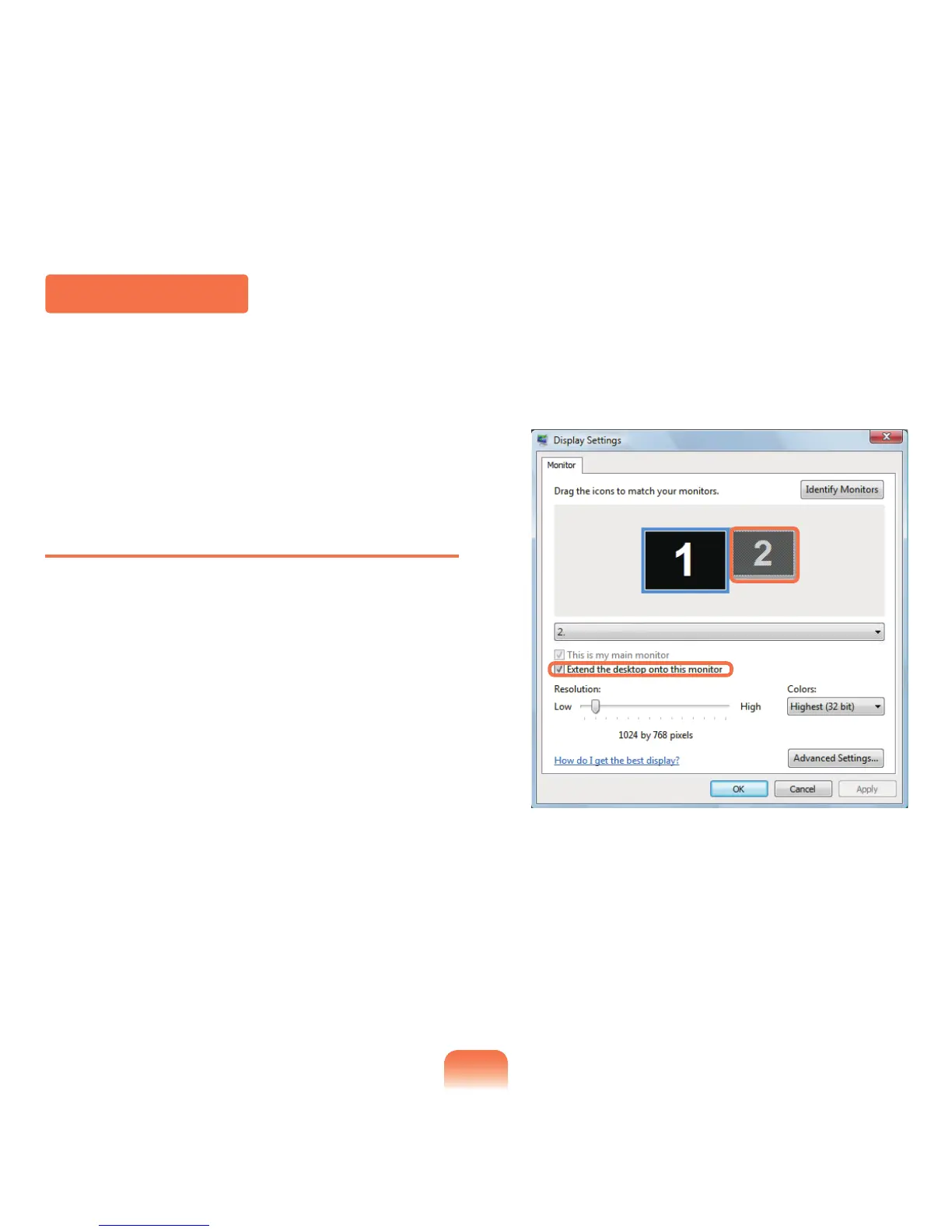
Clickonthenumber2monitoriconandselect
Extend the desktop onto this monitor.ClickApply
andthenclicktheOKbutton.



 To Next Page