English _37
●
NETWORK CONNECTION AND SETUP
DYNAMIC IP SETUP
Dynamic IP Environment Setup
• Example of the Dynamic IP environment
- If a Broadband Router, with cameras connected, is assigned an IP address by the
DHCP server
- If connecting the camera directly to modem using the DHCP protocols
- If IPs are assigned by the internal DHCP server via the LAN
Checking the Dynamic IP
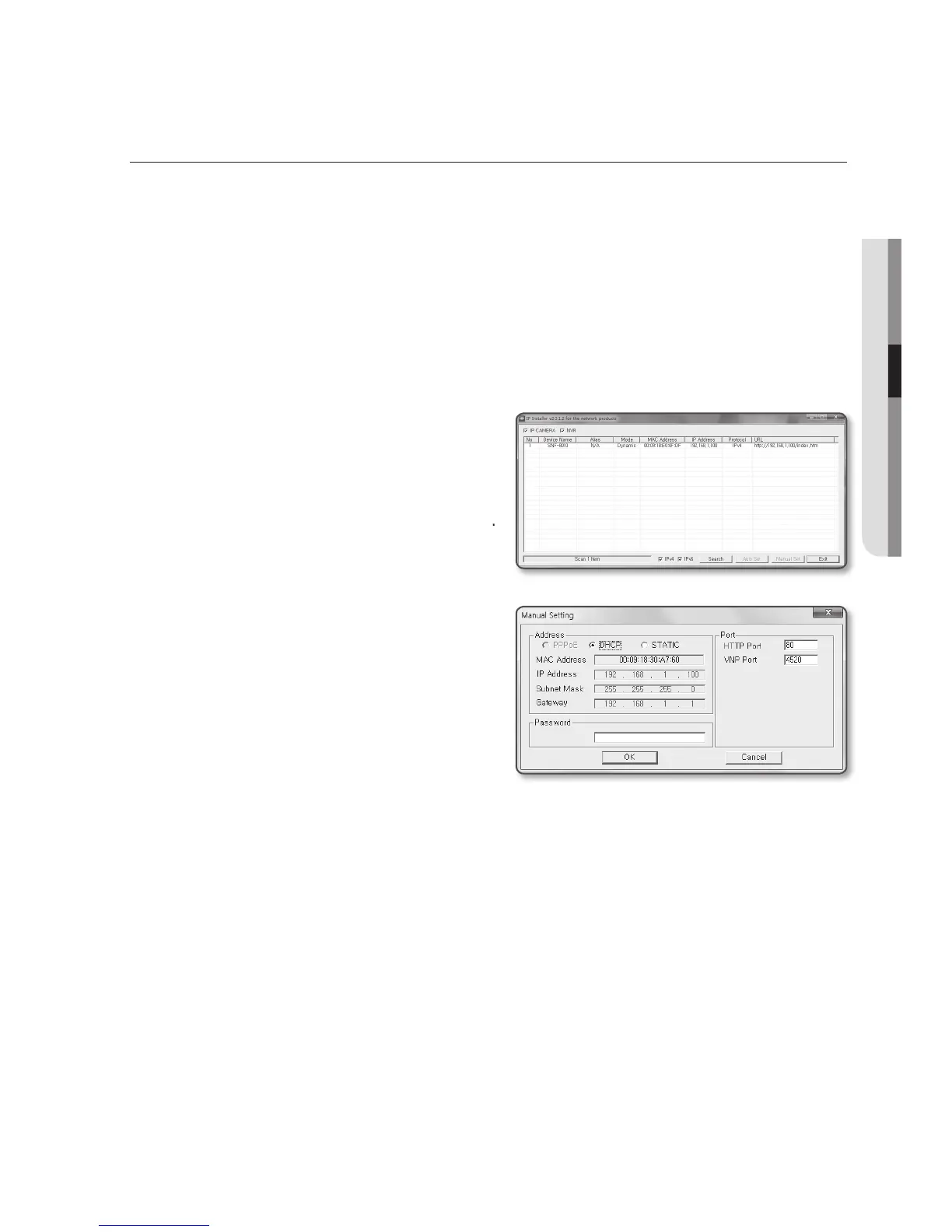
1. Run the IP Installer on the user’s local
computer.
Cameras allocated with <Dynamic IP>
address are shown in the list.
2. Select a camera from the search result.
3. Click the [Manual Set] button and
check the camera’s <Dynamic IP>
address.
If you uncheck <DHCP>, you can
change IP to <Static>.


 To Next Page