English _73
● SETUP SCREEN
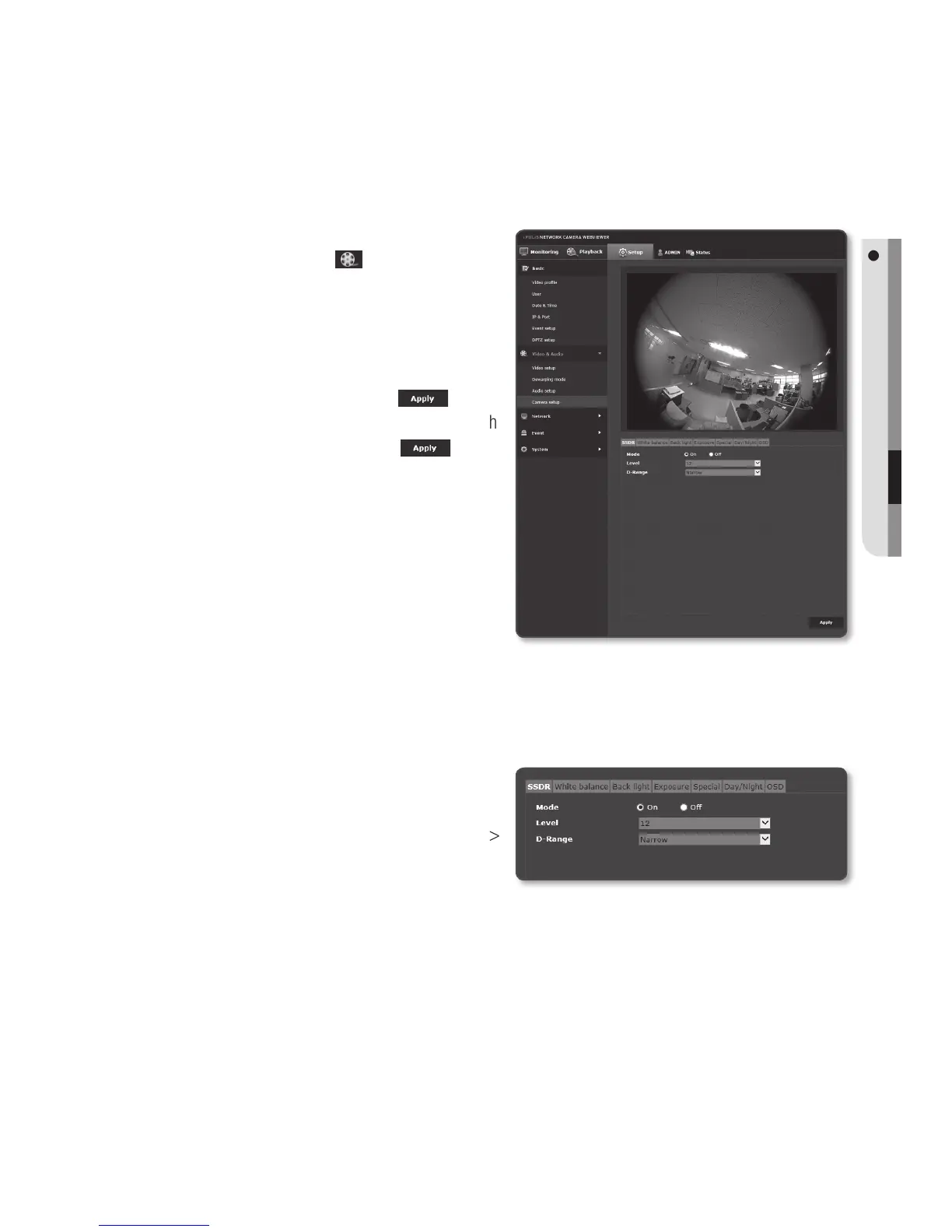
Camera setup
You can change the camera settings according to the environment where the camera is
located.
1. From the Setup menu, select the
<Video & Audio (
)> tab.
2. Click <Camera setup>.
3.
Configure the settings as necessary of :
SSDR, White balance, Back light,
Exposure, Special, Day/Night, OSD
4. When done, click [Apply ( )].
`
If a certain time (timeout: 240s) is elapsed
with
your not pressing the [Apply (
)]
button after changing the settings, your
changes will not be applied.
To Set SSDR (Samsung Super Dynamic Range)
In a scene where the difference between bright and dark is severe, you can increase the
brightness of the dark area alone to regulate the overall brightness.
1. Select <SSDR>.
2. Set <Mode> to <On>.
3. Configure the <Level> and <D-Range>
settings as necessary.
• Level : Adjust the level of the
dynamic range.
• D-Range : Select the amplitude area of the dynamic range.


 To Next Page