46_ web viewer
web viewer
USING THE LIVE SCREEN
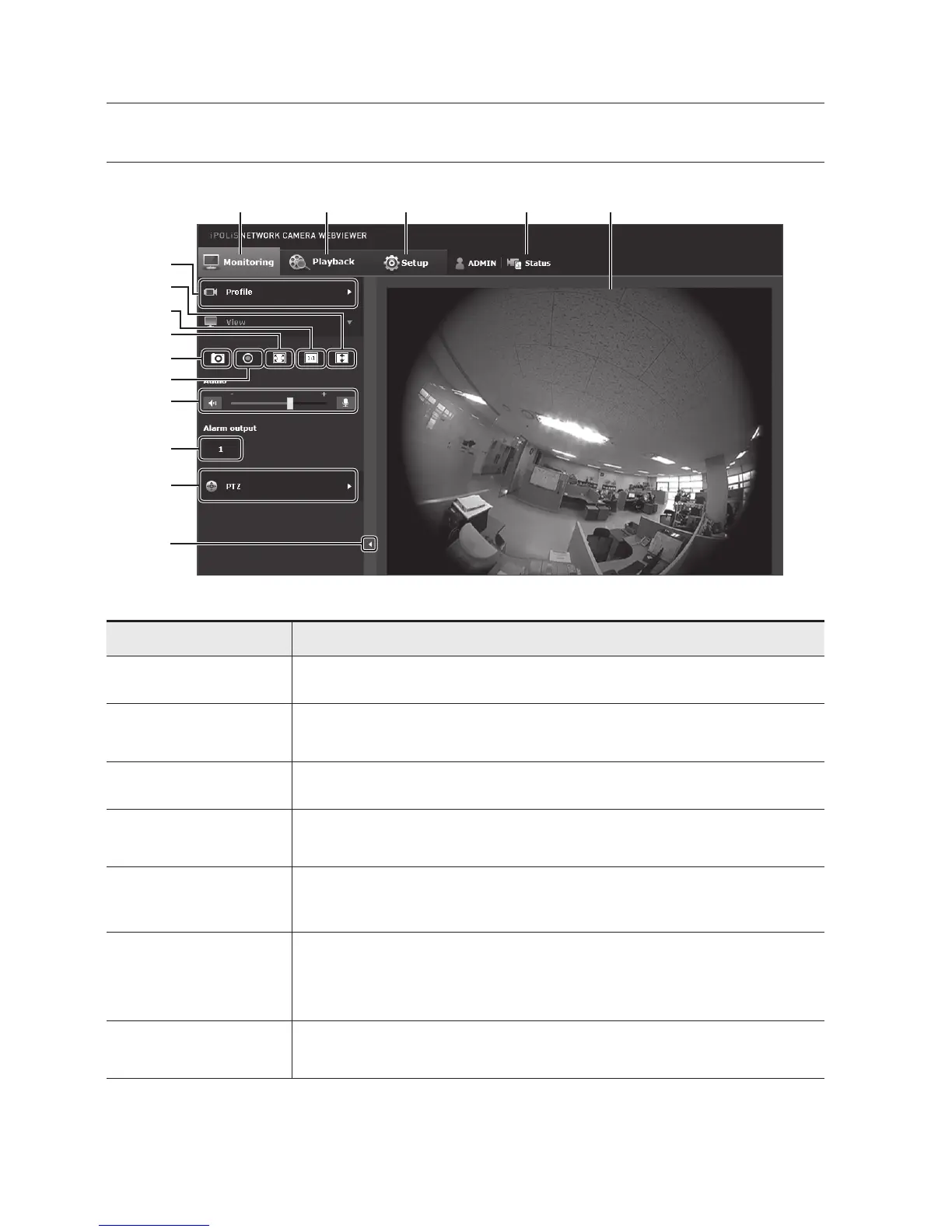
Item Description
a
Monitoring Move to the monitoring screen.
b
Playback
Move to the screen where you can search for the video recording saved in your Micro
SD memory card or NAS.
c
Setup Move to the Setup screen.
d
Profile access
information
You can read the profile information.
e
Viewer Screen
Displays the Live video on the screen.
`
You can use the mouse wheel to activate the digital zooming in Viewer screen.
f
Profile type
You can select a profile type in <Video profile> under the <Basic> setup menu.
`
When the Web Viewer is connected, the profile information currently using is
displayed.
g
Screen
Optimization
The video size of the camera will switch to as big as the Web browser.
i
a b c d e
f
g
h
j
k
l
m
n
o


 To Next Page