English _45
● WEB VIEWER
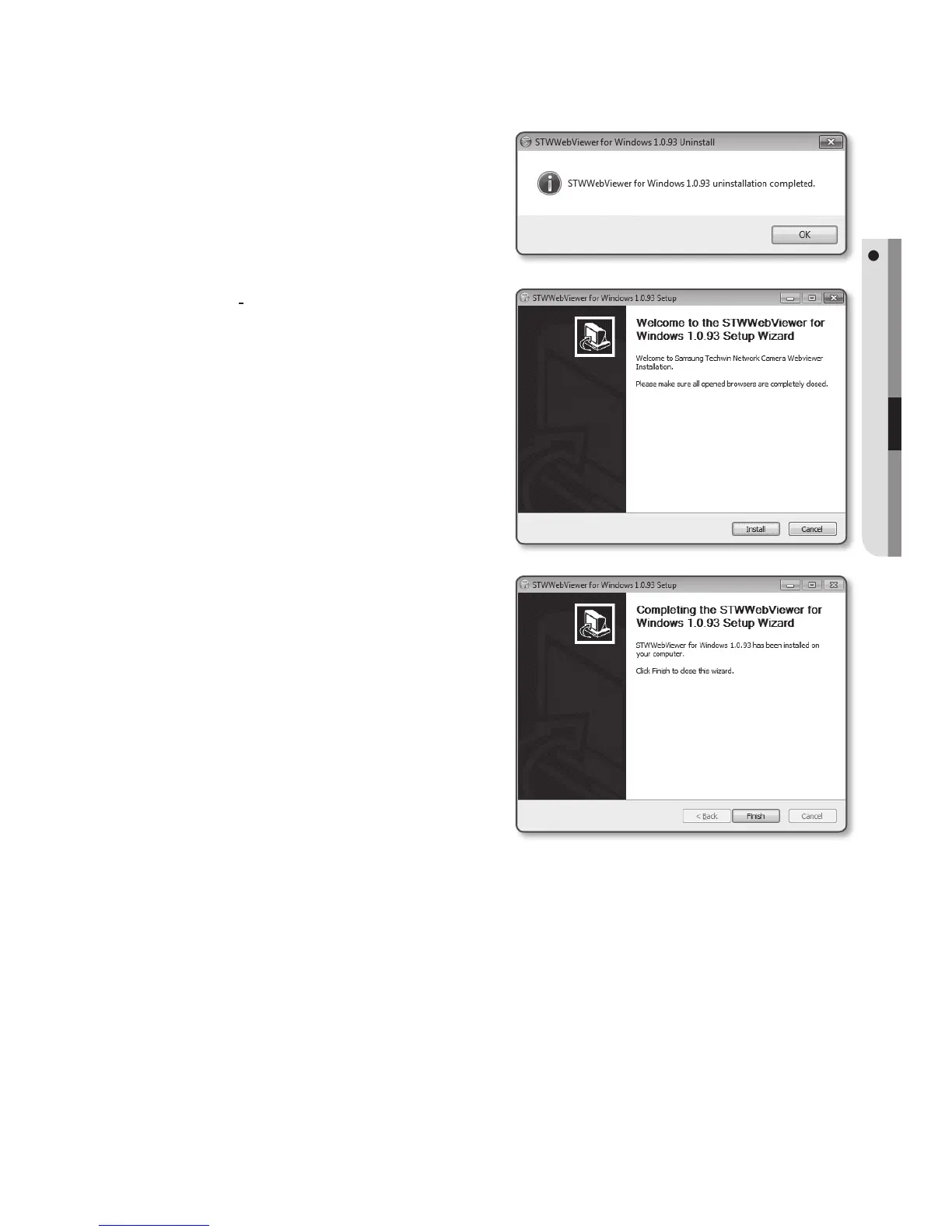
5. Click [OK].
The old version of Web Viewer Plug-in
is deleted.
6. Click [Install] to begin installation of the
Web Viewer Plug-in.
7. Click [Finish].
STW Web Viewer Plug-in installation is
completed.
J
`
In your internet explorer, if you need
to move to the installation screen
after installing the STW webviewer
plugin, check whether webviewer_
activexplugin_lib.control in the “Tool
Additional Function Management” menu
is “Activated”. If not, and if there is a
persisting problem, then select “Tools
Internet Options
General” and delete all the search records.


 To Next Page