English _77
● SETUP SCREEN
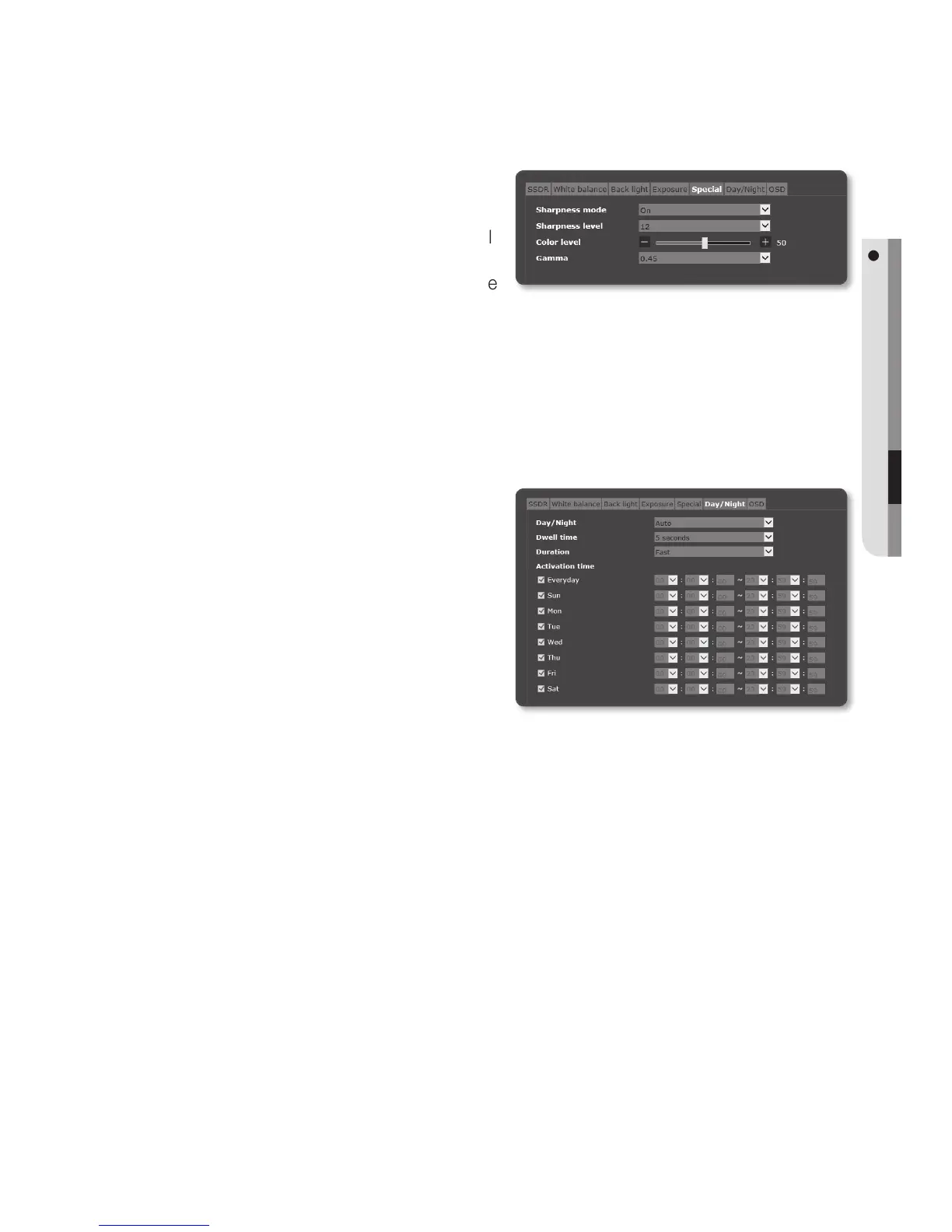
To Setup Special
1. Select <Special>.
2. Select each item and set it properly.
• Sharpness mode : Adjust the overall
sharpness of the image.
If selecting <On>, you can adjust the
sharpness of the image.
• Sharpness level : The higher the level is, the sharper and clearer the outline of the
image becomes.
• Color level : Adjust the strength of video color.
• Gamma : Adjust the contrast of the image.
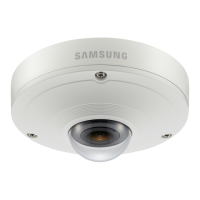
To Set Day/Night
1. Select <Day/Night>.
2. Select each item and set it properly.
• Day/Night : Mode is used to adjust
the color of Color or Black and
White.
- Color : The video is always output in
color.
- B/W : The video is always output in
black and white.
- Auto : Normally, it is set to Color but to B&W under low luminance at night.
`
If AGC of the <Exposure> menu is set to <Off>, the day/night mode cannot be set to <Auto>.
- Schedule : Set the time during which the camera is operated in the color mode.
• Dwell Time : It specifies the period for which the selected brightness condition
must be maintained to switch the lighting mode from Day to Night or vice versa.
• Duration : It specifies the interval of lighting mode conversion.
• Activation time : It specifies the schedule for color mode operation.
`
If it is set, the Color mode is maintained from 00 second of the starting time to 59 second of the
ending time.


 To Next Page