EasyManua.ls Logo

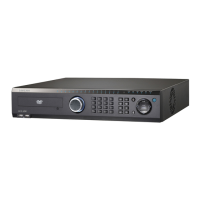
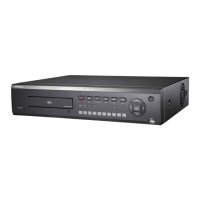
Samsung SVR-940 - User Manual

Samsung SVR-940
86 pages
Print Icon
To Next Page IconTo Next Page
Loading...
Digital Video Recorder Users Manual
1

Table of Contents

Questions and Answers

  • R
    Ricardo CummingsAug 14, 2025
    What to do if my Samsung SVR-940 remote control does not work?
    • B
      burnsginaAug 14, 2025
      If the remote control isn't working, first check and replace the battery if needed. Ensure you're pointing the remote directly at the unit's receiver. Also, verify that the unit ID and the remote control ID match, and if not, set them to the same ID.
  • J
    Jose McdanielAug 17, 2025
    What to do if Samsung SVR-940 DVR remote control does not work?
    • J
      Joseph PeckAug 17, 2025
      If your Samsung DVR remote control isn't working, try these steps: First, check the battery and replace it if needed. Second, make sure you're pointing the remote directly at the unit's receiver. Finally, ensure that the unit ID and the remote control ID match, and set them to the same ID if they don't.
  • M
    Michael BrownAug 21, 2025
    Why is scheduled recording not working on my Samsung SVR-940?
    • D
      Daniel SotoAug 21, 2025
      If your Samsung DVR isn't performing scheduled recordings, check that the Scheduled Recording Start/End times and the current time are set correctly.
  • B
    Brian DavisAug 25, 2025
    Why is there no audio in my Samsung DVR recorded video?
    • A
      alexanderfreemanAug 25, 2025
      If there's no audio in your recorded video, check whether [AUDIO] in [RECORD SETUP] of the Menu is set to [OFF]. Also, verify the volume setting of the CCTV monitor.
  • T
    Thomas MccarthyAug 27, 2025
    Why are images not appearing on my Samsung SVR-940 monitor?
    • M
      Mary MorrisonAug 27, 2025
      If images are not appearing on the monitor, verify that the video output is correctly set to BNC or VGA using the dip switch at the rear of the unit. Also, check the camera connection to the input terminal and ensure the monitor's brightness is appropriately adjusted.
  • D
    Dennis WilliamsAug 30, 2025
    What to do if my Samsung SVR-940 is not performing Scheduled Recording?
    • F
      fmoralesAug 30, 2025
      If your unit isn't performing scheduled recordings, verify that the scheduled recording start and end times are set correctly, and that they align with the current time.
  • P
    Paul FrenchSep 3, 2025
    Why is there no audio in my recorded Samsung SVR-940 DVR video?
    • J
      Julie CruzSep 3, 2025
      If there's no audio in your recorded videos, check whether the [AUDIO] setting in the [RECORD SETUP] menu is set to [OFF]. Also, check the volume level of your CCTV monitor.
  • D
    davidleeSep 6, 2025
    What to do if my Samsung DVR HDD recording is not performed?
    • J
      James HallSep 6, 2025
      If HDD recording is not being performed, the service life of the HDD may have ended, or there may be bad sectors on the HDD. In these cases, replace the HDD.
  • M
    Matthew PowersSep 10, 2025
    How to fix unclear monitor screen on Samsung SVR-940?
    • P
      Phyllis VasquezSep 10, 2025
      If the monitor screen is not clear, check whether the camera's focus is properly adjusted.

Samsung SVR-940 Specifications

General IconGeneral
Channels4
Hard Drive CapacityUp to 2TB
CompressionH.264
CategoryDigital Video Recorder
Video InputBNC
Video OutputBNC, VGA
Recording Rate120 fps
StorageInternal HDD
NetworkEthernet
Operating Temperature0°C to 40°C

Related product manuals