CHAPTER ONE: YOUR NEW TV 1.6
Remote Control
˜
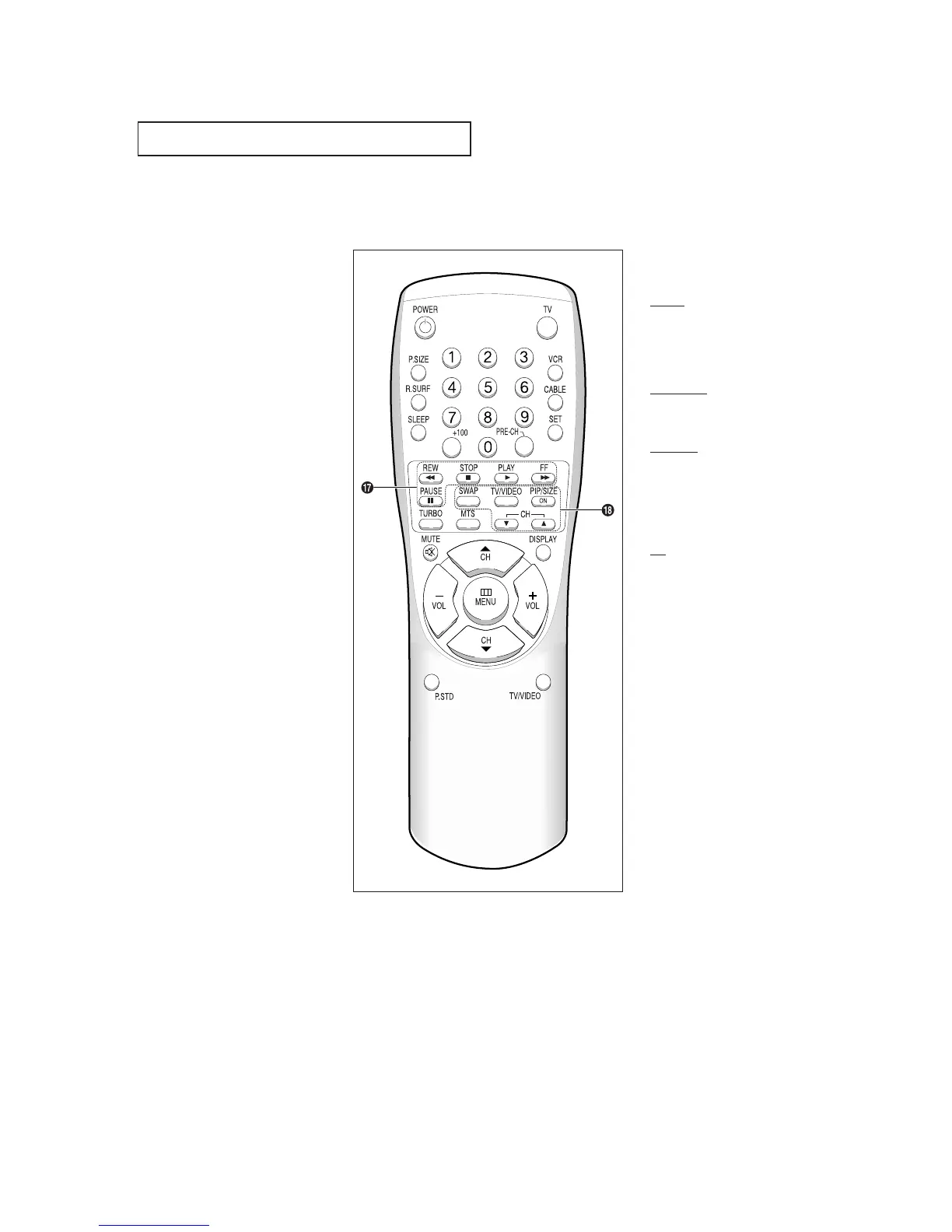
VCR Controls
•
REW (Rewind)
Press to rewind a tape in your
VCR.
•
STOP
Press this button to stop a tape
during play, record, rewind or
fast forward. If the button is
pressed during Full-Automatic
play, the function will be can-
celled.
•
PLAY
Press the PLAY button to play
back prerecorded tapes.
•
F. F
Press to fast forward the tape in
your VCR.
•
PAUSE
Press to pause your VCR’s tape.
¯
PIP Controls
(Not available)
SWAP
Exchanges the video signal that is
currently displayed on the main
screen with the signal in the PIP
window.
TV/VIDEO
Press to select one of the available
signal sources for the PIP window.
PIP/SIZE
Press this button to control the PIP
window. Press repeatedly to cycle
through this sequence: PIP ON
with large window, PIP ON with
small window, and PIP OFF.
CH
Not available.
YOUR NEW TV



 To Next Page