3
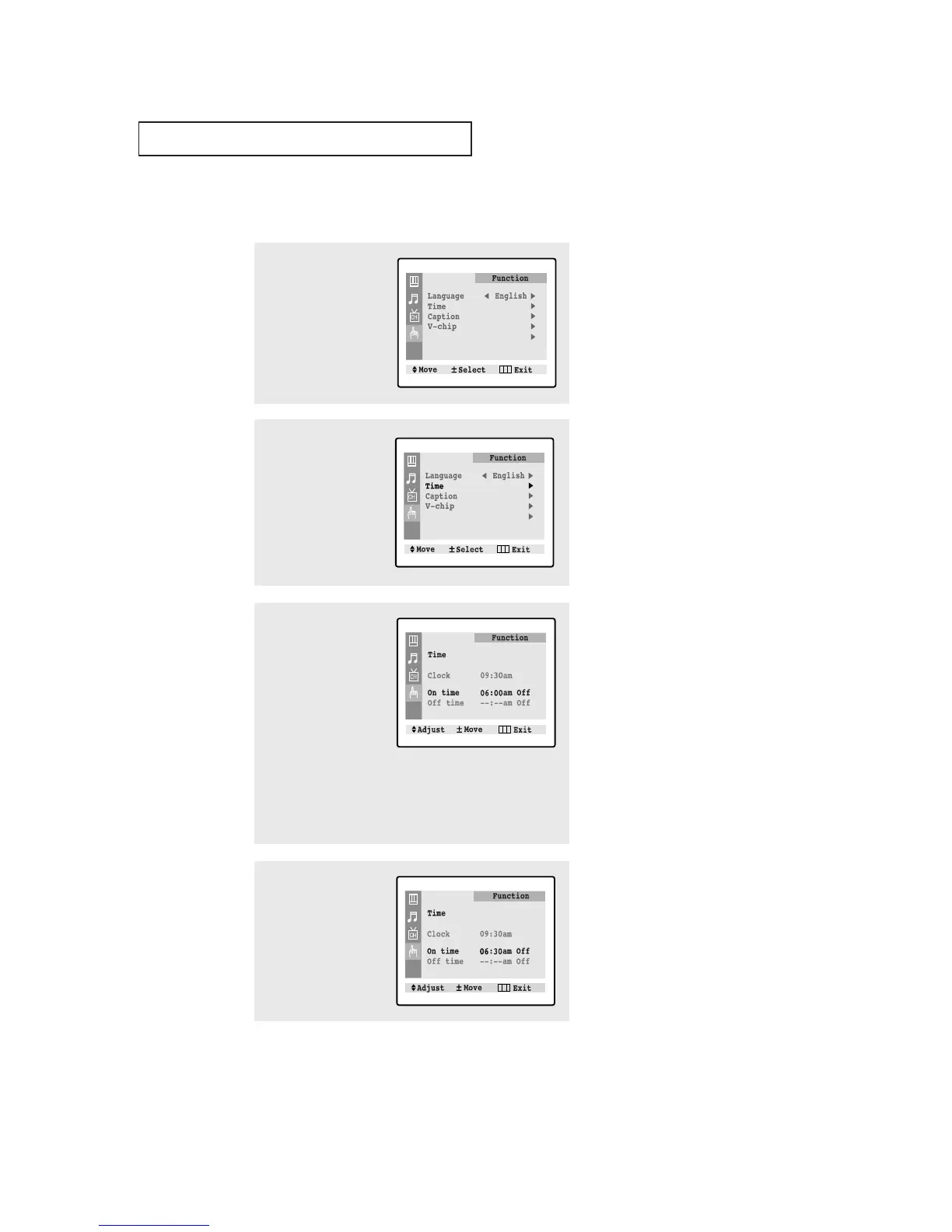
Press the CH ▼ button to
select "On time".
Press the VOL+ button to
select the “On time”
hours.
(The hours digits will be
highlighted.)
Press the CH ▲ or CH ▼
button repeatedly to
select the appropriate
hours (i.e., the hour when
the TV will turn on.)
4
Press VOL+ to select the
“On time” minutes.
(The minutes digits will be
highlighted.)
Press CH ▲ or CH ▼ to
select the appropriate
minutes.
▼
Before using the timer, you must
set the TV’s clock. (See “Setting the
Clock” on page 3.10).
▼
When you set the hours, make
sure the correct time of day (AM or
PM) appears to the right of the hour.



 To Next Page