OPERATION
C
HAPTER THREE: TV OPERATION
3.1
Chapter Three
OPERATION
1
Press the POWER button
on the remote control.
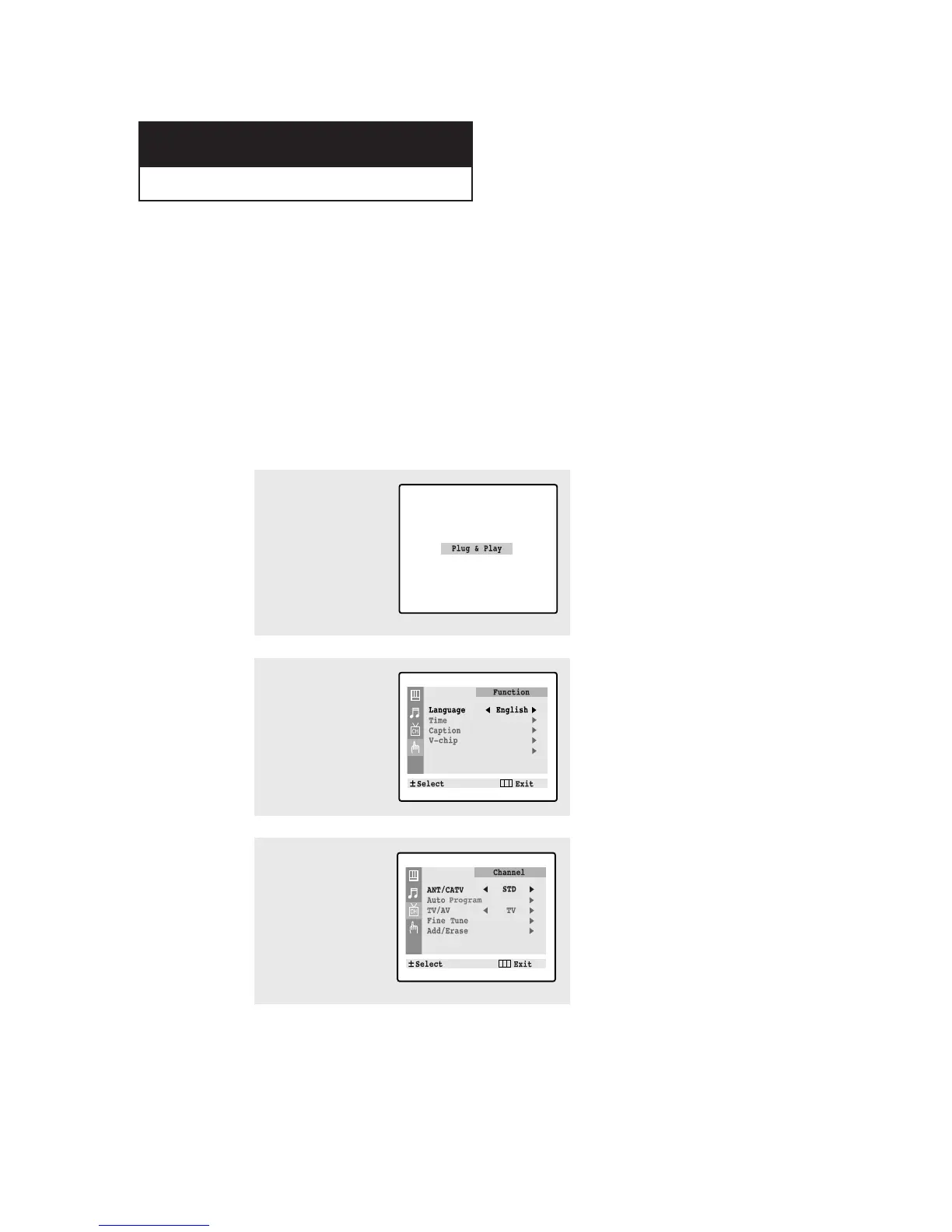
The message “Plug &
Play” is displayed.
It flickers for a little while
and then the “Language”
menu is automatically
displayed.
Turning the TV On and Off
Press the POWER button on the remote control.
You can also use the POWER button on the front panel.
Plug & Play Feature
When the TV is initially powered On, five basic customer settings proceed automatically
and subsequently: Setting the language, Video signal source, Ant. input check, Auto pro-
gram, and Clock.
2
Press the VOL+ or VOL-
button to select the
desired language.
Press the MENU button to
enter the language, and
then the “Channel” menu
is automatically displayed.



 To Next Page