OPERATION
3.14 C
HAPTER THREE: TV OPERATION
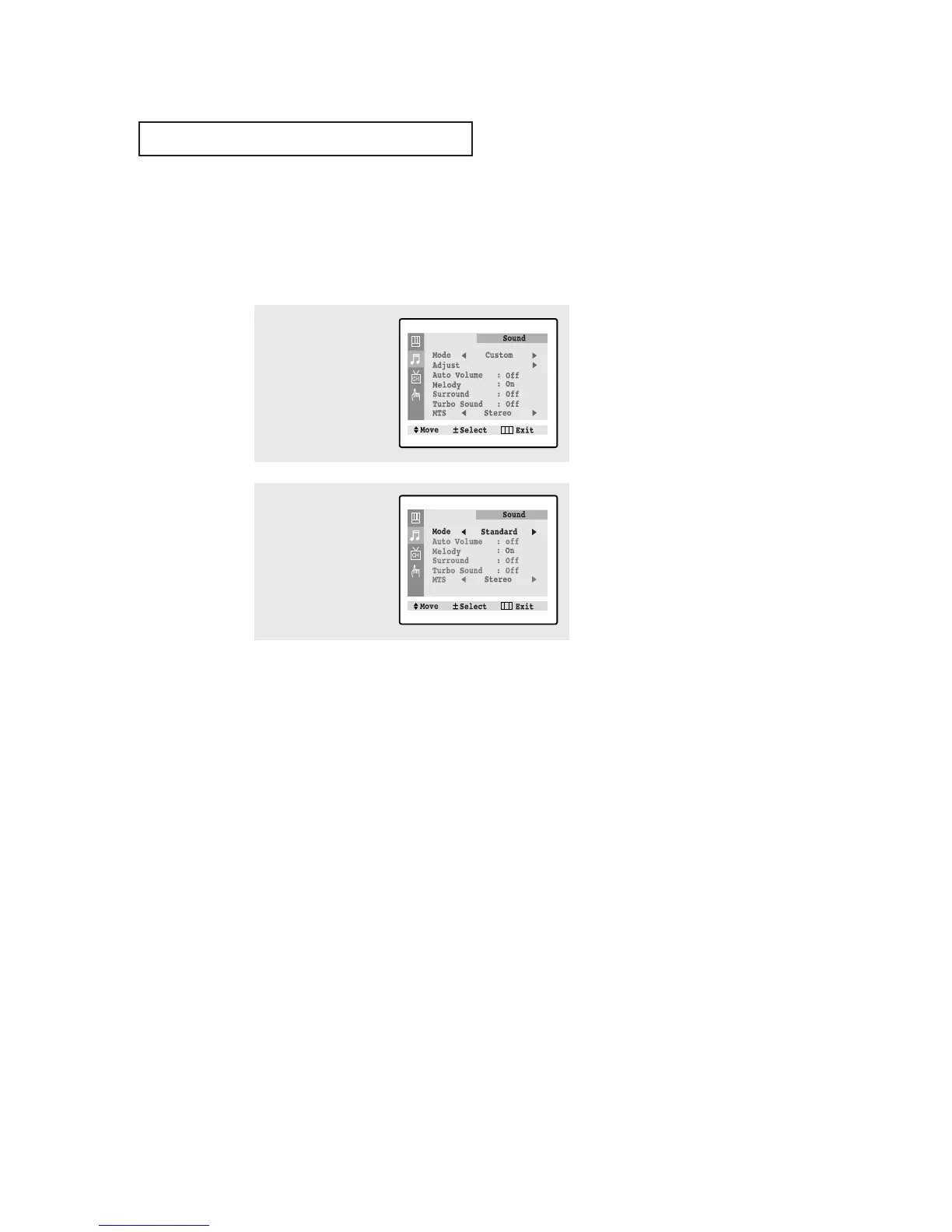
Using Automatic Sound Settings
Your TV has four automatic sound settings (“Standard”, “Music”, “Movie” and “Speech”)
that are preset at the factory. You can activate any of them by making a selection from the
on-screen menu. Or, you can select “Custom”, which automatically recalls your personalized
sound settings.
• Choose Standard for the standard factory settings.
• Choose Music when watching music videos or concerts.
• Choose Movies when watching movies.
• Choose Speech when watching a show that is mostly dialogue (i.e., news).
• Choose Custom to recall your personalized settings.
2
Press the VOL - or VOL +
button repeatedly to
select the “Standard”,
“Music”, “Movie”,
“Speech” or “Custom”
sound settings.
1
Press the MENU button to
display the menu.
Press the CH▼ button to
select “Sound” menu.



 To Next Page