22 23
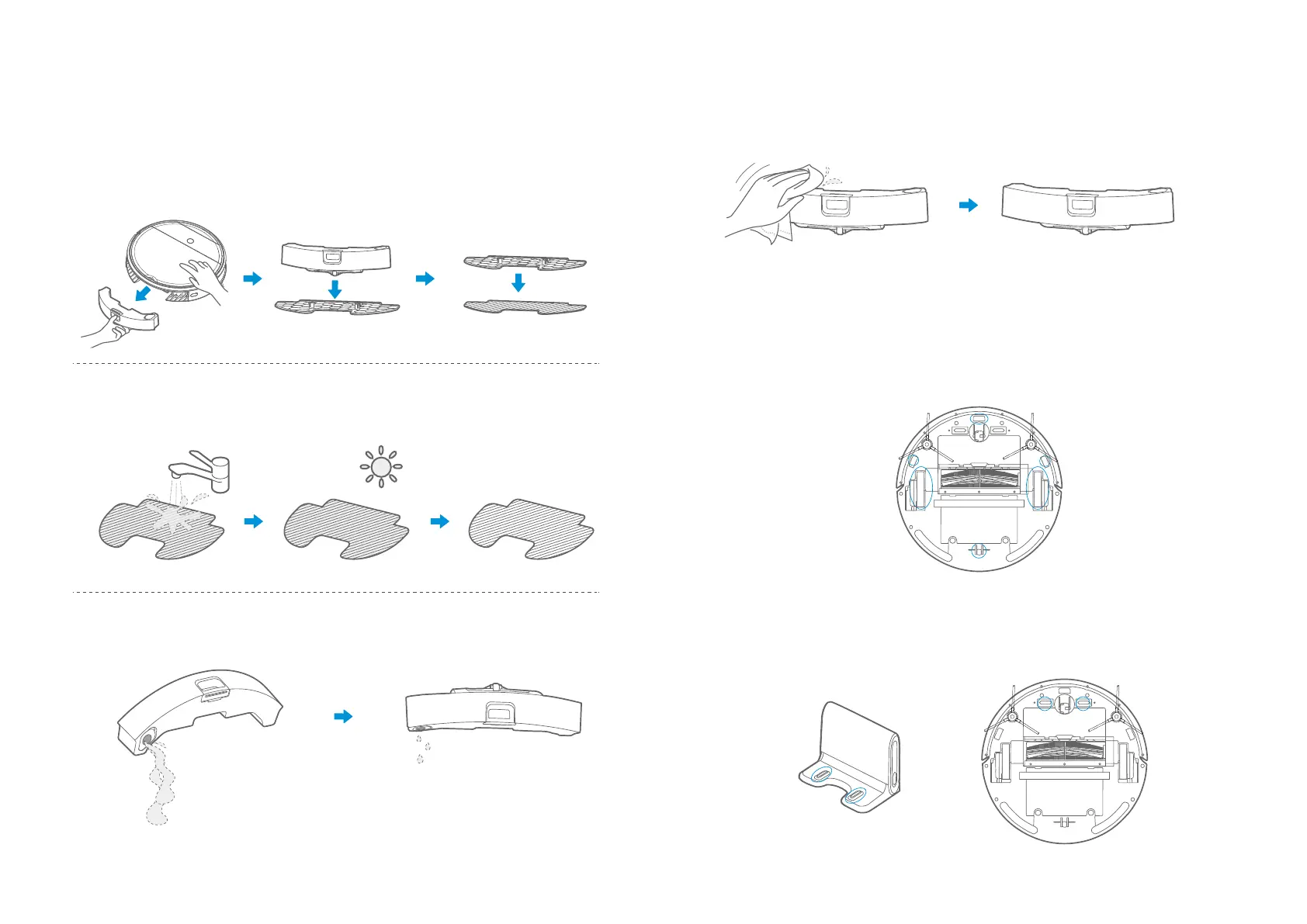
After the floor is mopped, pull out the water tank assembly from the rear of the main
unit and remove the mop attachment and mop.
1
Wash mop, and leave it dry;
2
After the floor is mopped, pour the remaining water in the tank.
3
Cleaning of Water Tank
Wipe the water tank and leave it dry. Sunlight exposure is not allowed.
4
Wipe the sensor and the wheel gently with a cleaning tool or a soft cloth, as shown in the
figure below.
1
Cleaning of Sensor and Wheel
Clean the charging base and the charging terminal on the appliance with a cleaning tool
or a soft cloth, as shown in the figure below.
1
Cleaning of Charge Terminal








 To Next Page