14 15
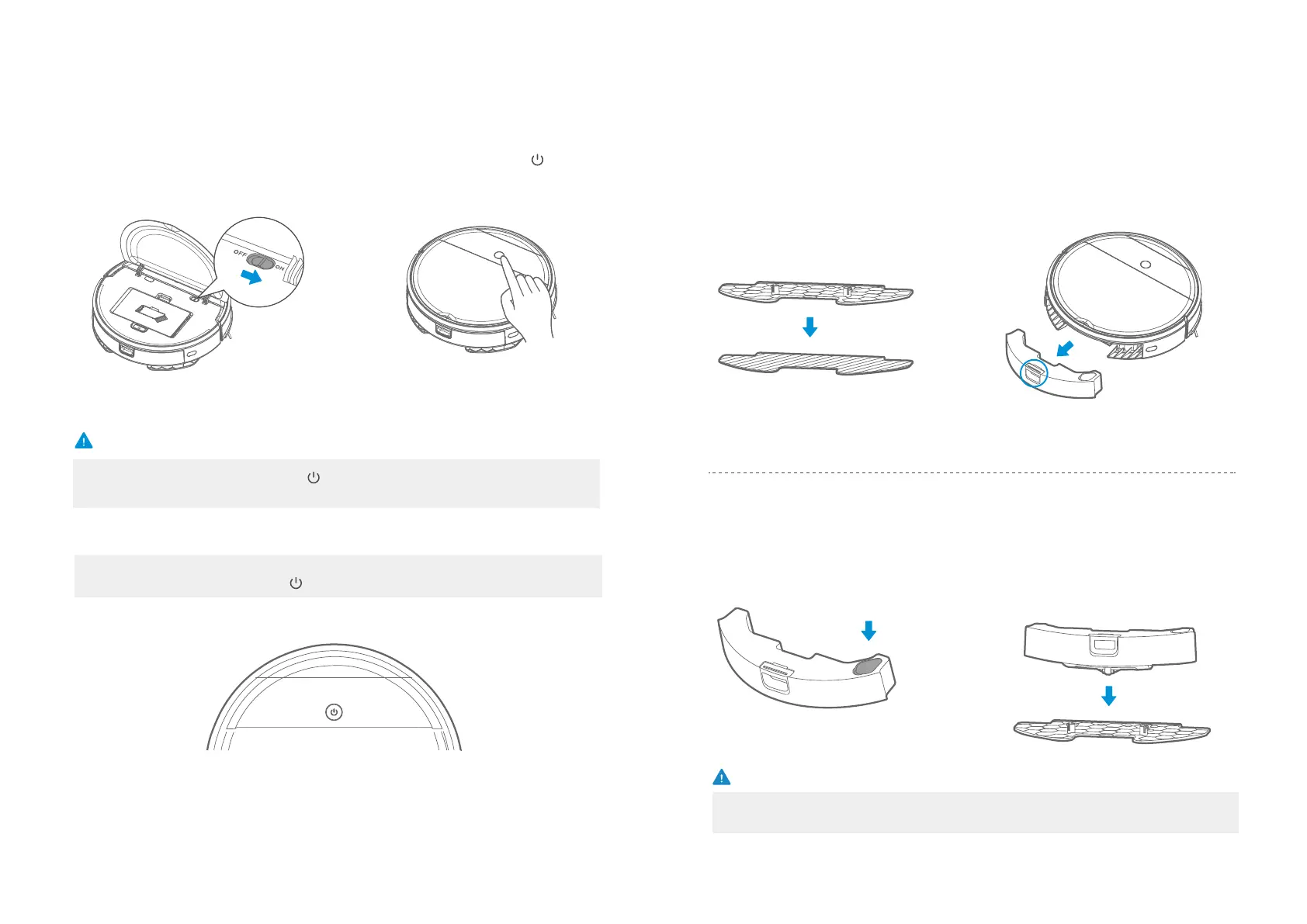
If the appliance is in sleep state, press the “ ” key and switch the appliance from sleep to pause,
and press it again to start cleaning.
Caution
Clean
Pause
Make sure the power switch is in
the "ON" position;
1
Clean/Pause
2
In standby mode, press the " " key to
start zigzag cleaning.
Standby means that the power supply is on, waiting for the user to operate, and the appliance
enters into the PAUSE by pressing the “ ”;
1
Attach the mop to the mop
aachment.
Press the button on tank and remove
the tank.
2
Fill the water.
3
Mount the water tank onto the mop
attachment.
4
Mopping operation
Caution
a. Do not input any chemical detergent and cleaner.
b. Use only water.








 To Next Page