27
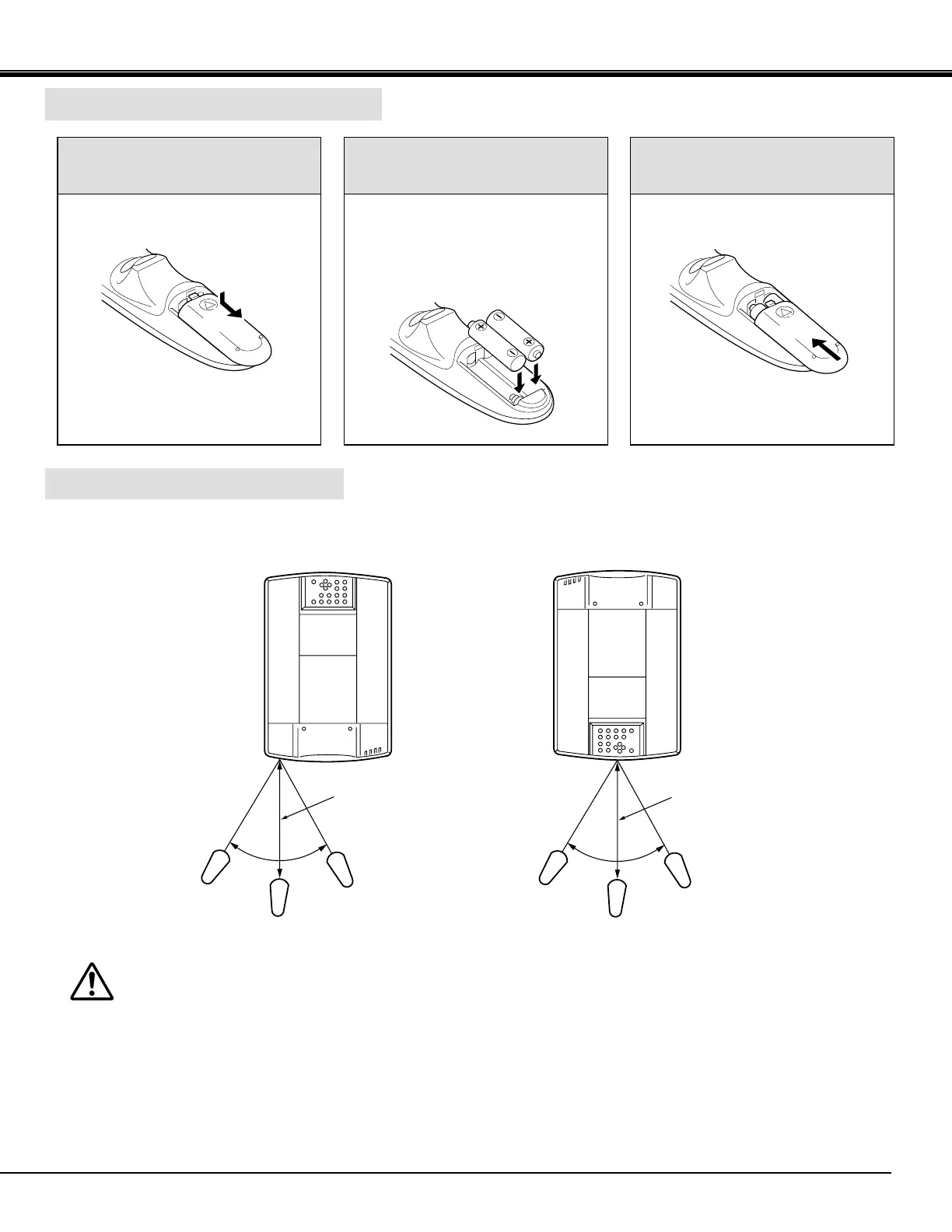
Remote Control Battery Installation
Using the Remote Control Unit
16.4'
(5 m)
60°
60°
1
Remove the battery
compartment lid.
2
Slide the batteries into the
compartment. 3
Replace the compartment lid.
Note : For correct polarity (+ and -
terminal), be sure the battery
terminals are in contact with the
pins in the compartment.
Point the remote control toward the projector (Receiver window) whenever pressing the buttons. Maximum operating range
for the remote control is about 16.4' (5m) and 60° front and rear of the projector.
16.4'
(5 m)
To insure safe operation, please observe the following precautions :
● Use (2) AA type alkaline batteries.
● Change two batteries at the same time.
● Do not use a new battery with a used battery.
● Avoid contact with water.
● Do not drop the remote control unit.
● If batteries have leaked on the remote control,
carefully wipe the case clean and load new batteries.
BEFORE OPERATION



 To Next Page