45
VIDEO MODE
SELECTING COLOR SYSTEM
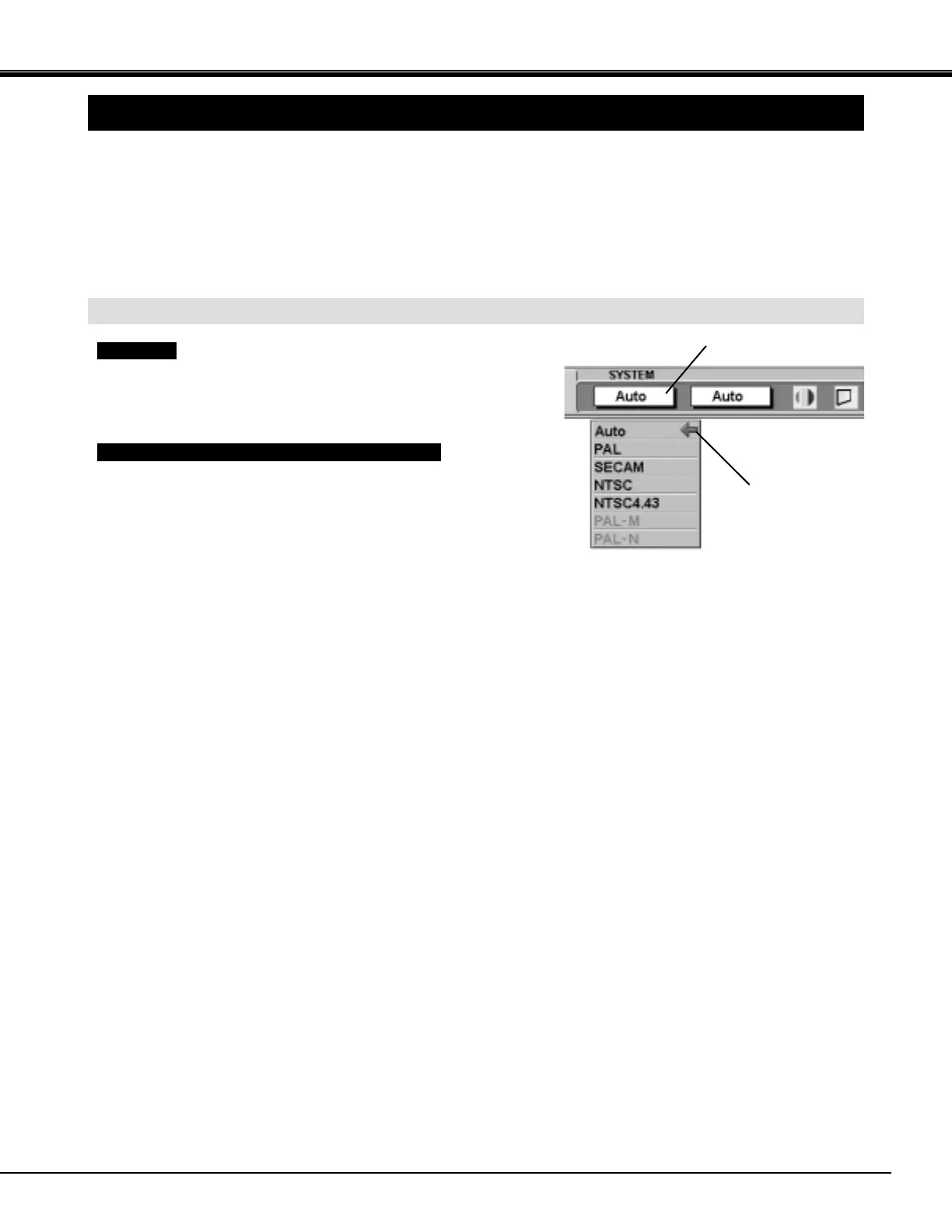
Press the MENU button and the ON-SCREEN MENU will
appear. Press the POINT LEFT/RIGHT buttons to select
SYSTEM and press the SELECT (REAR CLICK) button.
Another dialog box VIDEO SYSTEM Menu will appear.
Press the POINT DOWN button and a red-arrow icon will
appear. Move the arrow to "Auto", and then press the
SELECT
(REAR CLICK) button.
1
2
The projector automatically detects the incoming Video system, and
adjusts itself to optimize its performance.
When the Video System is PAL-M or PAL-N, select the system
manually.
If the projector cannot reproduce the proper video image, it is
necessary to select a specific broadcast signal format among PAL,
SECAM, NTSC, NTSC 4.43, PAL-M, and PAL-N.
Move the arrow to
the Mode and press
the SELECT (REAR
CLICK) button.
This box indicates the
system being selected.
Auto
PAL / SECAM / NTSC / NTSC4.43 / PAL-M / PAL-N
VIDEO SIGNAL FROM VIDEO JACK OR S-VIDEO JACK



 To Next Page