English 52
SETUP
<Tab 2>
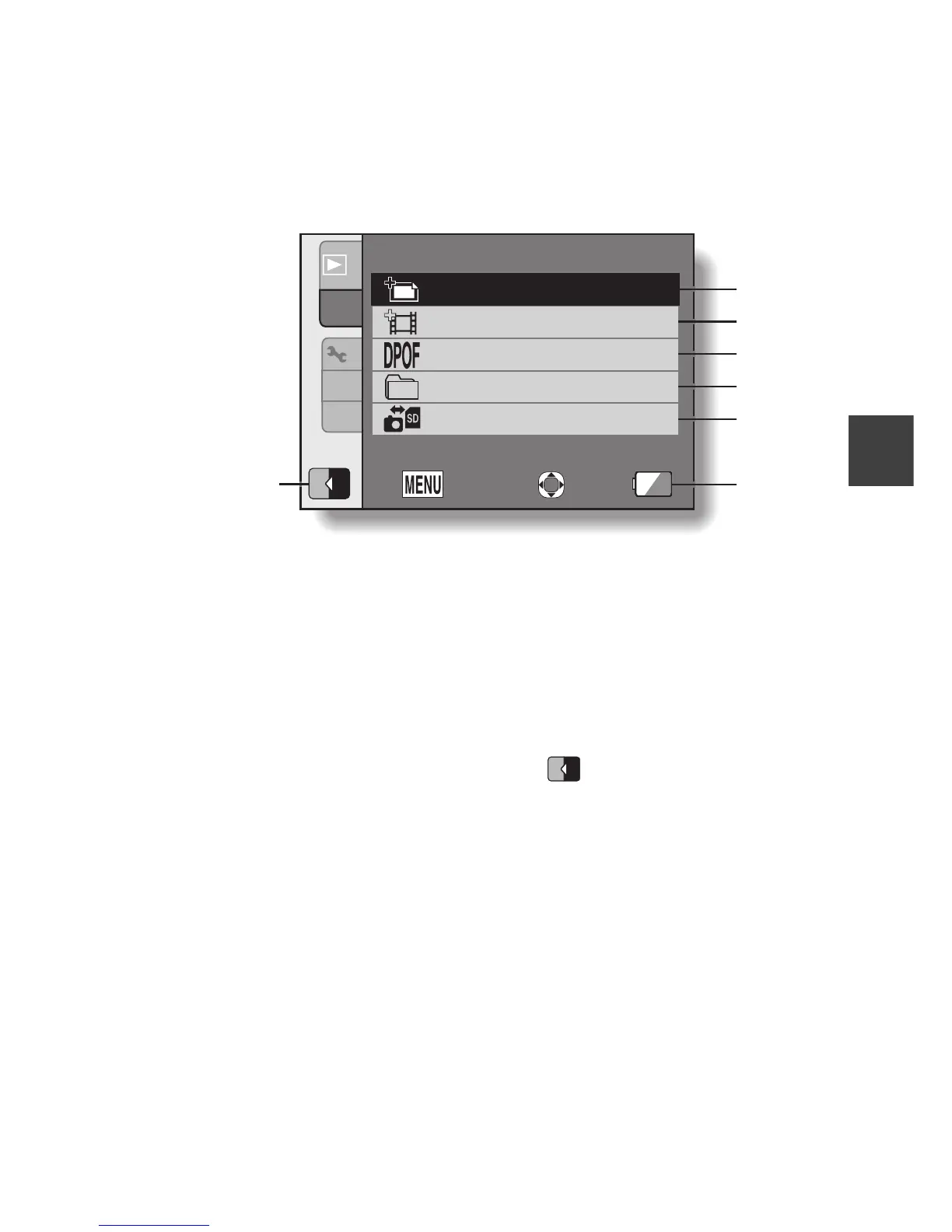
1 Edit photo (page 110)
h Repair the “red-eye” caused
by the flash, or enhance the
contrast.
2 Video clip edit (page 112)
h Edit video clips.
3 Printing instructions
(page 120)
h Specify the printing
instructions (DPOF settings).
4 Select folder (page 77)
h Select a folder to play back.
5 Copy (page 126)
h Copy files from the card to the
internal memory, or vice versa.
6 Remaining battery power
indication (page 153)
7 (page 36)
h Set to the SIMPLE mode.
1
2
2
3
1
6
5
4
3
2
1
2
OKEXIT
PLAYBACK MENU
PRINT INSTRUCTIONS
EDIT PHOTO
EDIT VIDEO
SELECT FOLDER
COPY
7
SS
N
SS
N



 To Next Page