The Sapling Company, Inc.
1633 Republic Road
Huntingdon Valley, PA 19006
USA
+1 215.322.6063 P.
+1 215.322.8498 F.
www.sapling-inc.com
1313
Port 123 must be open if the clock is accessing a time server outside of the network.
Port 80 must be open if access to the web interface from outside the network is desired.
3. Static IP - If using a static IP, the IP address will default to 192.168.0.123. Go to a web browser, such as Internet Explorer, Chrome, etc., and
type in 192.168.0.123 into the address bar to load the web interface. Once this is done, follow the instructions on page 24 to find the Network
Settings page. Turn off DHCP, enter the new IP address, and click submit. Next, power down the IP Clock, remove the jumper and reboot the IP
clock. To access the web interface, type the new IP address into the address bar of the web browser.
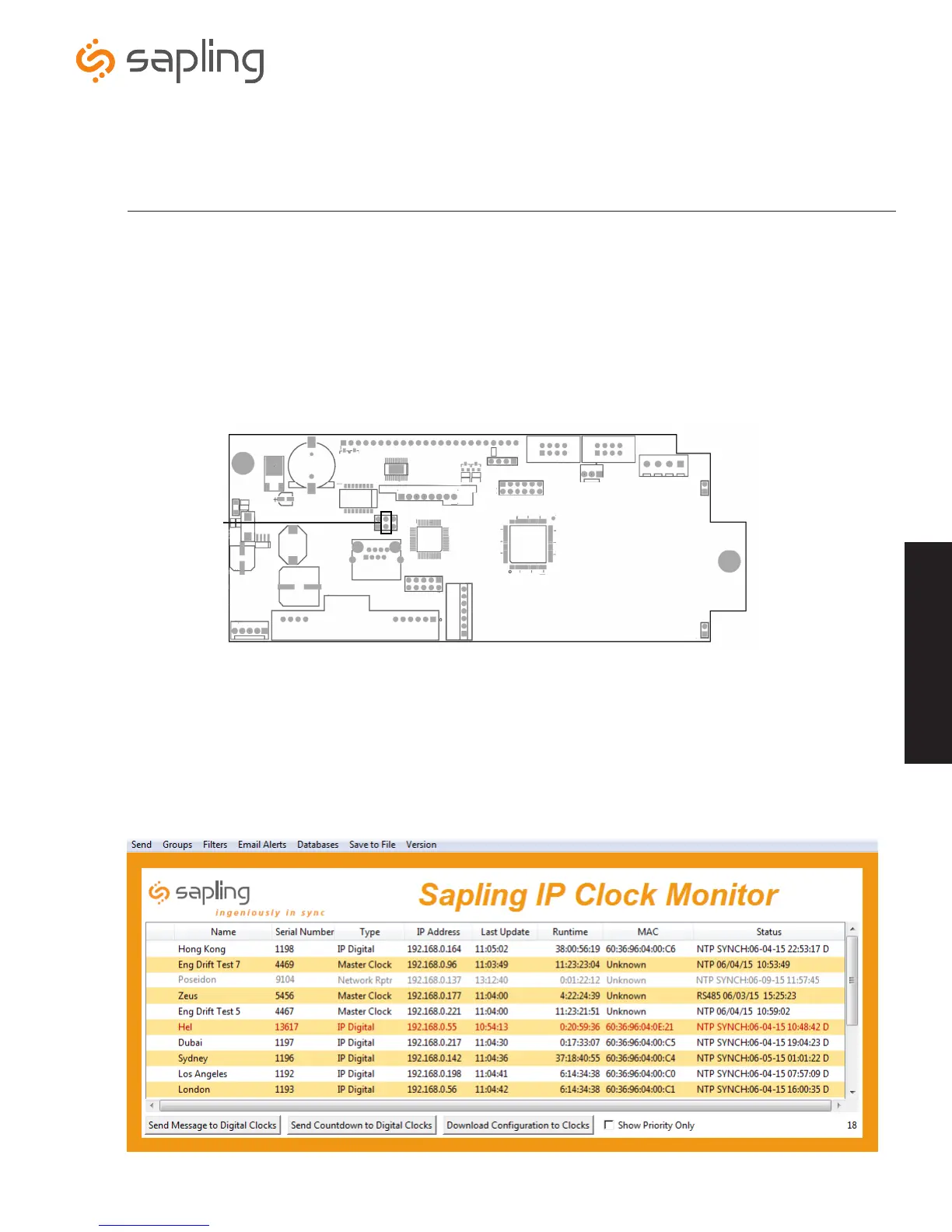
4. DHCP - If DHCP is being utilized, load the Sapling IP Monitor software on a PC that is connected to the network. Launch the Monitor.exe file.
Locate the IP Clock by searching under the “Name” heading (if previously configured) or “Serial Number” (found on the circuit board on the back
of the clock). Once the clock is located, double click on it to open the clock’s web interface.
1. The IP Clock is set to use DHCP by default. Once the IP Clock is plugged into the switch/router, it will try to get an IP address automatically.
2. If DHCP is not being used, and a static IP or crossover connection is preferred, then a jumper must be installed on the IP board at the
following location:
Note: To view the IP address from the digital clock, press both buttons on the front of the display once. The IP address will scroll across the
display.
Note: To switch to a static IP connection, the jumper must be placed on the circuit board before the clock is powered
Setting the DHCP and/or Static IP
Place jumper
on these two
terminals
Wiring Information



 To Next Page