The Sapling Company, Inc.
1633 Republic Road
Huntingdon Valley, PA 19006
USA
+1 215.322.6063 P.
+1 215.322.8498 F.
www.sapling-inc.com
3636
Reading the Display
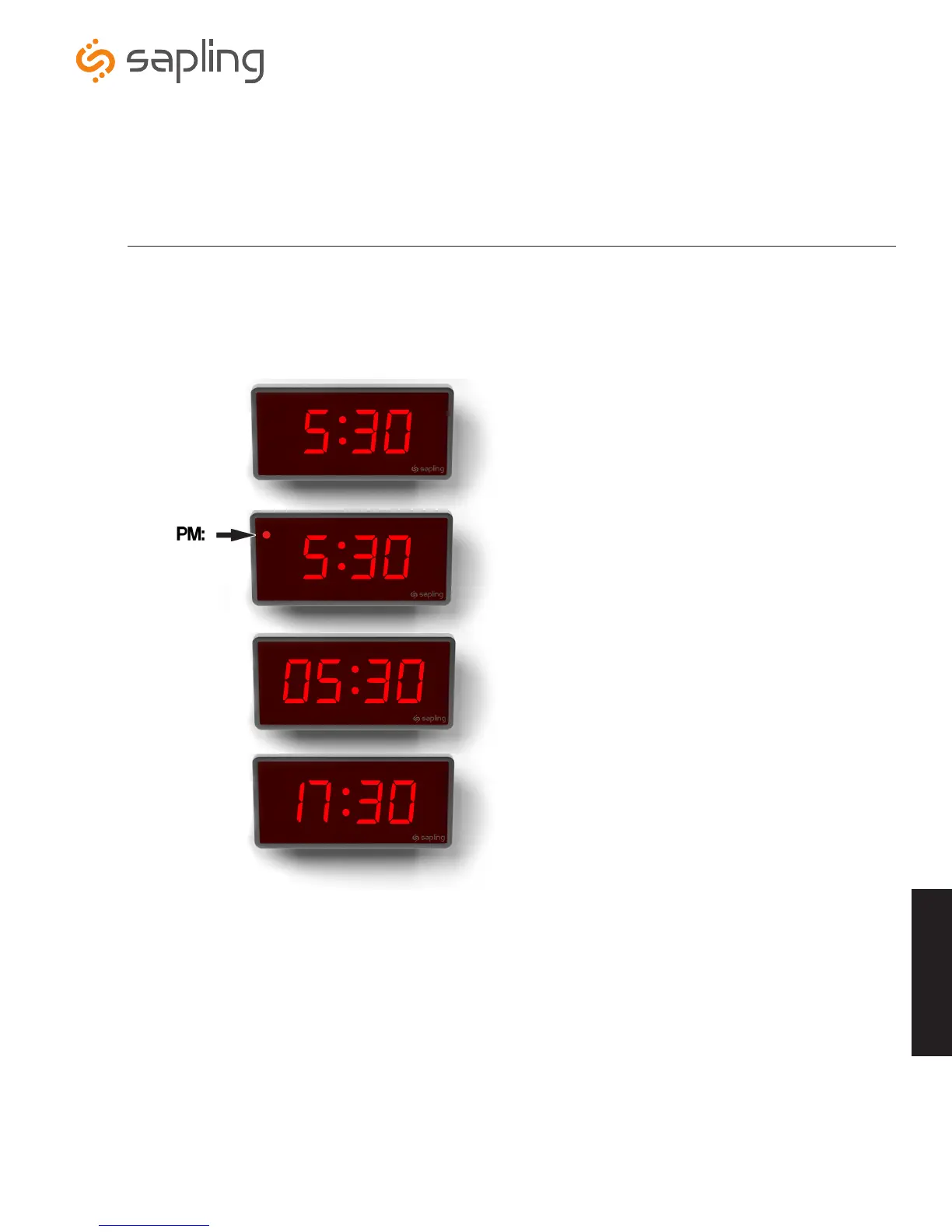
The digital clock is designed to display time in either a 12-hour or 24-hour format. When the display is set to the 12-hour format, a circular light
will appear in the top left corner of the display to indicate PM, or disappear to indicate AM. When the display is set to the 24 hour format, the full
24-hour time will appear on the display; no other lights should appear.
Some examples:
5:30 AM (12-hour format)
5:30 PM (12-hour format)
5:30 AM (24-hour format)
5:30 PM (24-hour format)
The factory default for all digital clocks is the 12-hour format. If you wish to set the clock to display time in a 24-hour format, see the section
labeled “Web Interface Settings”, included earlier in this manual.
Support
Support



 To Next Page