The Sapling Company, Inc.
1633 Republic Road
Huntingdon Valley, PA 19006
USA
+1 215.322.6063 P.
+1 215.322.8498 F.
www.sapling-inc.com
3333
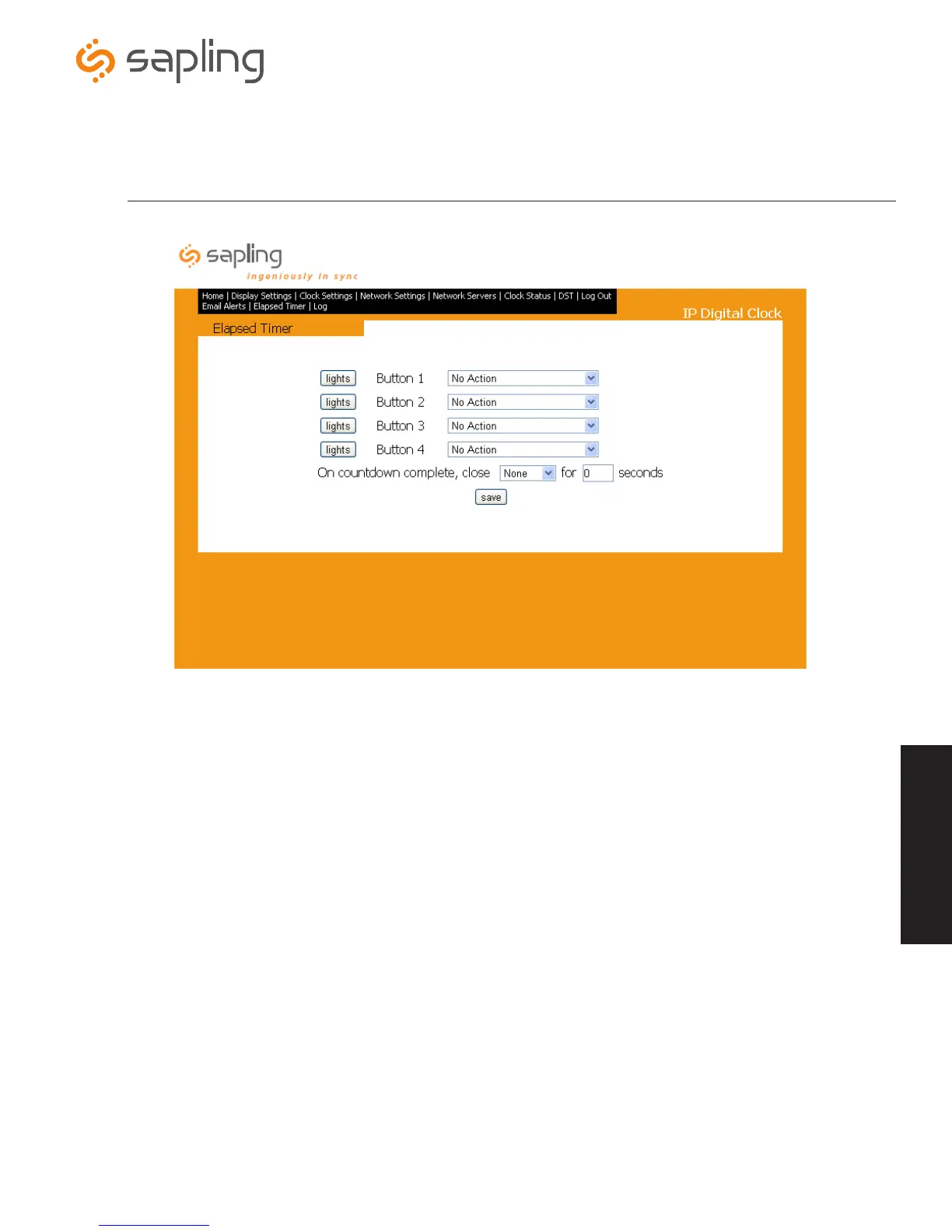
Web Interface - Elapsed Timer (3200/3300 Versions Only)
1. Lights - This option allows the user to set a different light setting for each button when individual buttons are pressed. The options for
this are: No Change, Off, Green, Red, Blink (on/off).
2.
Select Function of button - This option allows the user to choose individual functions for each button on the Elapsed Timer. The
options for this are explained on page 34.
3. Save - Pressing this button will save all settings to the Elapsed Timer.
q
w
e
*The Elapsed Timer tab will only appear on the task bar when the Elapsed Timer is plugged into
the back of the IP digital clock.
Web Interface



 To Next Page