30
© 2021 Scan Electronics Ltd.
Standalone usage
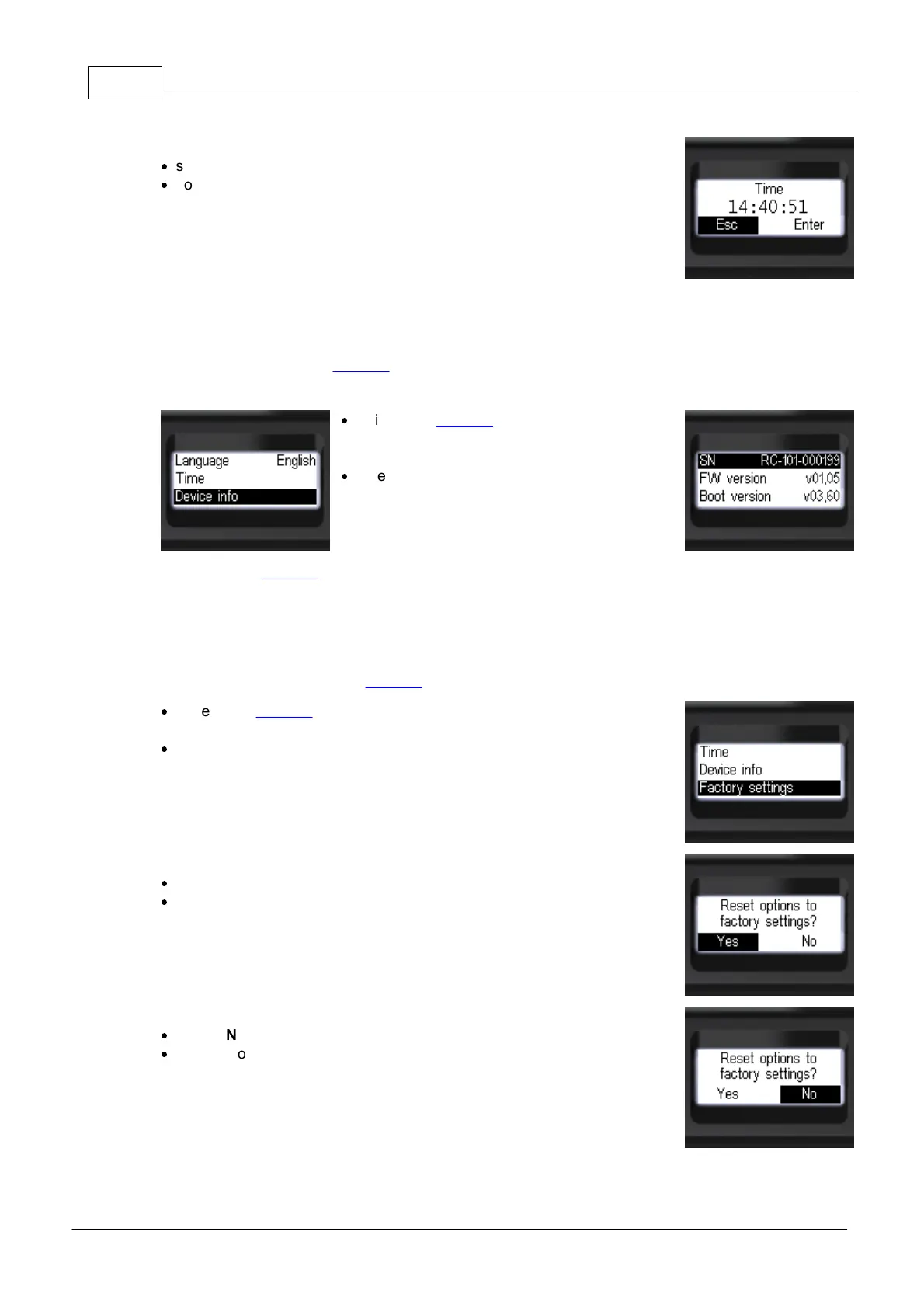
To quit the dialog without saving changes:
·
select [Esc] item by short pressing the round button;
·
confirm your choice by long pressing the round button.
3.8.10 Device info
Use [Device info] item of Settings to view the information about the serial number, firmware version and
bootloader version of the device:
·
while in the Settings, set focus on the [Device
info] item by short pressing the "up" and
"down" swing buttons;
·
enter the submenu by short pressing the round
button.
To return to the Settings or quit the menu, set focus on the [<Back] or [<< Menu quit] item respectively
and confirm your choice by short pressing the round button.
3.8.11 Factory settings
Use [Factory settings] item of Settings to reset the device options to their default values:
·
while in the Settings, set focus on the [Factory settings] item by short
pressing the "up" and "down" swing buttons;
·
enter the submenu by short pressing the round button, then reset dialog
will appear.
To reset the options and quit the dialog:
·
select [Yes] item by short pressing the round button;
·
confirm your choice by long pressing the round button.
To quit the dialog without resetting the options:
·
select [No] item by short pressing the round button;
·
confirm your choice by long pressing the round button.


 To Next Page