44 © Scania CV 2009
Fuel system
12. Daily:
Checking fuel level
- Top up with fuel if necessary.
- If the tank has been run dry, bleed the fuel system, see point 13.
13. Every 1,200 hours:
Renewing the fuel filter
Fuel tanks
- Drain any water from the fuel tanks.
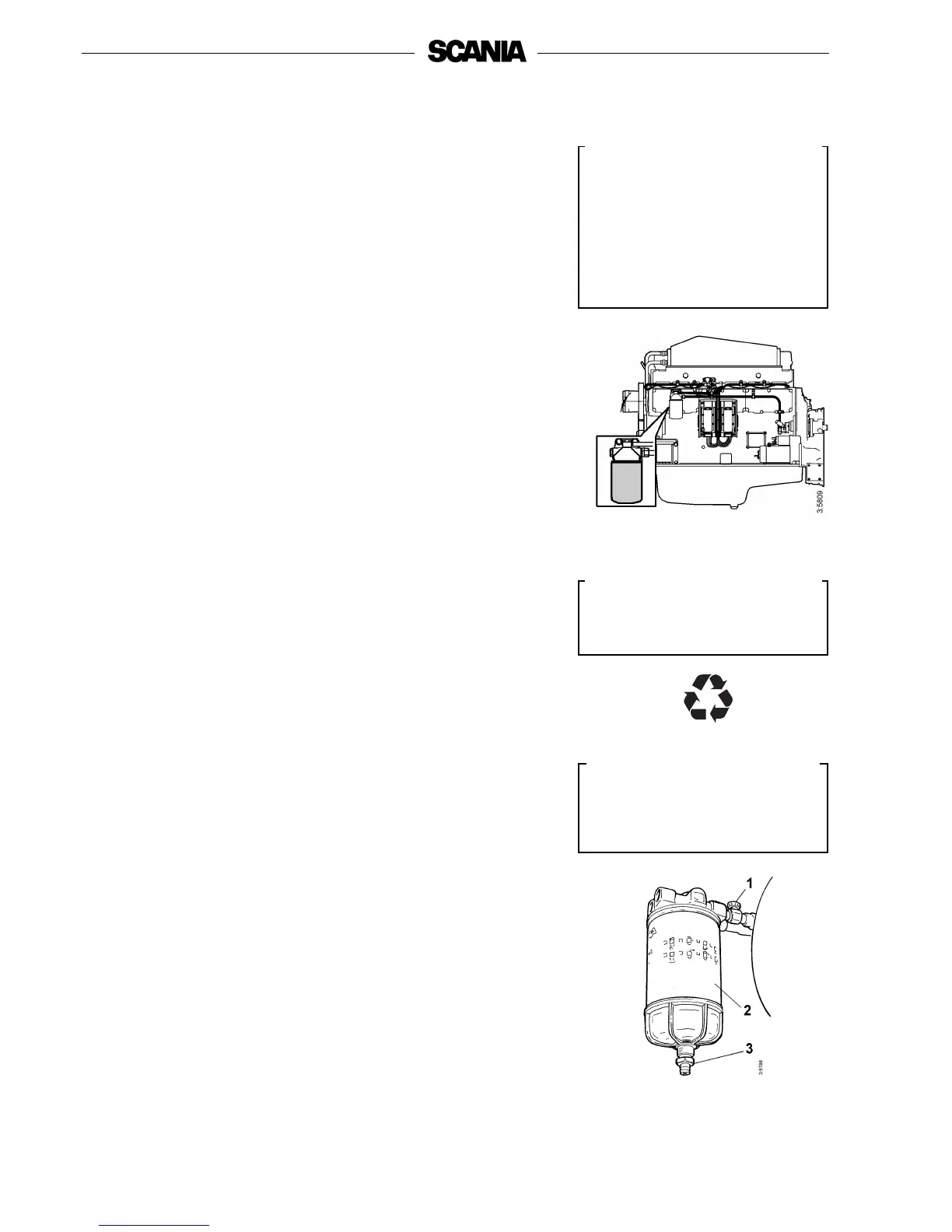
Filter
The filter consists of a filter unit.
- Wash the outside of the filter and unscrew it. Discard the filter according
to environmental requirements.
- Fit the new filter and tighten it by hand.
Never use tools for this. The filter could sustain damage, obstructing
circulation.
- Bleed the fuel system as described below.
- Start the engine and check for leaks.
Water separating filter
- Drainage must be carried out when filling fuel.
- The filter must be changed at the same renewal interval as the main
filter.
- Close the cock (1) upstream of the filter.
- Unscrew the container and drain valve (3).
- Unscrew and change the filter (2). Lubricate the seal before tightening
the new filter by hand.
- Screw the container and drain valve into position.
- Open the cock (1).
- Bleed the fuel system after renewing both filters.
Use a container to avoid spillage
when bleeding and renewing
components.
Use only genuine Scania fuel
filters.
1. Shut-off cock
2. Filter
3. Drain valve
Observe the utmost cleanliness
when working on the fuel
system.
There is a risk of engine
malfunction and damage to the
injection equipment.
Important
!
Important
!
Help protect our
environment!



 To Next Page