Scantech-ID VEGA Area Imager 25
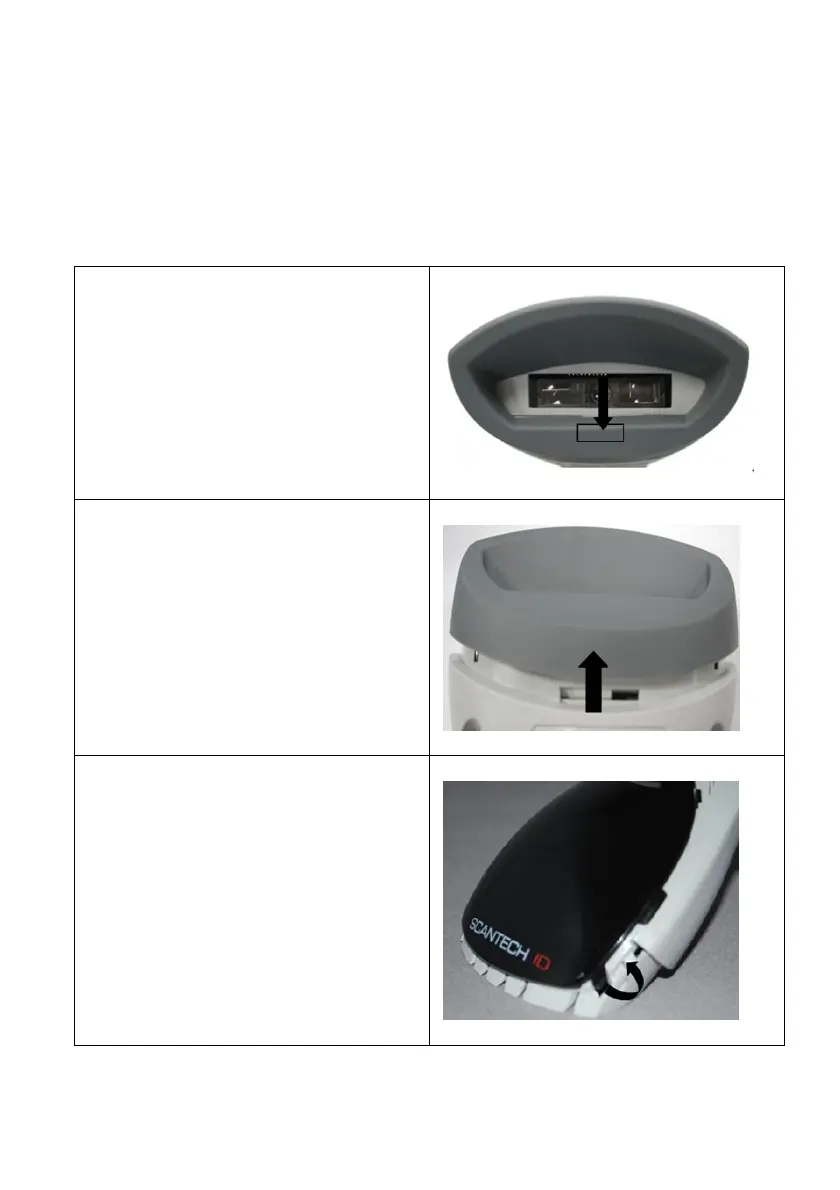
5.1.1 Change Cover Display
Follow the next instruction steps to change the black Cover Display into the
transparent Cover Display, so that your customers can read your own commercial
massage.
Step 1:
Press out the front rubber lid toward
the arrow
Step 2:
Pull out the front rubber lid off the main
unit
Step 3:
Press out top cover rim from the inner
lock



 To Next Page