- 22 -
www.SCEPTRE.com
E22 Series FHD Display User Manual
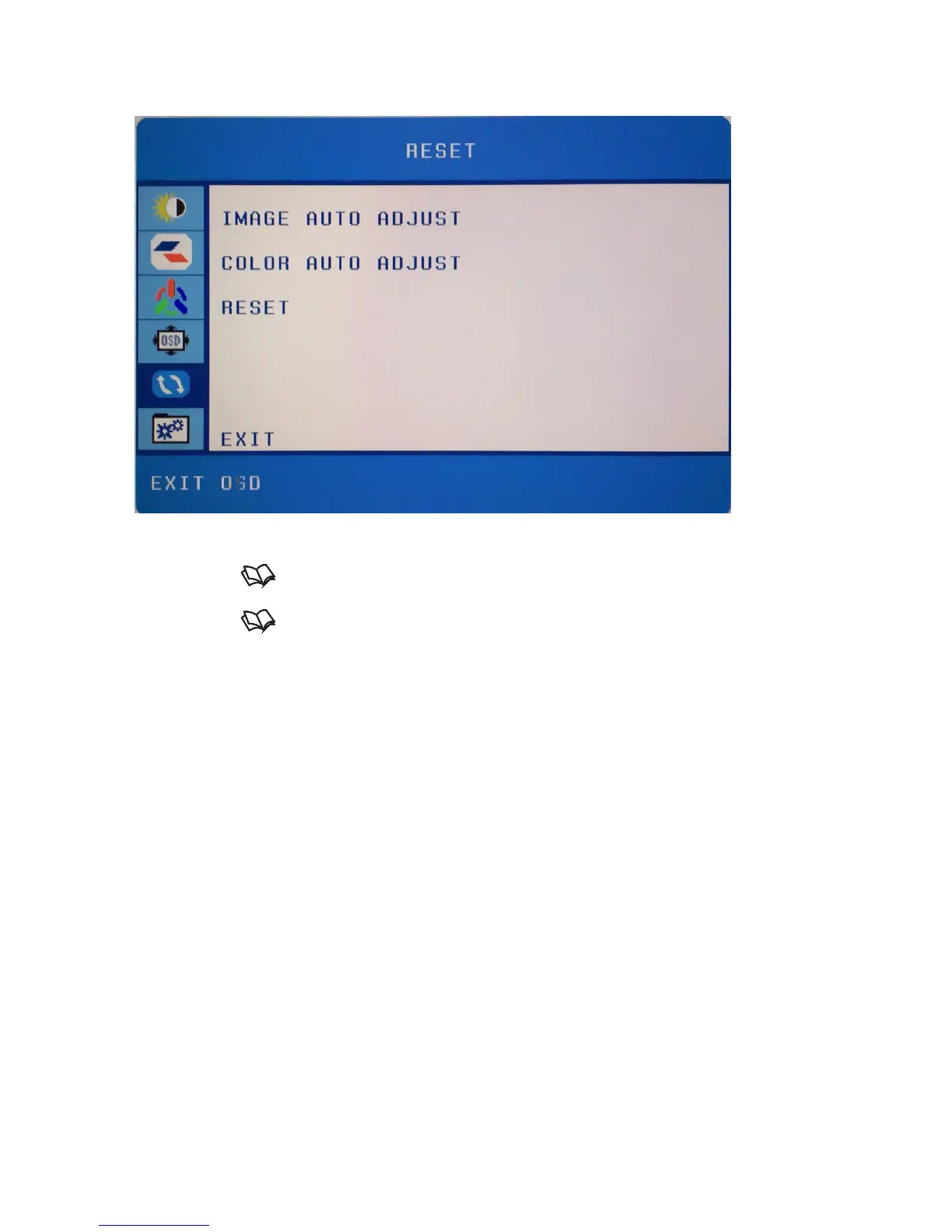
RESET
This function resets the monitor’s settings.
1. Press to open the OSD then highlight RESET by pressing the ▲ or ▼
buttons.
2. Press to enter the function.
3. Press the ▲ or ▼ buttons to select the option you want to use.
a. IMAGE AUTO ADJUST – This option automatically adjusts the
image clarity while under the input VGA.
b. COLOR AUTO ADJUST – This option automatically balances the
image color balance while under the input VGA.
c. RESET – This option reset all settings under the OSD.
Please Note:
IMAGE AUTO ADJUST and COLOR AUTO ADJUST only available
under the input VGA.


 To Next Page