Getting Started P746/EN GS/G31
(GS) 3-
22
MiCOM P746
1.10.3.2 Open communication link with relay
To open the communications link from S1 to the P746 relay the following procedure must be
followed:
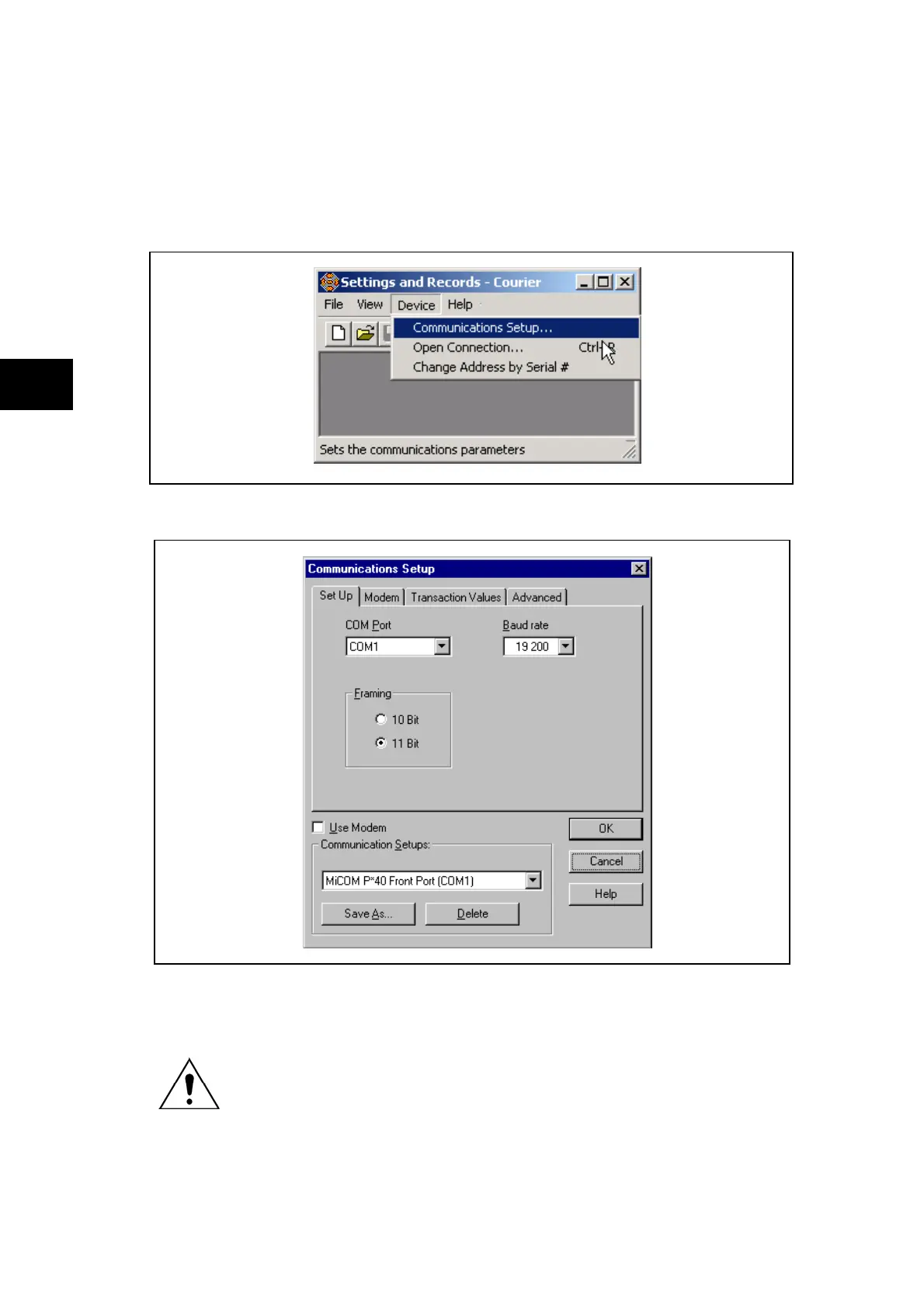
First the communication setup must be adjusted if necessary. In the "Device" menu, select
"Communications Setup…"
This brings up the following screen:
GS
FIGURE 9: COMMUNICATION SET-UP SCREEN
WHEN THE COMMUNICATIONS SETUP IS CORRECT THE LINK WITH
THE RELAY CAN BE INITIALIZED. IN THE "DEVICE" MENU, SELECT
"OPEN CONNECTION…"



 To Next Page