Getting Started P746/EN GS/G31
MiCOM P746 (GS) 3-
23
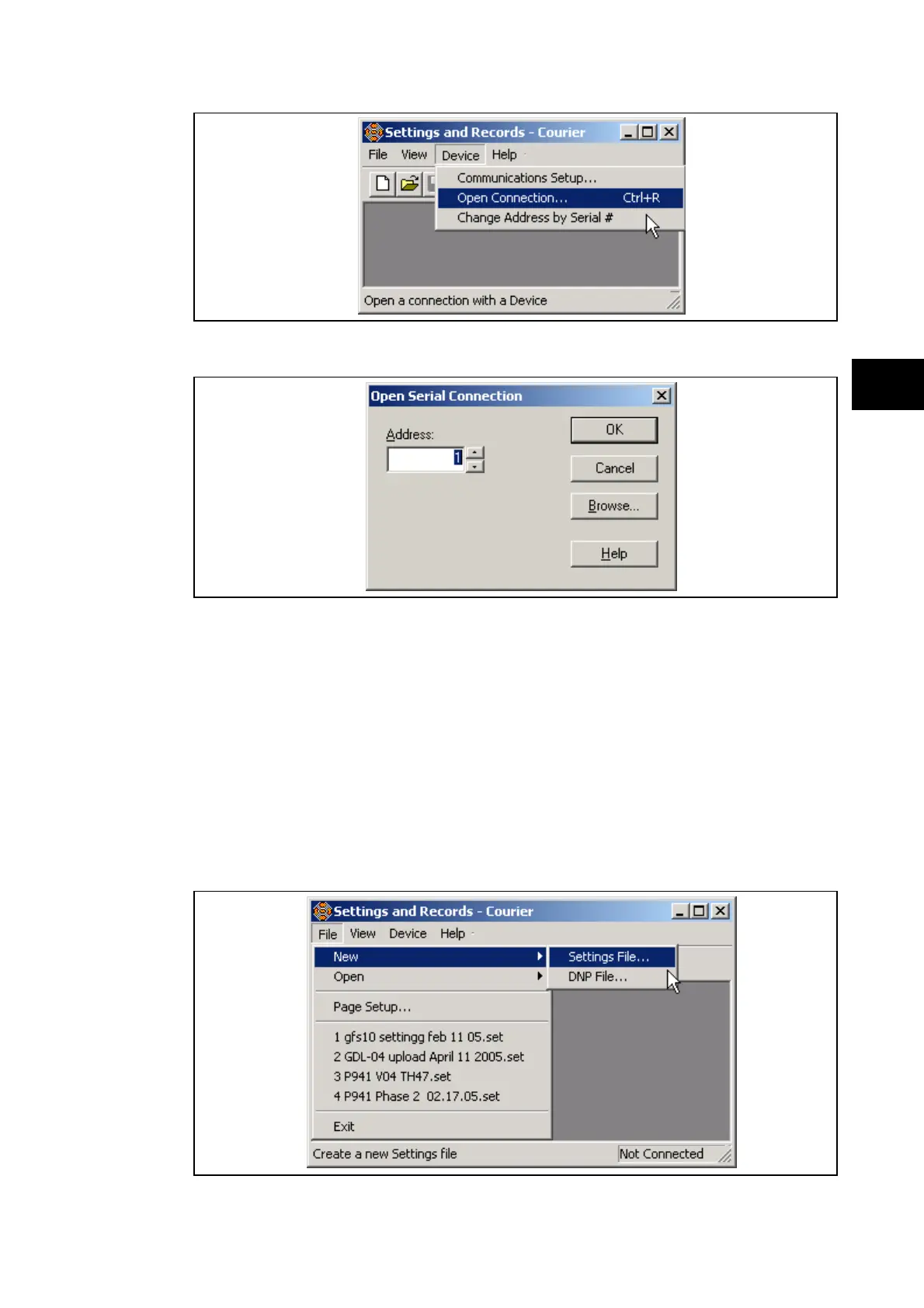
This brings up a prompt for the address of the relay to be interrogated:
GS
When this has been entered a prompt for the password appears.
When these have been entered satisfactorily the relay is then able to communicate with
MiCOM S1. When a communication link has been established between the PC and a
MiCOM IED, both are said to be online. Data and information can be directly transferred from
and to the IED using the menu available under the “DEVICE” menu.
For further instruction on how to extract, download and modify settings files, please refer to
the MiCOM S1 User Manual.
1.10.3.3 Off-line use of MiCOM S1
As well as being used for the on-line editing of settings, MiCOM S1 can also be used as an
off-line tool to prepare settings without access to the relay. In order to open a default setting
file for modification, in the “File” menu, select “New” and then “Settings File…”



 To Next Page