EasyManua.ls Logo

Schenker SMART 30 - User Manual

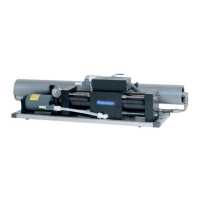
Schenker SMART 30
51 pages
Print Icon
To Next Page IconTo Next Page
Loading...
COD: 30S12/24.A.2018
Installation, use and maintenance manual
Model.: Smart 30
Matriculation number: 30S12/24A
Year of construction: 2002
Schenker Italia
Via Delle Repubbliche Marinare, 67
80147 Naples Italy
Tel. +39 081 5593505
Fax. +39 081 5597372
E-mail: info@schenker.it
WWW.schenkerwatermakers.com
THE PRESENT MANUAL BELONGS TO - Schenker Italia - ALL RIGHTS RESERVED
SMART 30
Analogic 12/24 V dc

Table of Contents

Questions and Answers

  • T
    Tracie SantosAug 2, 2025
    What to do if Schenker Industrial Equipment pump blocks in high pressure?
    • M
      Megan SmallAug 2, 2025
      If the Schenker Industrial Equipment pump starts but the system suddenly blocks at high pressure, it could be due to several reasons. A hydraulic block may be present, in which case you should perform the reset procedure. Dirty filters can also cause this issue, so replace the filters. Obstructed membranes are another possibility; perform the washing procedure to resolve this. If the problem persists, a commutation system block might be the cause, and you should contact customer service.
  • M
    maldonadobrettAug 6, 2025
    Why is my Schenker Industrial Equipment showing low production and pressure?
    • D
      Deanna PetersonAug 6, 2025
      If your Schenker Industrial Equipment is showing low production with normal or low pressure, check the battery charge as a low battery could be the cause. Another possible reason is air within the system, so purge the air out of the system. If these steps don't resolve the issue, there may be a loss of sealing systems, and you should contact customer service.
  • L
    Larry RodriguezAug 10, 2025
    How to fix start and stop of Schenker Industrial Equipment pump?
    • Q
      qayalaAug 11, 2025
      If the Schenker Industrial Equipment pump temporarily switches off during operation, causing a start and stop phenomenon, the pump pressure switch may not be correctly set; in this case, set the pump pressure switch. Dirty filters or membranes can also cause this issue, so clean or replace them.
  • M
    Mr. Douglas TateAug 14, 2025
    What causes low production and high pressure in Schenker Industrial Equipment?
    • L
      Lisa LuceroAug 15, 2025
      If your Schenker Industrial Equipment shows low production but high pressure (above 9 Bar), clogged filters could be the problem; replace them. Clogged membranes could also be the cause, so perform the washing procedure. In case of cold inlet water, contact customer service.
  • S
    Steven BoydAug 19, 2025
    How to troubleshoot a Schenker Industrial Equipment pump that doesn’t start?
    • R
      Richard JohnsonAug 19, 2025
      If the Schenker Industrial Equipment pump doesn’t start, the pump pressure switch might be disconnected or burned. Restore or replace the pump pressure switch.
  • R
    rcookAug 25, 2025
    What causes metal noise in Schenker Industrial Equipment pump?
    • G
      George CarlsonAug 25, 2025
      If you hear metal noise from the Schenker Industrial Equipment pump, it could be due to pump cavitation. Check the causes of the absence of water flow at the pre-pump inlet.
  • A
    Angie MendozaAug 28, 2025
    What to do if there is a loss in Schenker Industrial Equipment system?
    • A
      Amber PhelpsAug 28, 2025
      If there is a loss in the Schenker Industrial Equipment system, check for loose fittings and tighten them. If the issue persists, there may be ERS leaks, and you should contact customer service.

Summary

1. Manual Consulting

1.1 Structure of the Manual

Explains how the manual is organized into chapters and paragraphs.

1.2 Description of the Pictograms

Details the symbols used in the manual for warnings and notes.

2. General Warnings and Information to the Recipient

2.1 Important Information

Emphasizes reading all instructions for operator safety and machine protection.

2.2 Safety Warnings

Lists essential safety precautions for operating and maintaining the unit.

2.3 Start-Up

States that system test and validation occur at the production site.

2.4 Warranty

Details the warranty period and conditions for equipment and accessories.

2.5 Identification of the Unit

Explains how to identify the watermaker using its serial number.

2.6 Normative Requirements

Lists relevant EU directives and safety standards for the machine.

3. Product Presentation

3.1 Transport and Material Handling

Provides guidelines and dimensions for safely transporting the watermaker unit.

3.2 Stock

Advises on proper storage conditions to prevent damage from temperature.

3.3 Packaging

Lists the contents included in the watermaker packaging.

3.4 Attached Documents

Lists the technical documentation included with the product.

3.5 Technical Data

Provides detailed technical specifications for the watermaker and pump groups.

3.6 Characteristic of the Product

Describes the function of the machine and the potability of produced water.

3.7 Advantages of the Energy Recovery System

Explains the functioning and benefits of the patented ERS device.

3.8 Composition of the Machine

Details the main components of the watermaker system, including pump group, watermaker group, and accessories.

4. Mounting and Installation

4.1 General Criteria

Outlines key considerations for planning the watermaker installation.

4.2 Components Mountings

Provides specific mounting instructions for the pump and watermaker groups.

4.3 Installation

Details requirements for water intakes and discharges.

4.4 Hydraulic Connections

Illustrates and specifies the hydraulic connections and required hoses.

4.5 Electric Connection

Covers the mounting of the remote control panel and wiring.

5. Functioning and Use

5.1 Command Description

Explains the functions of the buttons and indicators on the remote control panel.

5.2 Introduction - By Pass Mode

Introduces the bypass mode and its specific usage scenarios.

5.3 First Start Up Procedure

Guides the user through the initial startup process to purge air from the system.

5.4 Normal Operating Procedure

Details the steps for routine operation with and without automatic washing.

5.5 Manual Washing Procedure

Describes the procedure for manual washing, especially after inactivity.

5.6 Reset Procedure

Outlines the steps to manually restart the system if it stalls.

6. Maintenance (Routine and Extraordinary)

6.1 Control of Filter Cleaning Condition

Explains how to inspect and maintain the net filter, pump filter, and carbon filter.

6.2 Check the Plant Working Pressure

Details how to read the manometer and check the system's working pressure.

6.3 Check for Absence of Leaks

Advises on performing leak checks at each start-up.

6.4 Check for Membranes Replacement

Provides guidance on the expected lifespan and replacement of membranes.

6.5 Shutdown Procedure

Explains the procedure for preparing the system for long standstills.

6.6 Antifreeze Procedure (Winterizing Procedure in Cold Climate - Under 5°C)

Describes the process for winterizing the system using antifreeze.

6.7 Periodic Maintenance

Covers essential periodic checks and replacements for system longevity.

6.8 Adjustments

Explains how to adjust the high pressure switch and check the pulsation dampener.

7. Troubleshooting

7.1 Failure Chart

A table listing common issues, their causes, and recommended remedies.

7.2 Electronic Issues and Their Solution

Addresses common electronic problems and provides troubleshooting steps.

8. Suggested Spare Parts

8.1 Short Term Cruising

Lists recommended spare parts for short cruising periods.

8.2 Long Term Cruising

Lists recommended spare parts for long-term cruising.

8.3 ERS Spare Parts

Provides a breakdown and part numbers for Energy Recovery System components.

8.4 Additional Spares

Lists other common spares for extraordinary maintenance.

Schenker SMART 30 Specifications

General IconGeneral
BrandSchenker
ModelSMART 30
CategoryWater Filtration Systems
LanguageEnglish

Related product manuals