Installation and commissioning DATAEAGLE 4XXX Compact 5-15
Display Channel/
Bluetooth MAC
Address
Chapter 5 – Extension and exchange
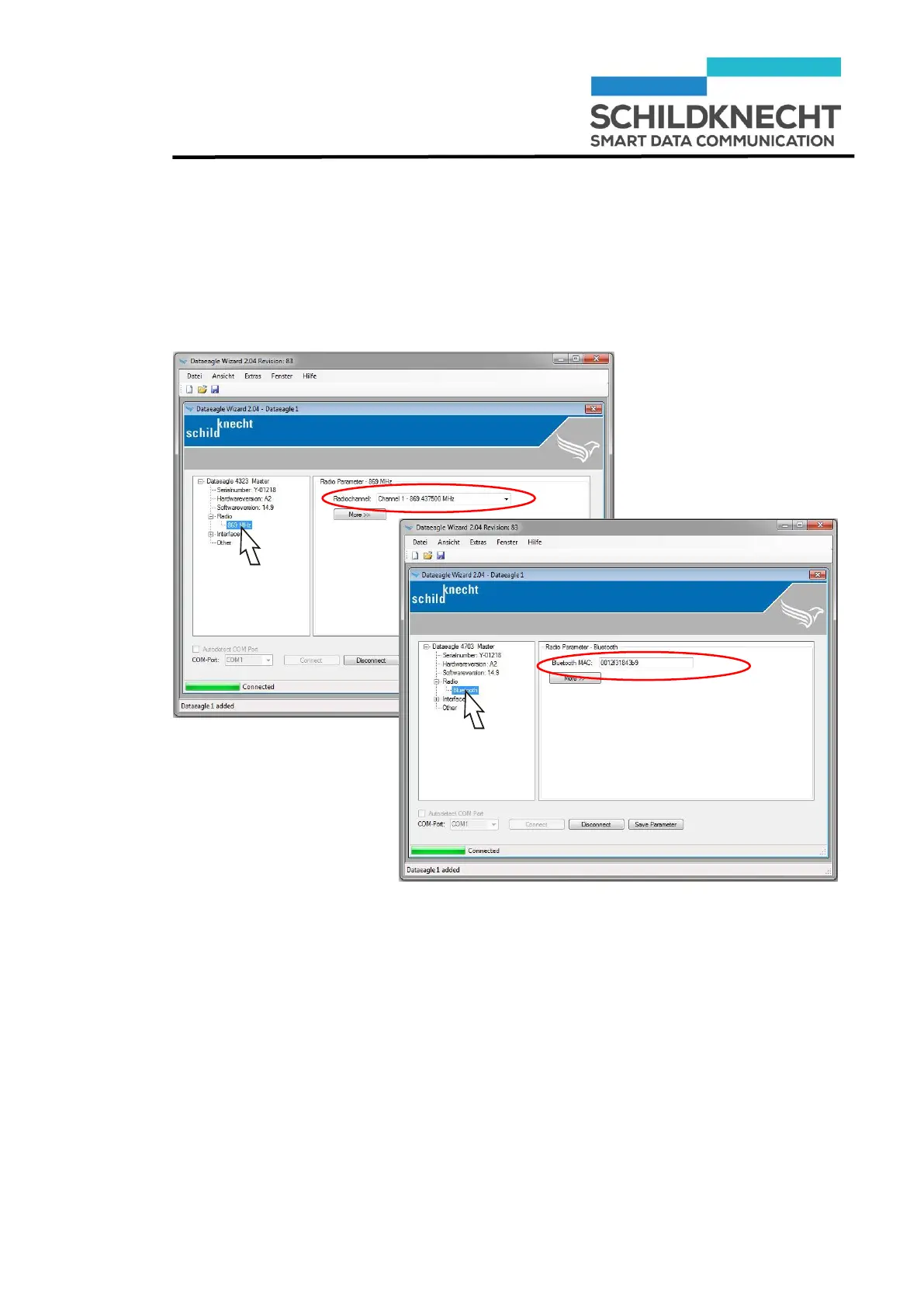
Click once on „869 MHz“ (for Dataeagle 43XX) ) or
once on „Bluetooth“ (for Dataeagle 47XX).
The set channel or the Bluetooth MAC address is shown:
Note the channel, e.g. Channel 1 or the Bluetooth
MAC address, e.g. 0012f30e69d5.
Click on „Save Parameter“.
The new configuration of the Radio Master is saved.
Click on „Disconnect“.


 To Next Page