Installation and commissioning DATAEAGLE 4XXX Compact 5-39
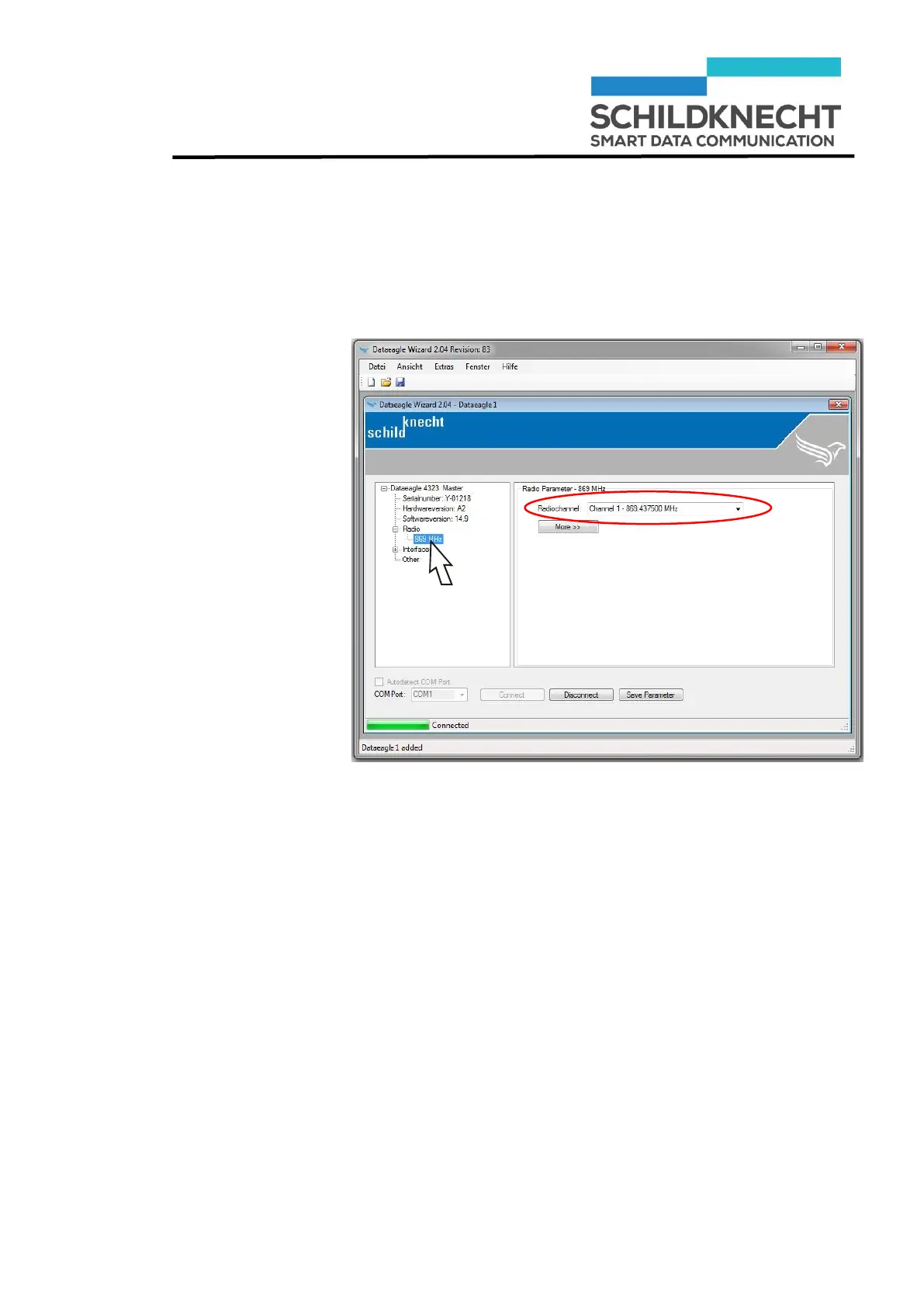
Enter channel
Chapter 5 – Extension and exchange
Click once on „869 MHz“
The channel as pre-set in the factory is shown:
Enter the channel you have noted before.
Click on „Save Parameter“.
The new configuration of the Radio Slave is saved.
Click on „Disconnect“.
The configuration is finished.


 To Next Page