6.5.4 Program lock
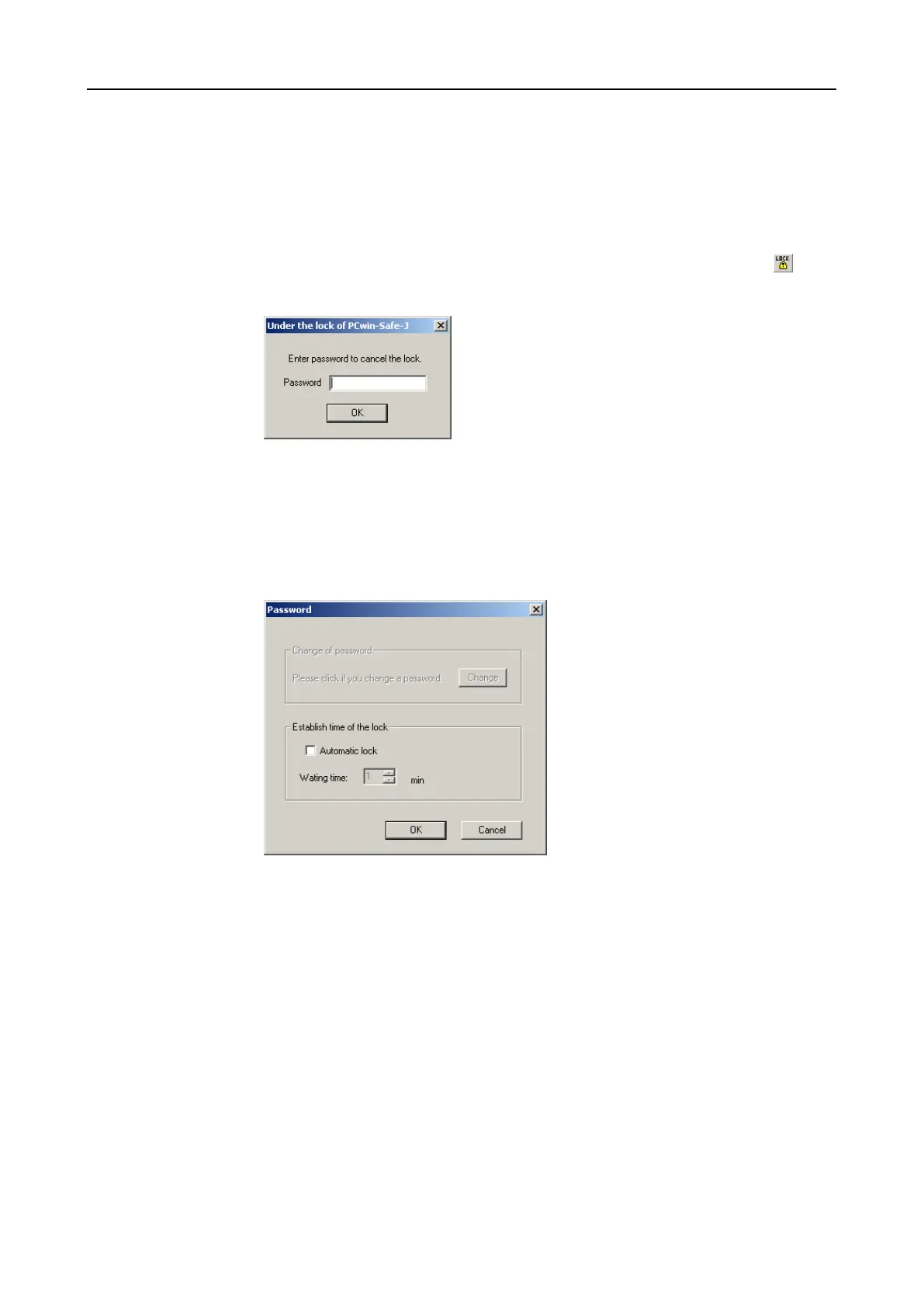
Manual program lock
In order to stop editing after the password has been entered (e.g. in the case of
brief absence), the complete program can be locked against any entry. Use the
menu option [Option] [Lock PROTECT-PSCsw] or alternatively the tool button .
The lock can only be released using the password used to log in (the password
with which editing was released) but not with one of the other three..
Automatic program lock
This option automatically locks the program after an adjustable time of inactivity
(no mouse or keyboard action). The time period is activated and set in password
dialogue [Setup] – [Password]. The waiting time is freely adjustable between 1 and
120 minutes.


 To Next Page