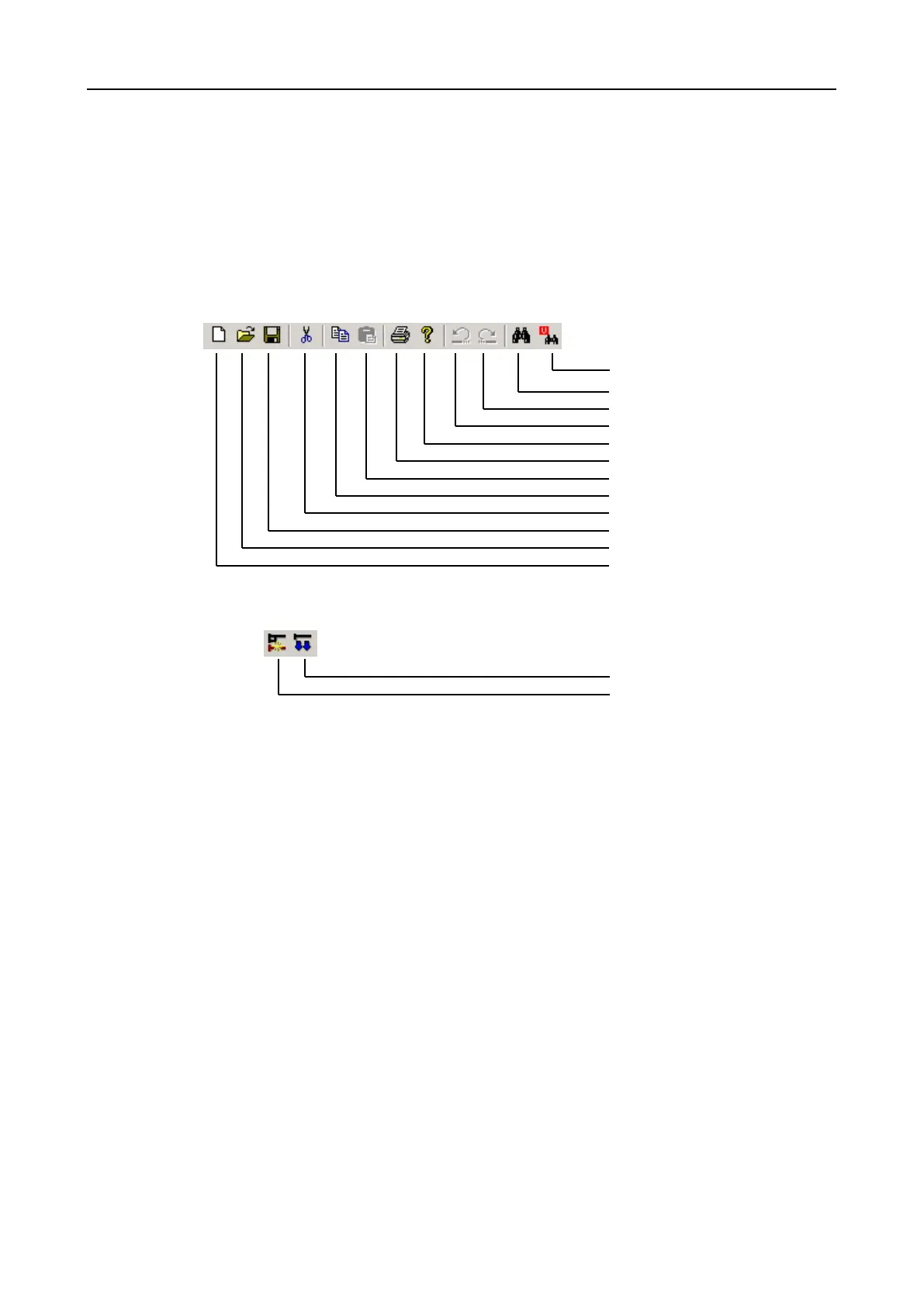
6.8.3 Tool bar
The functions of the tool bar are found as subentries in the main menu. If you move
the mouse over the individual tool buttons, an information window appears with a
brief description of the action associated with the tool button. In addition, a brief
description of the function is displayed in the status bar. A reference to the menu
function belonging to the tool buttons is shown below.
Edit
Menu entry
[View]-[U-mark search]
[View]-[Search...]
[Edit]-[Redo]
[Edit]-[Undo]
[Help]-[About...]
[File]-[Print]
[Edit]-[Paste]
[Edit]-[Copy]
[Edit]-[Cut]
[File]-[Save]
[File]-[Open]
[File]-[New]
Ladder diagram
Menu entry
[Edit]-[New Line insert]
[Edit]-[New Block insert]


 To Next Page