2 General Safety Information
2.2 Product Safety
2.2.5 Display of Faults
No light guide or light guide attached incorrectly
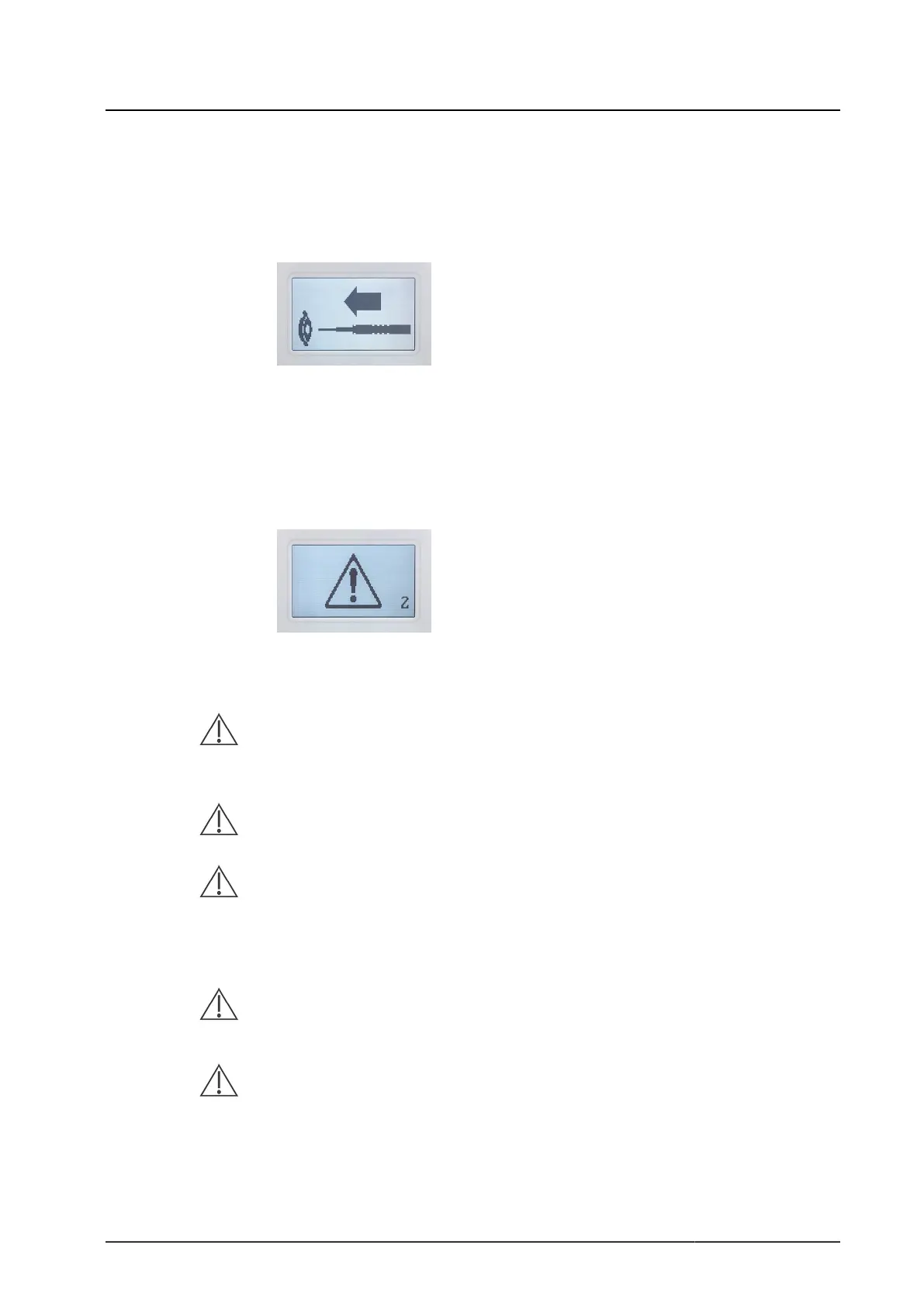
If the light guide is not attached or is not attached correctly, you will see the fol-
lowing message on the display:
Figure 2-1: Symbols displayed if light guide is not attached.
If this occurs, you should attach the light guide, attach it correctly, or switch the
device off.
Warning with error code
In case of an operating error the display shows the following:
Figure 2-2: “Error code 2” display example.
1
Possible causes Fixes
LED light intensity cannot be controlled or
LED is defective
Replace LED light source as quick-
ly as possible by a second unit
2
Failure of housing fan
Replace LED light source as quick-
ly as possible by a second unit
3
Housing temperature exceeds 60 °C. Light
output is decreased. The device will not
switch off, but is not guaranteed to remain
fully functional
Replace LED light source as quick-
ly as possible by a second unit
4
The device features two internal fans for
cooling the LED. The first fan is defective
Replace LED light source as quick-
ly as possible by a second unit
5
The device features two internal fans for
cooling the LED. The second fan is defective
Replace LED light source as quick-
ly as possible by a second unit
Instructions For Use | 13 - Mar - 2020 | Version: B Page 56 of 78


 To Next Page