4 Operation
4.4 Switching On and Off, Separation from the Power Supply
4.4 Switching On and Off, Separation from the Power Supply
Switching on the device
Proceed as follows:
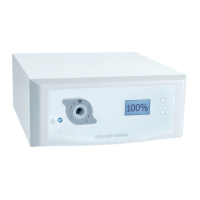
1. Switch on the device at the front.
Device does not switch on?
The main switch on the rear is switched off.
Switch ON at the main switch.
After approximately 10 seconds, the device is ready for operation.
The ON / standby button on the front is illuminated white.
The device is on.
Switching off the device
Proceed as follows:
1. Switch off the device at the front.
The device switches to standby mode.
The ON / standby button on the front is illuminated blue.
2. To switch off the device completely, switch off at the main switch on the rear.
The device is off.
Separating the device from power
Proceed as follows:
1. To separate the device completely from its power supply, disconnect the
power cord. The appliance coupler is considered as disconnecting device.
Make sure that the rear of the device is accessible at any time.
The device is completely separated from the power supply.
Instructions For Use | 13 - Mar - 2020 | Version: B Page 64 of 78


 To Next Page