ProLab 2000 Operation
47
ba75577e03 11/2009
Preparatory activities Perform the following preparatory activities when you want to calibrate:
4.5.6 Calibration interval
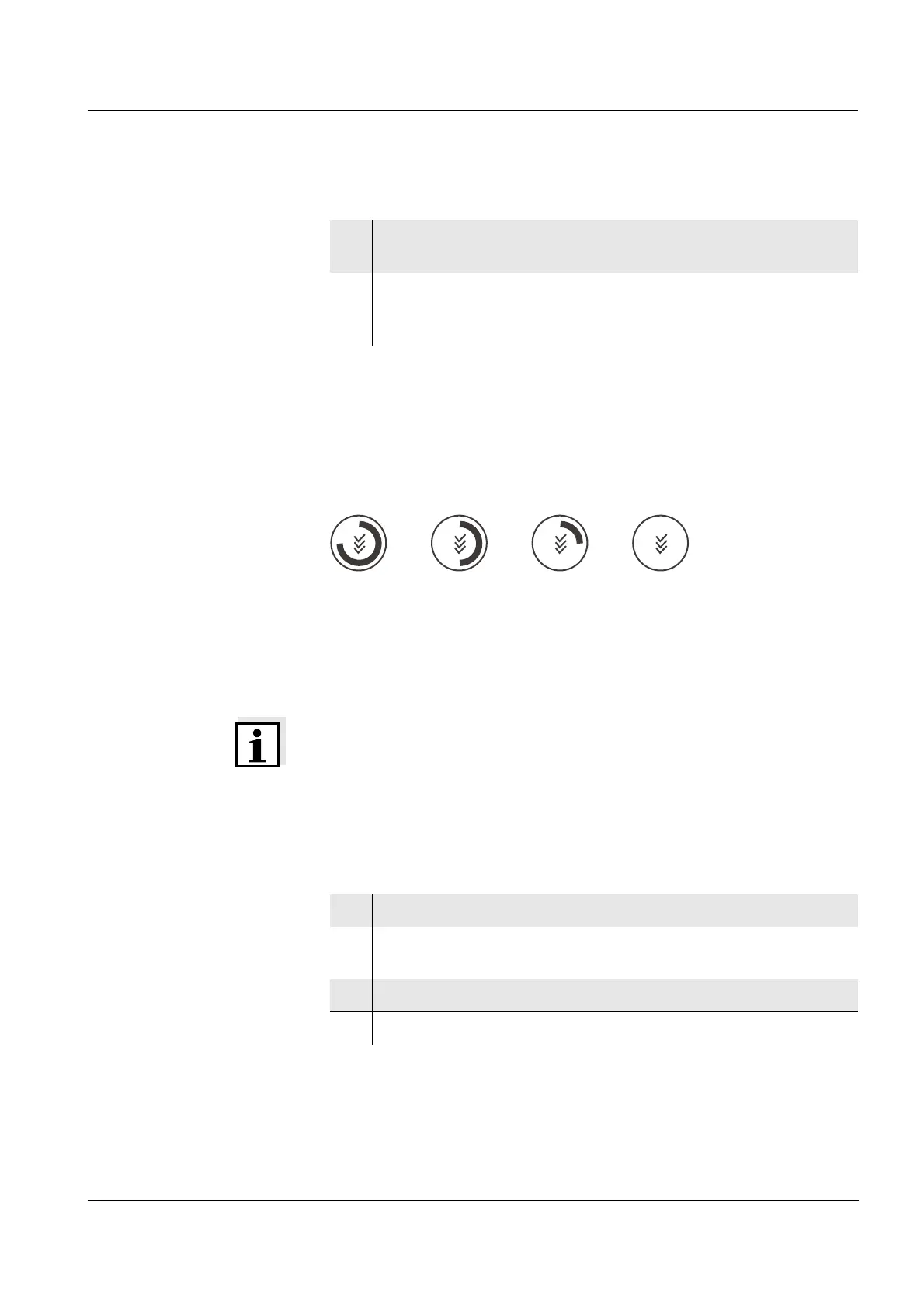
The calibration interval and calibration evaluation are indicated on the
display as the CalClock.
CalClock
The remaining time of the calibration interval is indicated by the
segmented ring around the calibration evaluation. This segmented ring
reminds you to calibrate regularly.
After the specified calibration interval has expired the outside circle of
the CalClock flashes. It is still possible to measure.
Note
To ensure the high measuring accuracy of the measuring system,
calibrate after the calibration interval has expired.
Setting the calibration
interval
The calibration interval is set to 7 (d7) days in the factory.
You can change the interval (1 ... 999 days):
1 Connect a pH electrode to the meter.
The pH measuring window is displayed.
2 Keep the buffer solutions ready. Adjust the temperature of the
buffer solutions, or measure the current temperature, if you
measure without a temperature sensor.
1 Open the menu for measurement settings with <MENU/OK>.
2 In the Calibration / Calibration interval menu, set the calibration
interval with <▲><▼>.
3 Confirm the setting with <MENU/OK>.
4 Exit the menu with <MODE>.


 To Next Page