ProLab 2000 Operation
59
ba75577e03 11/2009
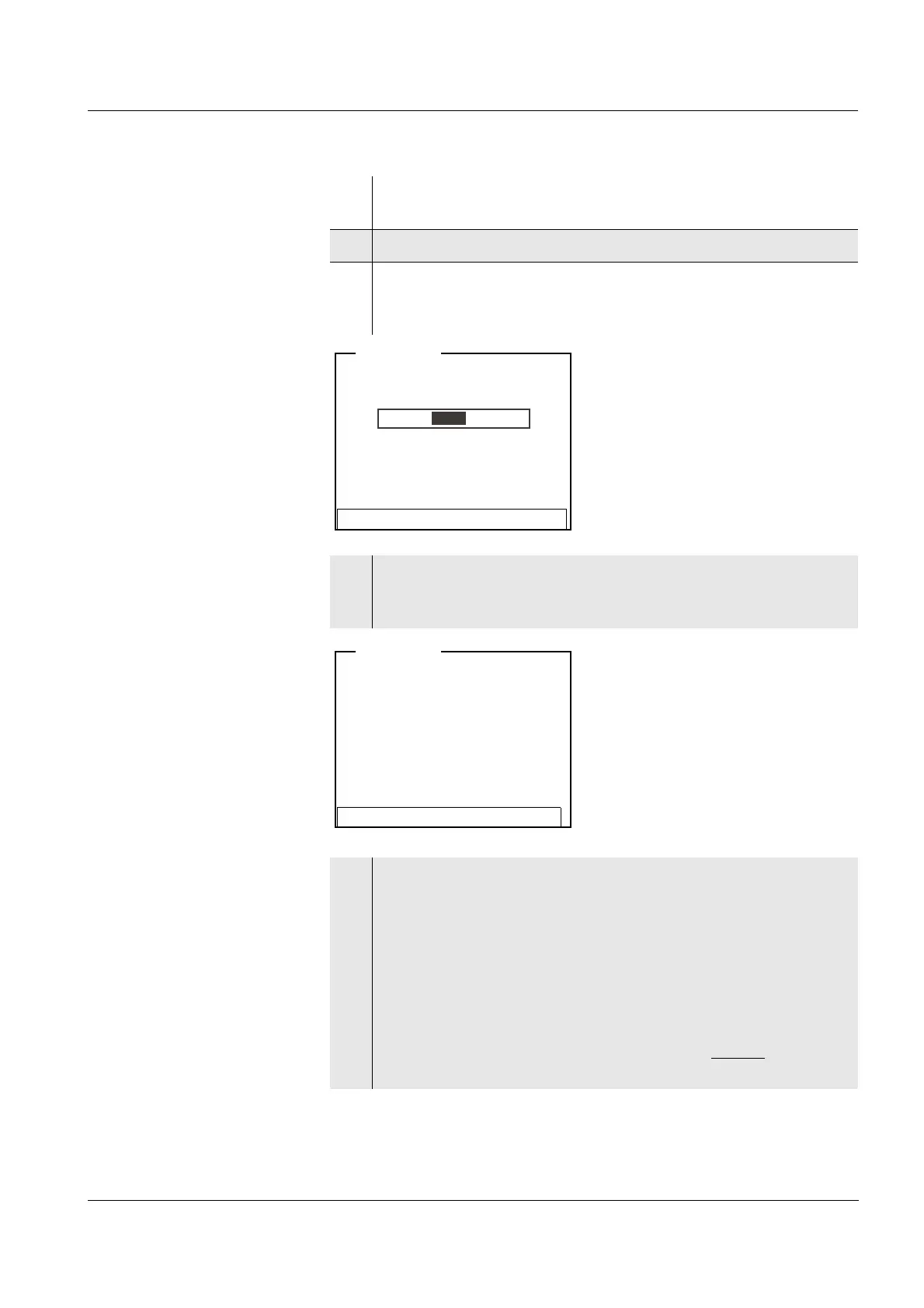
Continuing with three-
point calibration
Repeat the steps 12 to 20 in the same way for the third standard
solution. After finishing the last calibration step, the new calibration
values are displayed as a message (
i).
17 Select the Set temperature setting with <▲><▼> and press
<MENU/OK>.
18 Set the temperature with <▲><▼> and press <MENU/OK>.
19 Select Continue with <▲><▼> and press <MENU/OK>.
The standard solution is measured.
The measured value is checked for stability (Stability control).
20 Wait for the end of the measurement with Stability control or
accept the calibration value with <MENU/OK>.
The calibration display for the next standard solution appears.
21 For two-point calibration, select Exit with 2 point calibration with
<▲><▼> and confirm with <MENU/OK>.
The calibration is completed as a two-point calibration.
The new calibration values are displayed as a message (
i).
You have the following options:
z Accept the new calibration values with <MENU/OK>.
Subsequently, the calibration record is displayed and
downloaded to the interface at the same time.
z To switch to the measured value display without
accepting
the new calibration values, press <MODE> or <ESC>.
i Standard = 0.020 mg/l
i U = 8.4 mV
Terminate stability control
ISE <CAL>
i #2 0.020 mg/l 24 °C
i Immerse sensor in std. 3
Set temperature:24 °C
Continue
Exit with 2 point calibration
Set standard: 0.050 mg/l
ISE <CAL>


 To Next Page