Operation
Quick Start Mode
The QUICK START mode allows you immediately start your workout without having to enter any information or choose a
workout program.
1. Press the START / ENTER button to begin QUICK START MODE.
2. QUICK STARTwill automatically startthe MANUAL program.
3. Press (+ / -) button to raise or lower level. The default starting LEVEL is 3.
Note: Time will start to count up from 00:00.
Pause Mode
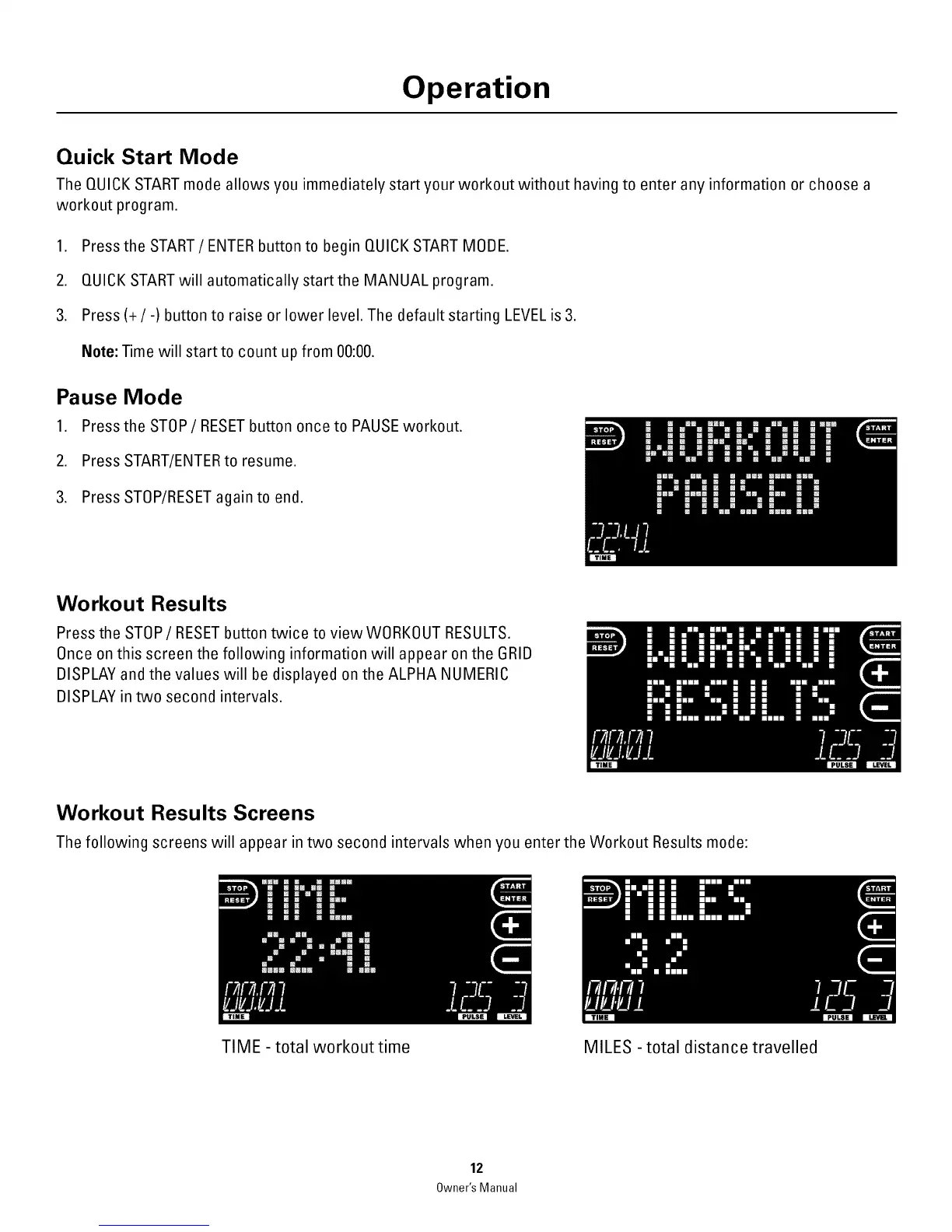
1. Press the STOP/RESET button once to PAUSE workout.
2. Press START/ENTERto resume.
3. Press STOP/RESETagain to end.
Workout Resu Its
Press the STOP/RESET button twice to view WORKOUT RESULTS.
Once on this screen the following information will appear on the GRID
DISPLAY and the values will be displayed on the ALPHA NUMERIC
DISPLAY in two second intervals.
Workout Results Screens
The following screens will appear in two second intervals when you enter the Workout Results mode:
TIME - total workout time MILES - total distance travelled
12
Owner'sManual



 To Next Page