Operation
Program Select Mode
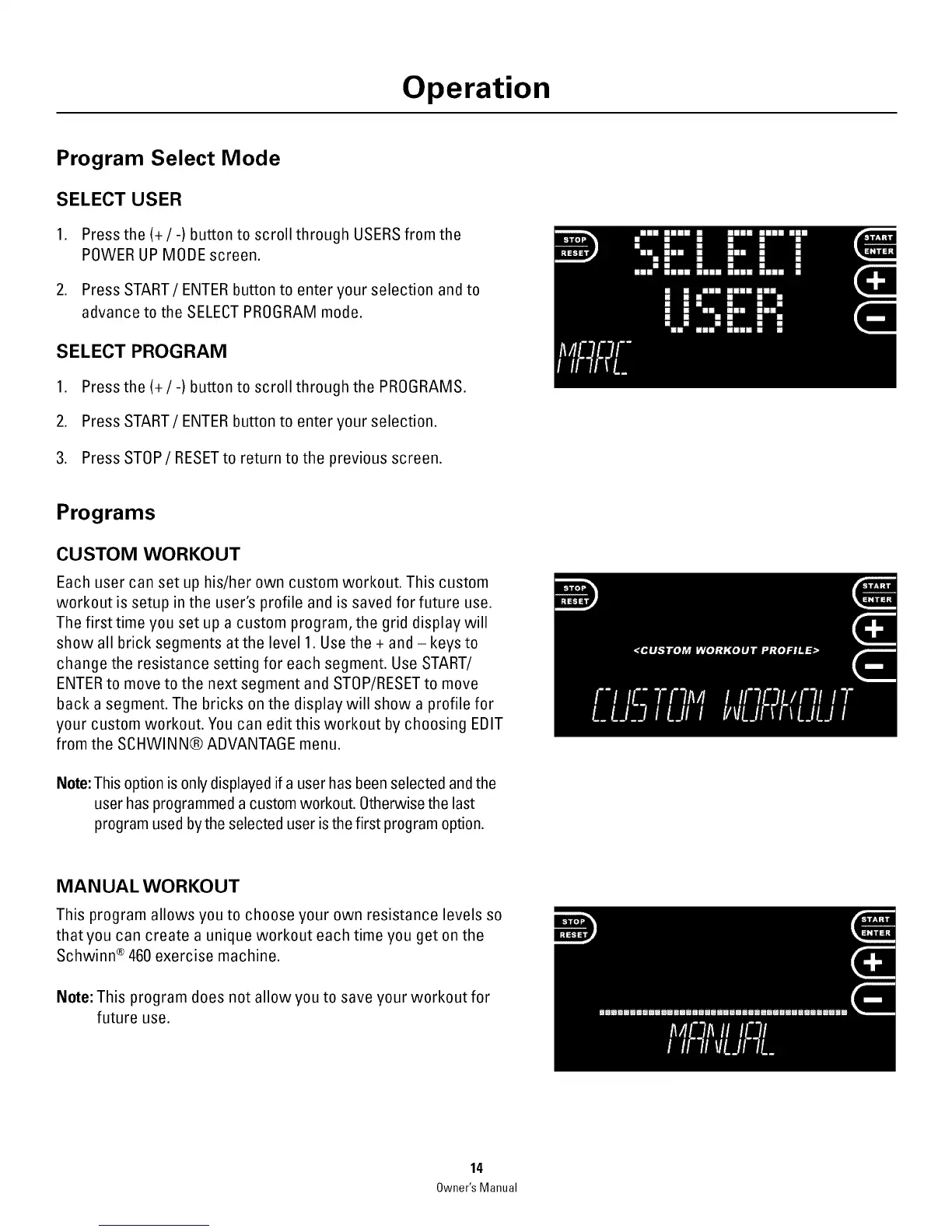
SELECT USER
1. Press the (+/-) button to scroll through USERSfrom the
POWER UP MODE screen.
2. Press START/ENTER button to enter your selection and to
advance to the SELECTPROGRAM mode.
SELECT PROGRAM
1. Press the(+/-) button to scroll through the PROGRAMS.
2. Press START/ENTER button to enter your selection.
3. Press STOP/RESETto return to the previous screen.
Programs
CUSTOM WORKOUT
Each user can set up his/her own custom workout. This custom
workout is setup in the user's profile and is saved for future use.
The first time you set up a custom program, the grid display will
show all brick segments atthe level 1. Use the + and-keysto
change the resistance setting for each segment. Use START/
ENTERto move to the next segment and STOP/RESETto move
back a segment. The bricks on the display will show a profile for
your custom workout. You can edit this workout by choosing EDIT
from the SCHWINN® ADVANTAGE menu.
Note: This option is only displayed if a user has been selected and the
user has programmed a custom workout. Otherwise the last
program used bythe selected user is the first program option.
MANUAL WORKOUT
This program allows you to choose your own resistance levels so
thatyou can create a unique workout each time you get on the
Schwinn ®460 exercise machine.
Note: This program does not allow you to save your workout for
future use.
14
Owner'sManual



 To Next Page