Operation
Program Setup
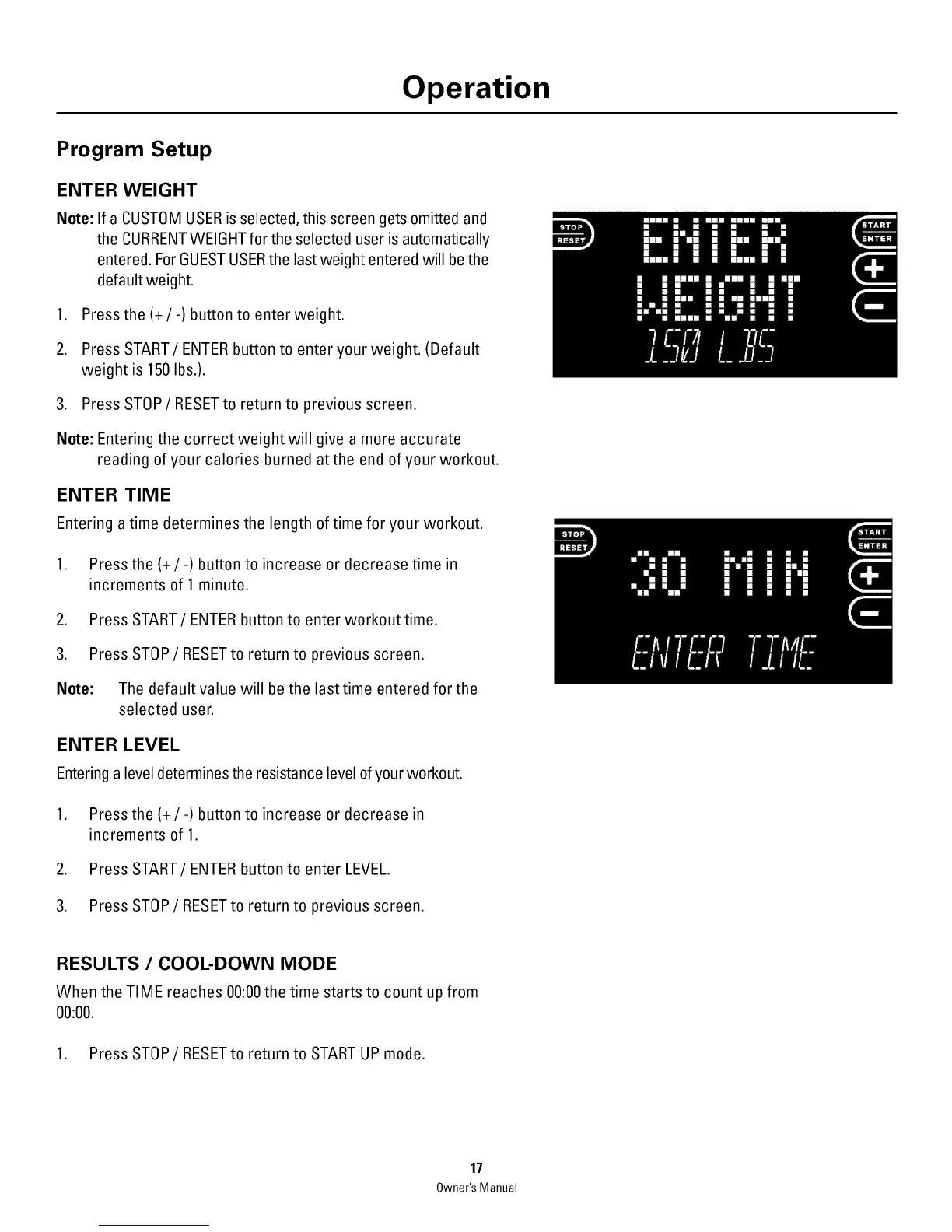
ENTER WEIGHT
Note: If a CUSTOM USERis selected, this screen gets omitted and
the CURRENTWEIGHT for the selected user is automatically
entered. ForGUESTUSERthe last weight entered will be the
default weight.
1. Press the(+/-) button to enter weight.
2. Press START/ENTER button to enter your weight. (Default
weight is 150 Ibs.).
3. Press STOP/RESETto return to previous screen.
Note: Entering the correct weight will give a more accurate
reading of your calories burned atthe end of your workout.
ENTER TIME
Entering a time determines the length of time for your workout.
1. Press the(+/-) button to increase or decrease time in
increments of 1 minute.
2. Press START/ENTER button to enter workout time.
3. Press STOP/RESET to return to previous screen.
Note: The default value will be the last time entered for the
selected user.
ENTER LEVEL
Entering a level determines the resistance level ofyour workout.
1. Press the(+/-) button to increase or decrease in
increments of 1.
2. Press START/ENTER button to enter LEVEL.
3. Press STOP/RESET to return to previous screen.
RESULTS / COOL-DOWN MODE
When the TIME reaches 00:00the time starts to count up from
00:00.
1. Press STOP/RESET to return to START UP mode.
17
Owner's Manual



 To Next Page