3 - Starting and Operating
Stationary Air Compressor System Operating Instructions
23
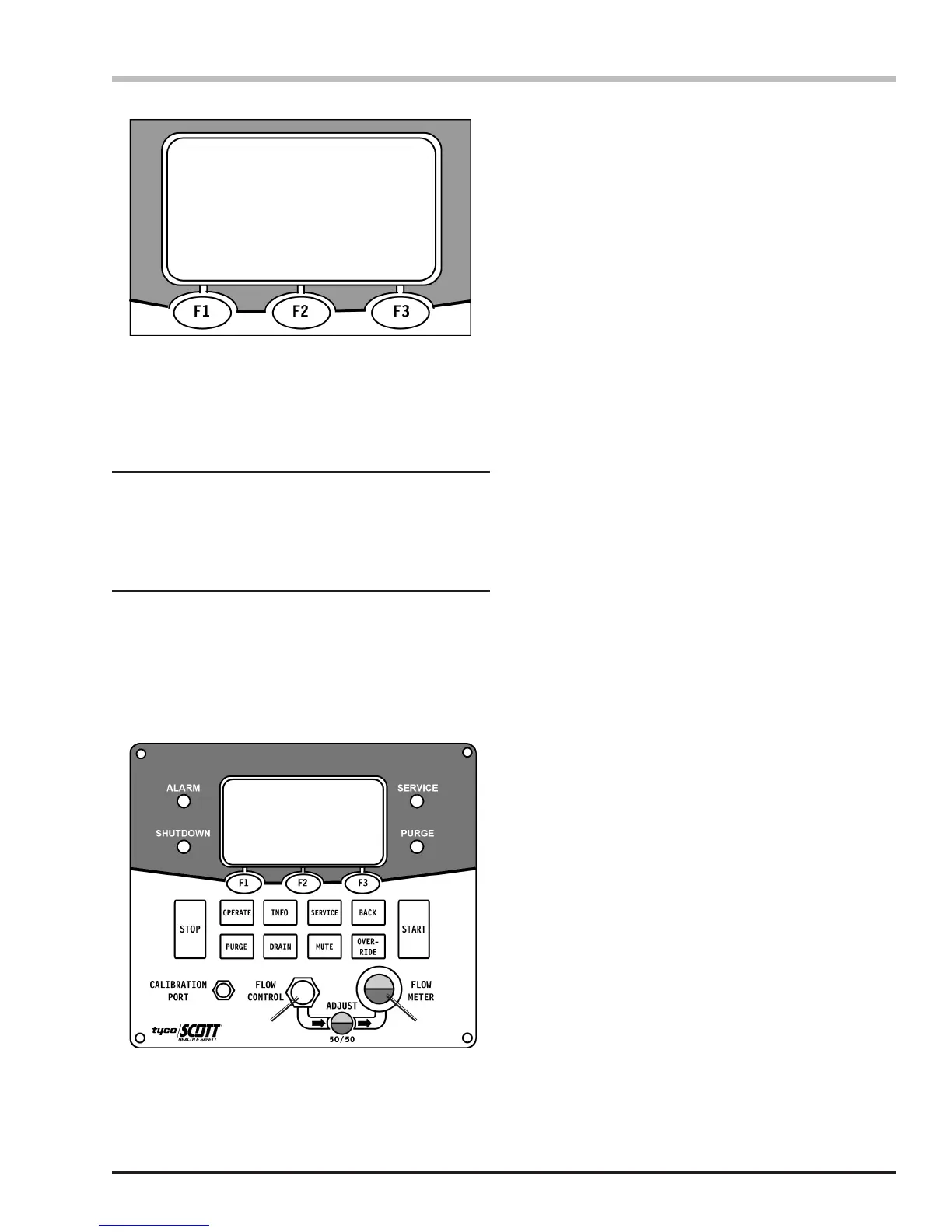
T = 104° CO = 0 DP = -80°F
Condition = Normal
Compressor will Stop when
Storage is Full
T = 104° CO = 0 DP = -80°F
Condition = Normal
Compressor will Stop when
Storage is Full
1 2
1) Flow Control Dial
2) Air Flow Adjustment Eye
Operating the Compressor
continued on the next page...
8. When the system reaches maximum pressure, the
compressor will run in a cool-down cycle for two (2)
minutes. During this time, the compressor will run
unloaded while draining the moisture separators,
and cooling down the compressor stages. After the
cool-down cycle, the compressor will stop.
If the system is in the AUTO mode, the compressor
will restart to rell the storage when the system
pressure drop approximately 500 psi below
maximum pressure.
If the system is in the MANUAL mode, the you must
press the START button after the storage pressure
drops approximately 500 psi from full to restart the
compressor to rell the storage.
6. Continue to monitor the unit during operation, noting
the Compressor Pressure and Storage Pressure
gauge readings. Also monitor the Compressor
Stage Gauge Readings as instructed on Page 26
of this instruction.
7. When the system pressure reaches approximately
2500 psi, adjust the Flow Control to obtain a 50/50
(red/green) reading in the Flow Meter (only on units
with either the SCOTT CO or DP monitors). This
provides the correct sample ow rate to the carbon
monoxide monitor and/or dew point monitor.
To verify that the moisture separators are operating
properly, press the DRAIN button on the controller.
This will activate a fteen (15) second drain cycle to
remove condensation from the moisture separators.
Check the Compressor Stage Gauges to verify
that they all drop pressure and recover pressure
simultaneously.
The compressor will automatically activate a fteen-
second drain cycle at regular intervals to remove
condensation. However, a manual fteen-second
drain cycle can be activated at any time by pressing
the DRAIN button on the controller.
Pressing STOP will activate a cool-down cycle and
stop the compressor.
Operational Checks
The operator must monitor the breathing air system
at all times during operation. See the sections
“Compressor Stage Gauge Readings” and “System
Tolerances and Overrides.”


 To Next Page