37
Stationary Air Compressor System Operating Instructions
6 - System Administrator Responsibilities
Modify System Settings
USER PASSWORD and OVERRIDE Feature
To Change the USER PASSWORD
1. Turn the external power source ON (wall-mounted
switch).
2. After the X4 Controller completes the system boot,
the display will say, “Press F2 Button Below to
Begin.” Press the F2 key directly below the X4
Controller digital display.
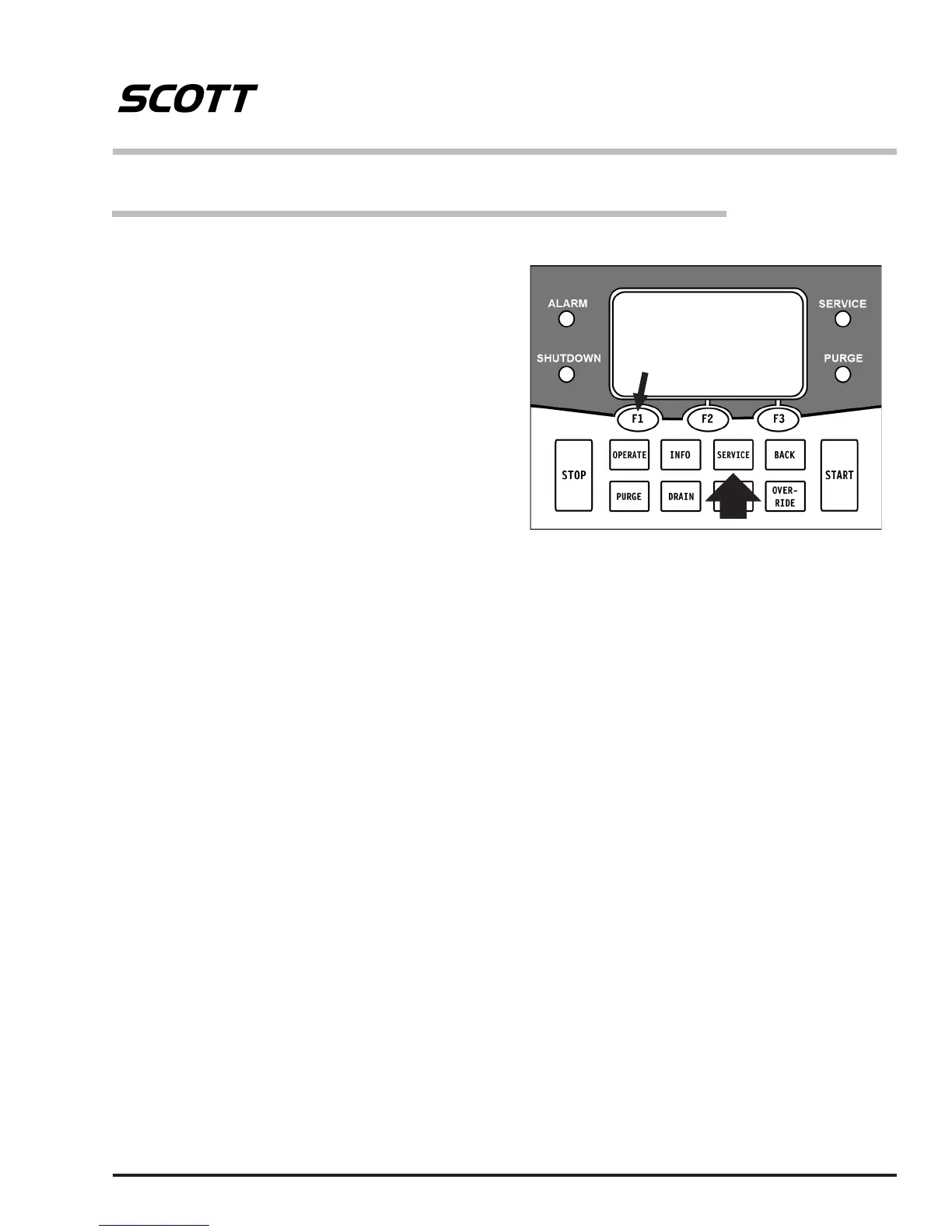
3. The display will show the current Service Due dates
and say, “Push Operate, Info, or Service.” Press
SERVICE on the keypad. (Remember, you can
press BACK at any time to return to the previous
display.)
The System Administrator who has responsibility for this
equipment has certain responsibilities and tasks beyond
the normal Operator Maintenance. Access to these is
protected by a USER PASSWORD in the X4 Controller.
The responsibilities and tasks include:
To Modify System Settings:
– Changing the USER PASSWORD
– Enabling or Disabling the Override function
To Perform System Service:
– Recording the date of an approved Breathing Air
Sample
– Calibrating the Carbon Monoxide (CO) monitor
(when installed)
The System Administrator must be thoroughly familiar
with starting and operating the Breathing Air Compressor
system according to the Operator’s Instructions provided
with the system.
These tasks can only be accessed when the compressor
system is powered up but the compressor itself is not
running.
Follow the prompts on the display screen for each
operation . Remember, you can press BACK at any time
to return to the previous display.
Modify
System
Settings
Perform
System
Service
5. You will be asked to enter the USER PASSWORD.
The display will show a “1” above F1, a “2” above F2,
and a “3” above F3. The factory installed password is
111111. To enter this, press the F1 button six times.
(If you enter the wrong password, the display will
say, “Invalid Password – Wait for ve seconds and
reenter password.”)
6. The display will say, “CHANGE USER PASSWORD?”
Select YES (F1 button). If you select NO (F3 button),
you will proceed to the OVERRIDE FEATURE
below.
7. Enter a six digit number made up of 1’s, 2’s, and/or
3’s by pressing the F1, F2, and/or F3 buttons below
the display. (Keep a record of your new password
in a safe place.) When nished, press the START
button on the keypad.
8. The display will ask you to reenter the new password
and press the START button on the keypad again.
If the second entry matches the rst, the display
will say, “PASSWORD WAS SUCCESSFULLY
CHANGED – PRESS CONTINUE. You will proceed
to the OVERRIDE Feature below.
4. Select “Modify System Settings” (F1).


 To Next Page