4 - Operator Maintenance
Stationary Air Compressor System Operating Instructions
31
Compressor Drive Belt
The compressor drive belt has automatic tensioning.
When the compressor is not running, check the condition
of the compressor belt. If the belt is frayed or damaged,
do not use the compressor until the belt is replaced.
Contact a SCOTT certied and trained technician for
drive belt service and maintenance.
Purication System Moisture Indicator
If the optional Purication System moister indicator is
installed, the operator should check the indicator after
every 10 hours of operation.
If the indicator is white, the entire set of cartridge lters
must be changed IMMEDIATELY. DO NOT operate the
compressor system if the purication lter moisture
indicator is white. Notify a SCOTT trained and certied
service technician to have the cartridges inspected
and changed according to approved maintenance
procedures. If the indicator is blue, all cartridges are in
good operating condition. However, the purication lters
should be changed every 50 hours of operation even if
the indicator is still blue.
Optional Purication Moisture Indicator
(Indicator may be located at the output end of the hose)
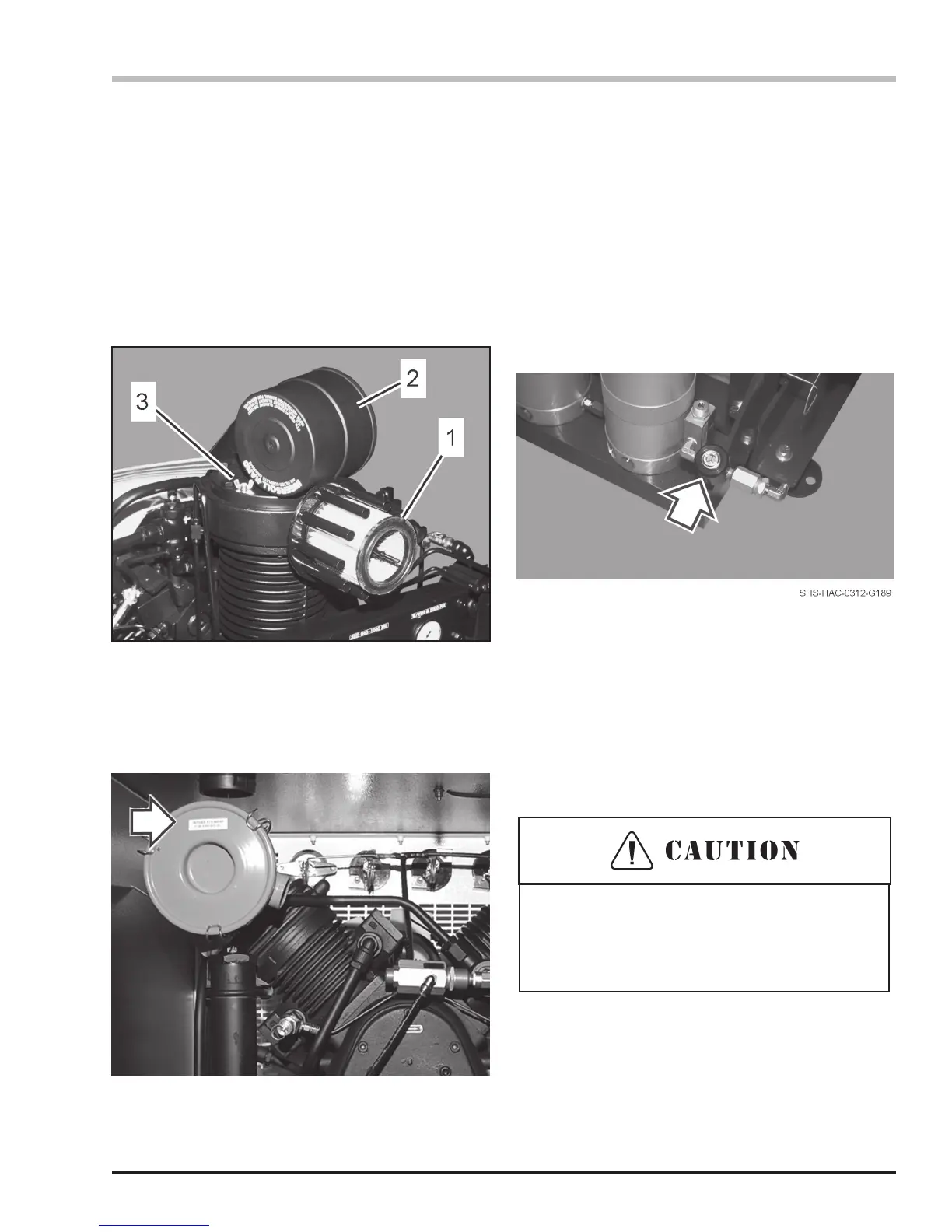
Inlet Filter
The operator should check the inlet lter located on top
of the compressor after prolonged use (approximately
100 hours of operation in normal conditions, or 50 hours
if operating in dusty or dirty environments). To change
the lter:
1. Loosen the wing nuts to open the lter housing.
2. Remove the cover and inspect the element for
excessive build up of dirt and particles.
3. Install a new element as needed and replace the
cover.
1) HUSH Inlet Filter Element (SCOTT P/N
AB281277)
(with Remote Intake, SCOTT P/N ABE065387)
2) Filter Cover
3) Wing Nut
Use only SCOTT approved parts and supplies
when servicing this compressor system. Use of
unapproved parts or supplies may result in reduced
performance or damage to the equipment.
Simple Air Inlet Filter Cap
(Part number appears on Filter Housing)


 To Next Page