DC.R340TT.MAN.001—01—User Manual SDT340TANKTEST EN
12/44
10. Tree Structure Mode
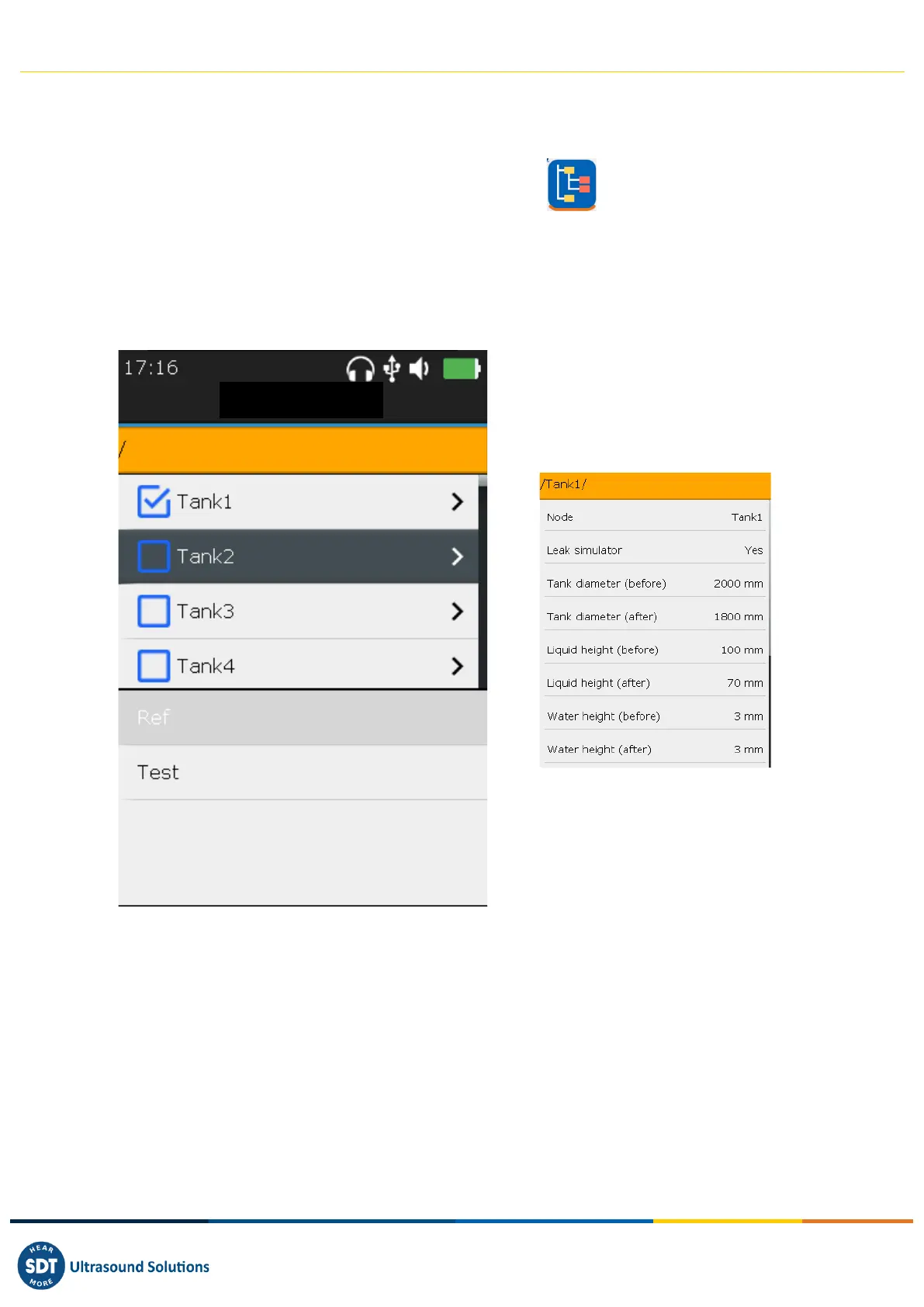
In this mode, the SDT340 TankTest shows the tests already performed and the status of the database.
Access the mode from the home screen, by clicking on the icon and then pressing Enter.
The tree structure mode contains a directory of 50 locations for storing TankTest test data. Only the
guided mode, described below, allows this tree structure to be filled. An occupied memory location
contains the reference measurements "Ref", as well as the measurements supposedly acquired in
vacuum "Test", for each sensor. The measurements are recorded in UTC time.
❶ "Tree Structure" mode
❷ Test performed/memory location
occupied. The details entered by the
operator when taking the measurements
are recalled by pressing the ENTER key
❸ Selected memory location
❹ Empty memory locations
❺ Access to reference measurements
associated with the location❸ (if existing)
❻ Access to vacuum measurements
associated with the location❸ (if existing)
In tree structure mode, the user only has the possibility to browse the already occupied memory
locations to revisit/play back the different measurements.
Tightness control through the acoustic method requires to pass successively from one sensor to the
other, at ambient pressure and then under imposed vacuum. Each step is recorded in the memory of
the device, according to the following logic:
• TankID: Tank Identification
o Ref: Reference measurements
▪ TTR2(RW-32k): with the red sensor, in liquid phase



 To Next Page